Download PDF
Download page Checklist Syntax for Creating Custom Templates in Automation.
Checklist Syntax for Creating Custom Templates in Automation
Use this guide when configuring Jira Automation rules that add checklists to work items using the Custom template (manual input) option.
Basic syntax
Every checklist should start with :::checklist and end with :::
:::checklist text="Your Checklist Name"
- text="First item"
- text="Second item"
:::Required elements
:::checklist text="..."- Opening tag and checklist name- text="..."- Each checklist item:::- Closing tag
| Syntax | |
|---|---|
Simple items |
CODE

Note: To include double quotes inside a value, escape them with a backslash (
CODE
|
Nested Items Create sub-items by adding spaces before the dash (-) character. |
CODE
|
Assignees Assign checklist items to specific users. | By display name
CODE
By Atlassian account ID You can also use account IDs to assign users:
CODE
Multiple assignees Separate multiple assignees with commas:
CODE
With smart values Dynamically assign items using Jira smart values
CODE
|
Item Status Set items as checked or unchecked. | Unchecked (default)
CODE
Checked (pre-completed)
CODE
Note: If you don't specify a status, items are set unchecked by default. |
Smart Values Use Jira smart values to create dynamic checklists that pull data from issues. | Common smart values
CODE
📖 Learn more: Smart values in Atlassian Automation
If a smart value contains multiline text, the Markdown parser may split the checklist item, resulting in some items being skipped. To avoid this, escape line breaks and quotes in the smart value before use. Example:
CODE
|
Markdown text formatting |
CODE
|
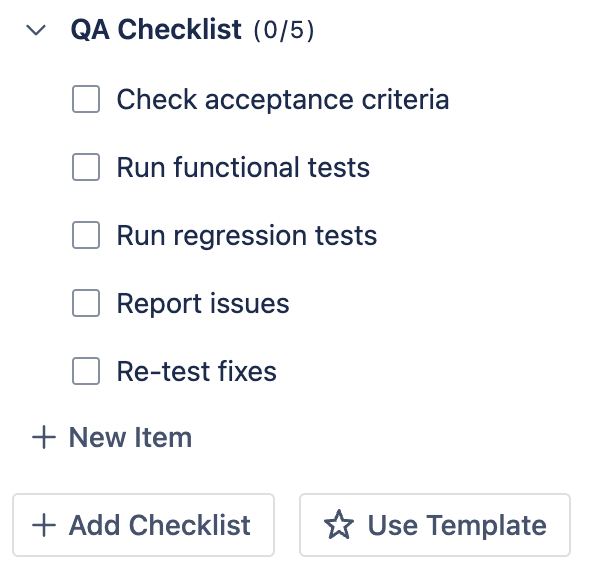





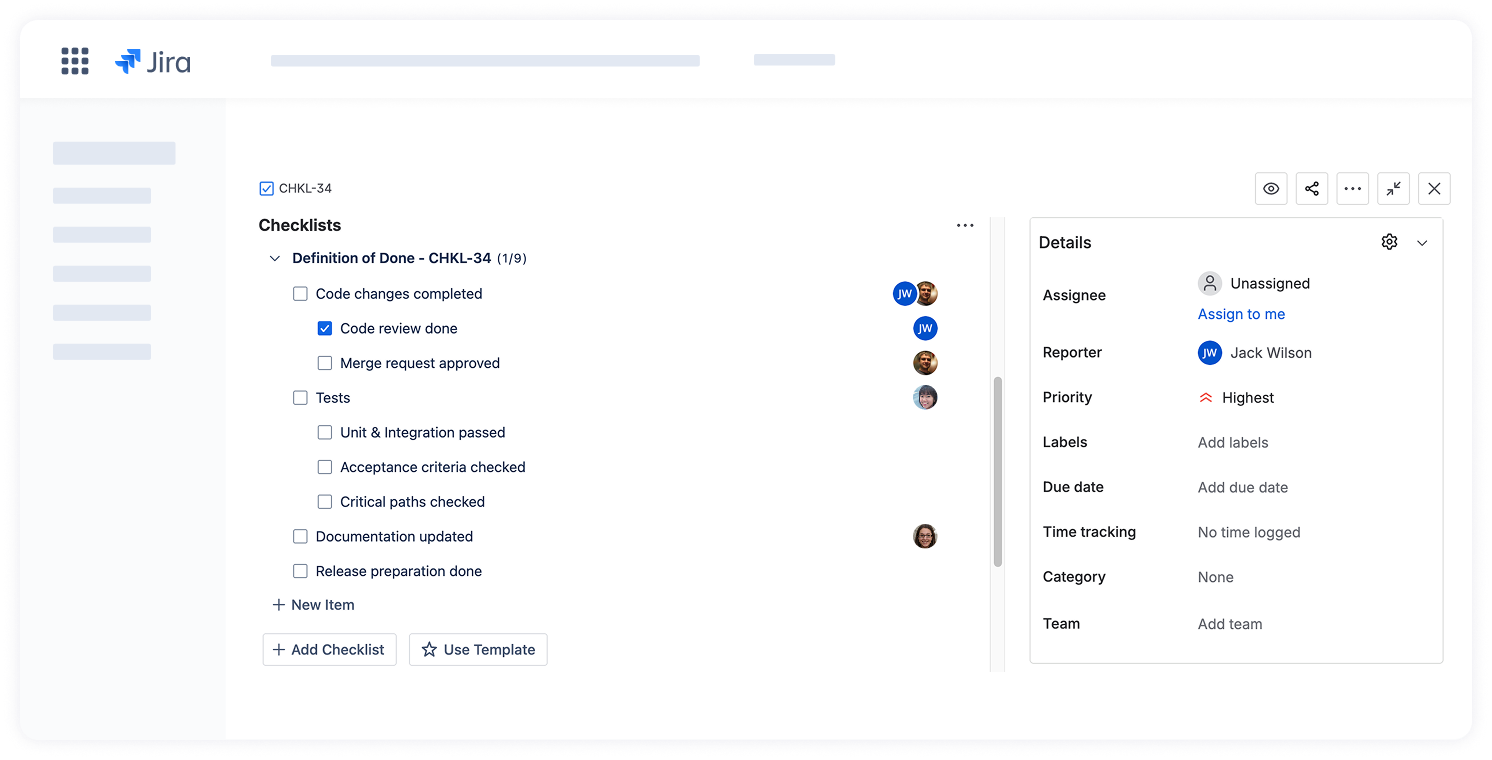
Complete Example:
:::checklist text="Definition of Done - {{issue.key}}"
- text="Code changes completed" assignees="@Jack Wilson, @Alex Smith"
  - text="Code review done" status="checked" assignees="@Jack Wilson"
  - text="Merge request approved" assignees="@Alex Smith"
- text="Tests" assignees="565s8967e34567232y323a1q"
  - text="Unit & Integration passed"
  - text="Acceptance criteria checked"
  - text="Critical paths checked"
- text="Documentation updated" assignees="421s3457e54327232y323a1q"
- text="Release preparation done"
:::Result
Advanced formatting syntax
You can use Atlassian Document Format (ADF) for rich text formatting in your checklists and combine it with the basic checklist syntax.
Required elements
When adding checklist items using ADF format, the following elements are required to ensure proper parsing and display:
format="adf"- Marks the item as ADF-based``` - ADF JSON must be enclosed in code fences
Indentation
:::checklist text="Release Prep"
- format="adf"
  ```
     {
        "type": "doc",
         "content" : [{
            "type": "paragraph",
            "content": [{ "type": "text", "text": "Update docs" }]
         }]
     }
  ```
:::Examples with ADF
Using ADF with Basic Checklist Syntax
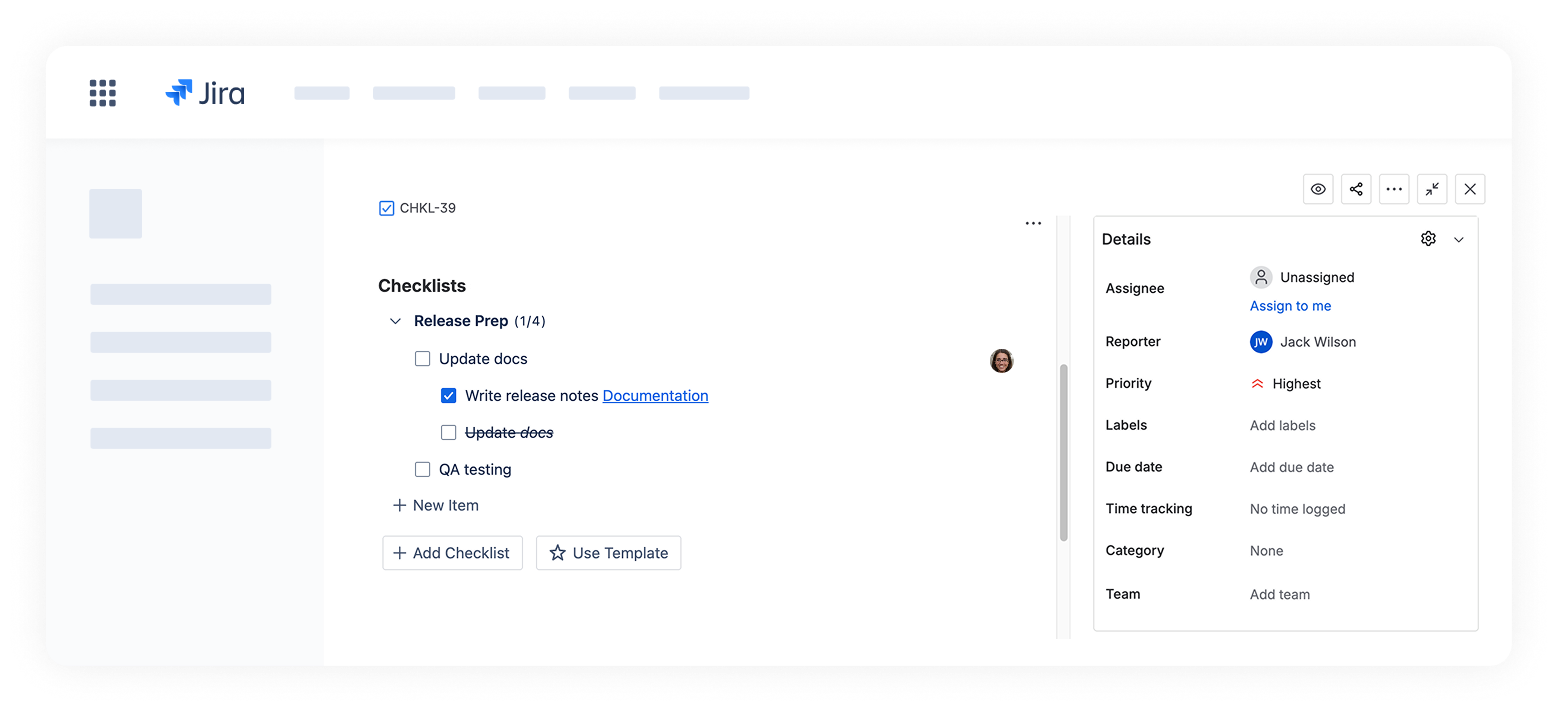
:::checklist text="Release Prep"
- assignees="@Jack Wilson" format="adf"
  ```
     {
        "type": "doc",
         "content" : [{
            "type": "paragraph",
            "content": [{ "type": "text", "text": "Update docs" }]
         }]
     }
  ```
  - text="Write release notes [Documentation](https://docs.stiltsoft.com/checklist-for-jira)" status="checked"
  - text="~~Update *docs*~~"
- text="QA testing"
:::Result
📩 Need help? Feel free to contact us.