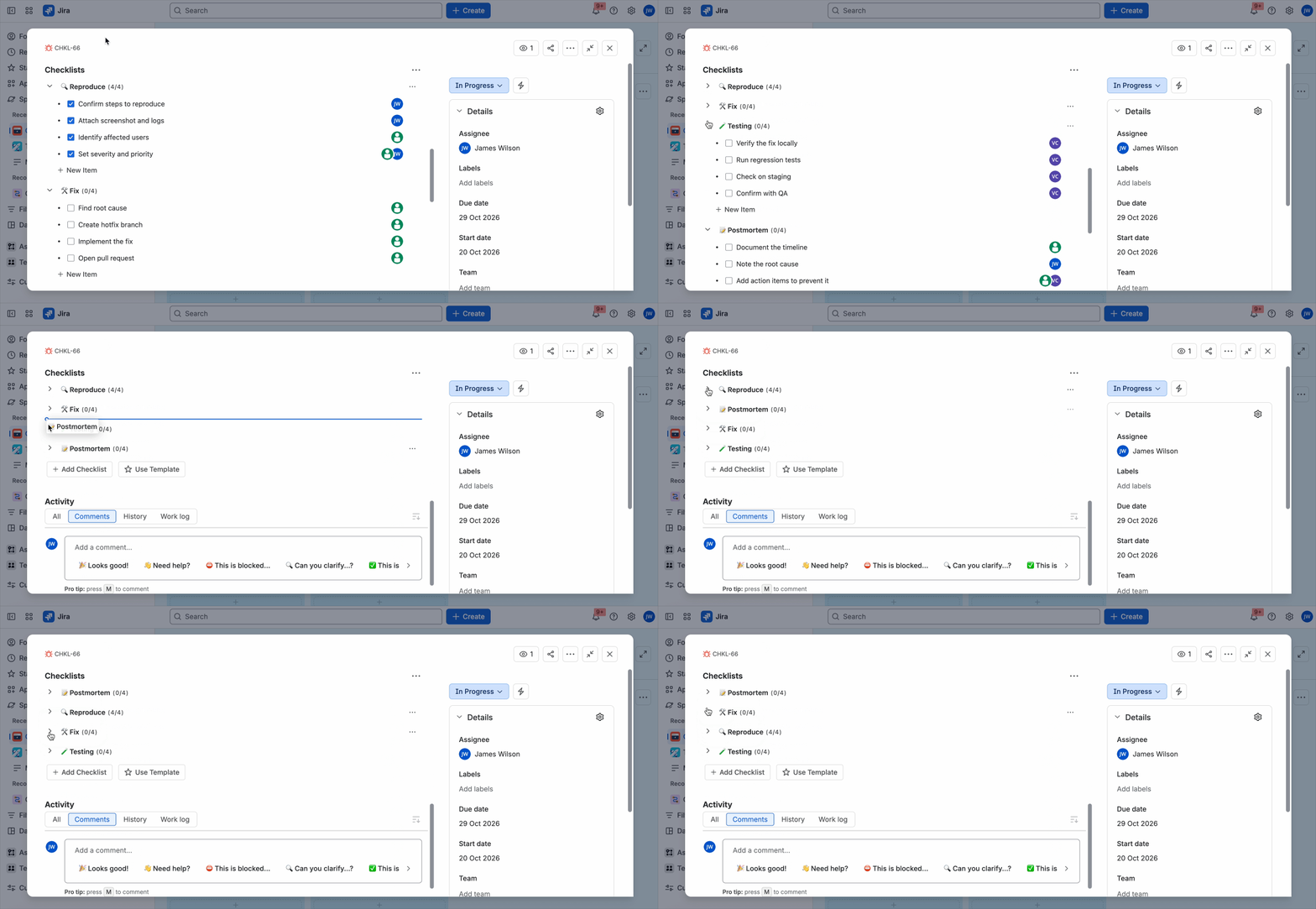
When a Jira work item has more than one checklist, you can arrange them in the order that makes sense for your process. Just drag a checklist and drop it where you need it, so the most important checklists stay on top, and your team always sees what matters first.

How to reorder checklists

  1. Open a Jira work item that has two or more checklists.
  2. Hover over the arrow (chevron) next to a checklist name. The cursor turns into a hand, which means the checklist is ready to move.
  3. Press and hold, then drag the checklist up or down.
  4. Drop it in the new position. The order is saved automatically.

Tip: collapse first, then drag

If a work item has several long checklists, collapse them before you start. Click the arrow next to each checklist name to collapse it, then drag the collapsed checklists into the order you want. With everything folded up, you can see all your checklists at once and rearrange them in a few quick moves.