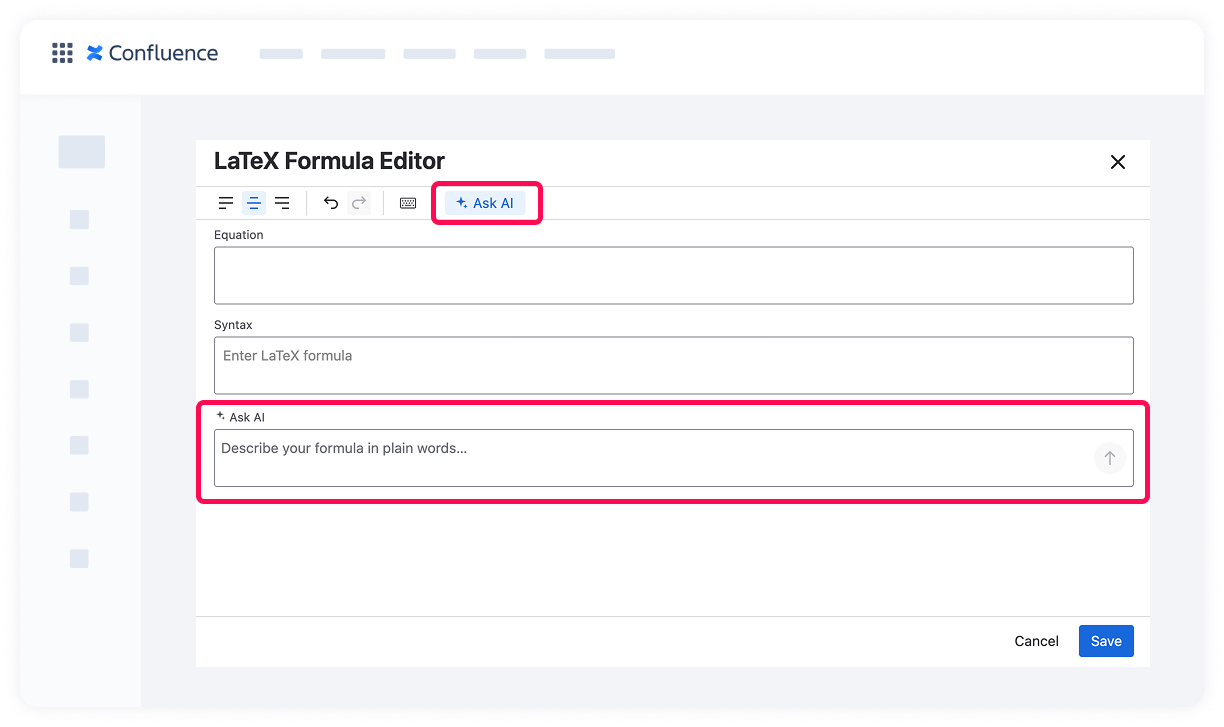
LaTeX Math for Confluence by Stiltsoft includes an AI assistant in the LaTeX Formula Editor. If you don't know the LaTeX syntax for the formula you need, you can describe it in plain words and the AI generates the syntax for you. This is especially useful for beginners, for one-off complex formulas, or when you just don't want to look up the exact commands.
How it works
Open the LaTeX Formula Editor by adding a new formula with the /latex command or editing an existing one.
Click the Ask AI button in the toolbar. The Ask AI field appears below the Syntax field.
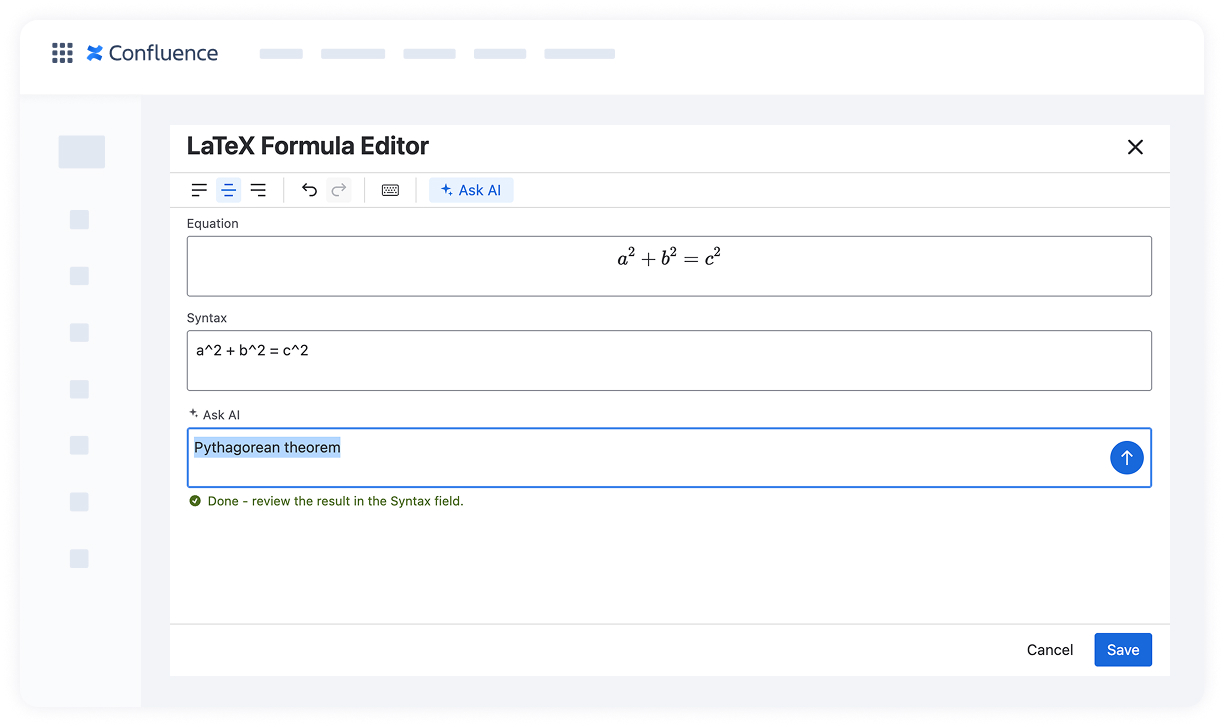
Describe the formula you need in plain words — for example: "Pythagorean theorem", "the derivative of a function", "integral from 0 to infinity of e to the minus x squared".
Click the send button or press Enter.
When generation is complete, you'll see the confirmation "Done – review the result in the Syntax field." The generated LaTeX code appears in the Syntax field, and the rendered formula appears in the Equation preview above.
Review the result. If it matches what you need, click Save. If not, refine your description and generate again, or edit the Syntax field manually.
Supported languages
You can describe formulas in any language you're comfortable with — English, German, Italian, and others. The generated LaTeX syntax stays the same regardless of the input language.
Cookie Notice
This website uses cookies for analytics, personalization and advertising. By continuing to browse, you agree to our use of cookies. Learn more