Download page Enable Compatibility with Confluence.
Enable Compatibility with Confluence
When Confluence compatibility is enabled, Confluence links are displayed in a clear and readable format, making it easier for teams to access related documentation directly from their checklists.
How to enable Confluence compatibility
You can enable Confluence compatibility during app setup or at any time in the app settings.
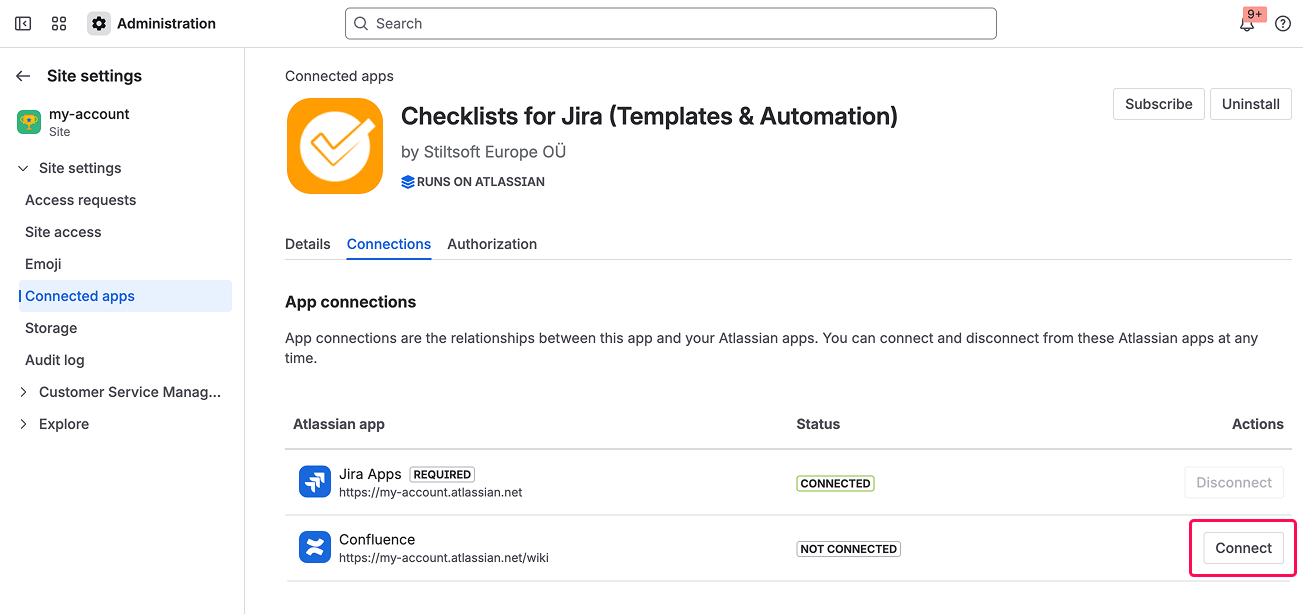
To enable Confluence compatibility:
Go to Jira Administration.
Select ConnectedApps.
Find Checklists for Jira (Templates & Automation) and open the app configuration.
Select the Connections tab.
Click the Connect button next to Confluence.
Once enabled, Confluence links will be properly recognized and displayed in checklist items. You can disable Confluence compatibility at any time in the app configuration.
Cookie Notice
This website uses cookies for analytics, personalization and advertising. By continuing to browse, you agree to our use of cookies. Learn more