Smart Spreadsheet Reports Overview
Schedule and send selected views as XLS files straight to your inbox (or anyone else’s), so your data is always in the right hands - without manual work.
With the Smart Spreadsheet Report action block, you can effortlessly share the latest data with clients, stakeholders, or teammates outside your monday.com account - no logins, no friction.
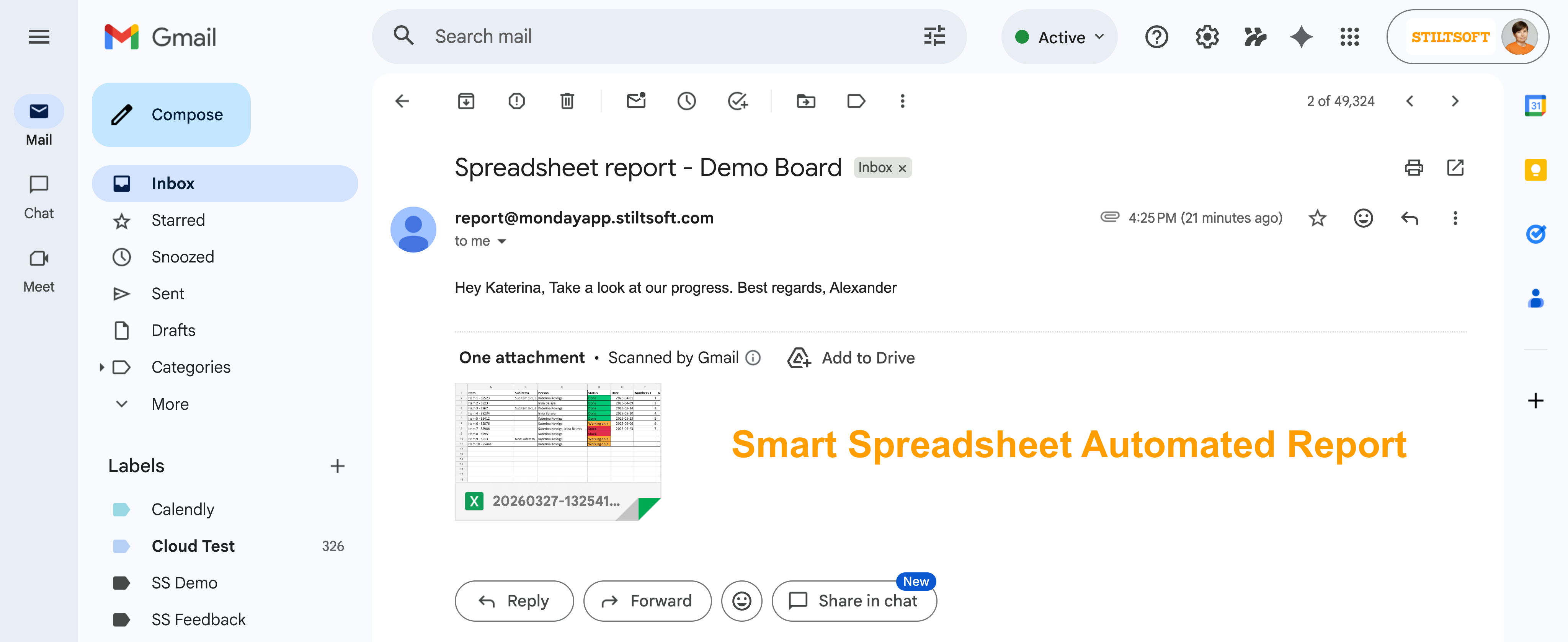
Use cases:
- Impress clients with consistent, automated updates
Send polished reports on a schedule - no more last-minute exports or missed deadlines - Stay audit-ready with historical snapshots
Automatically capture and store your data at key moments in time - Keep stakeholders in the loop - without giving access
Share exactly what they need to see, without exposing your entire board - Deliver the right data to the right people
Send filtered views by project, region, owner, or status - fully tailored - Automate internal reporting workflows
From weekly team updates to executive summaries - set it once and let it run
Smart Spreadsheet Reports Setup
You can create a custom automated report in several ways.
Through the Automation Center (fully customized report):
Navigate to the Automation Center.
Select Create from scratch.
Define a trigger for the automation.
Add the Smart Spreadsheet Report action block.
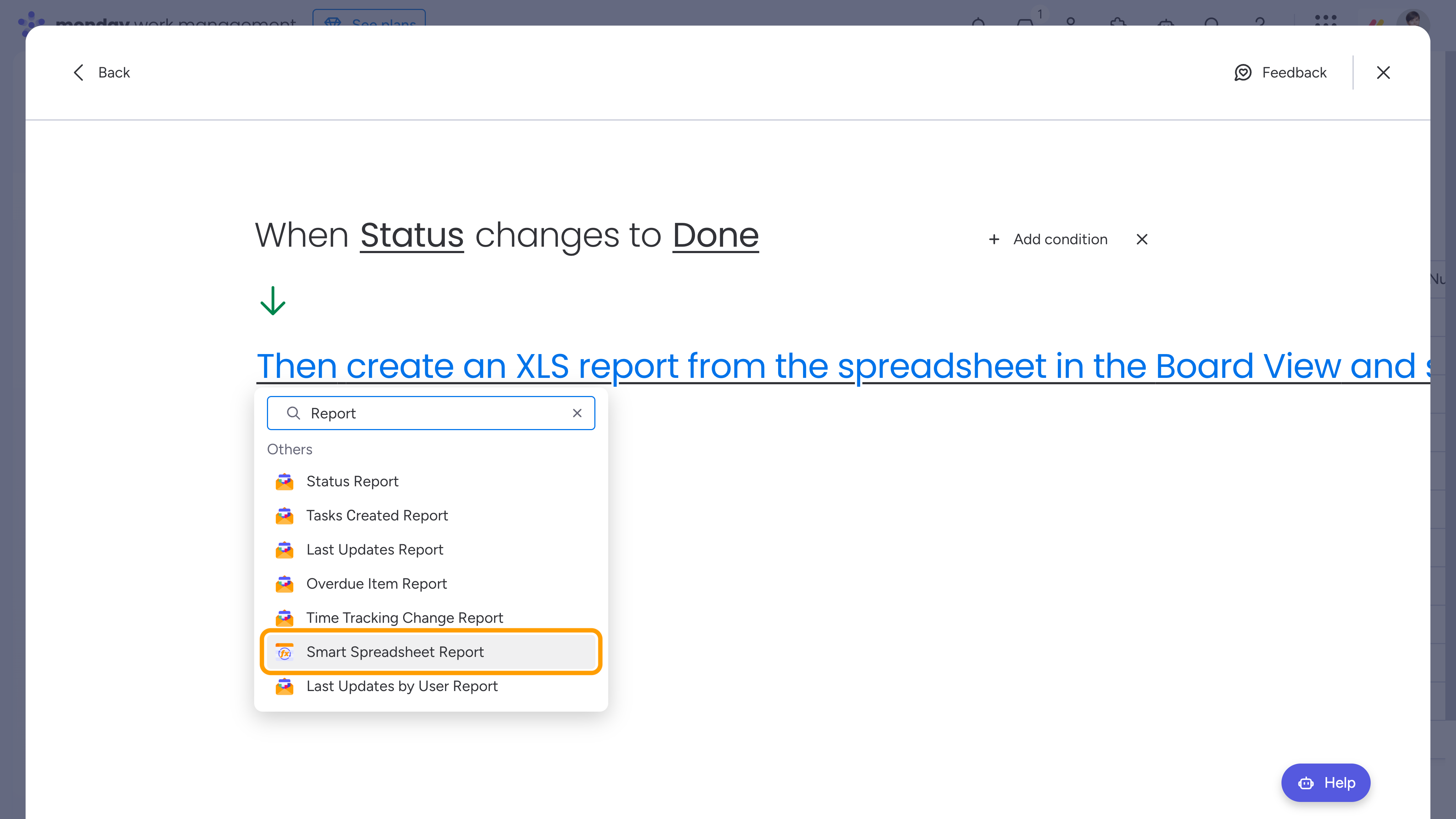
Through the Automation Center (custom template with a predefined trigger):
Navigate to the Automation Center.
Locate the Smart Spreadsheet folder.
Select our template built with the new monday builder.
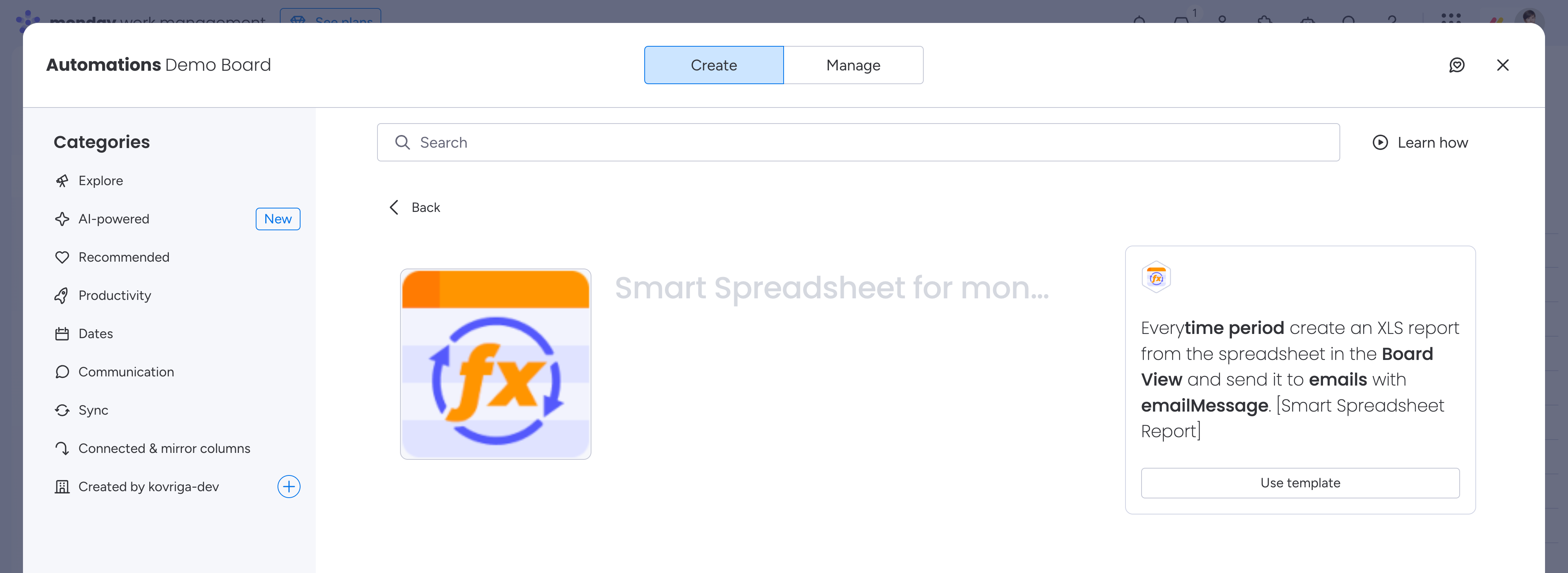
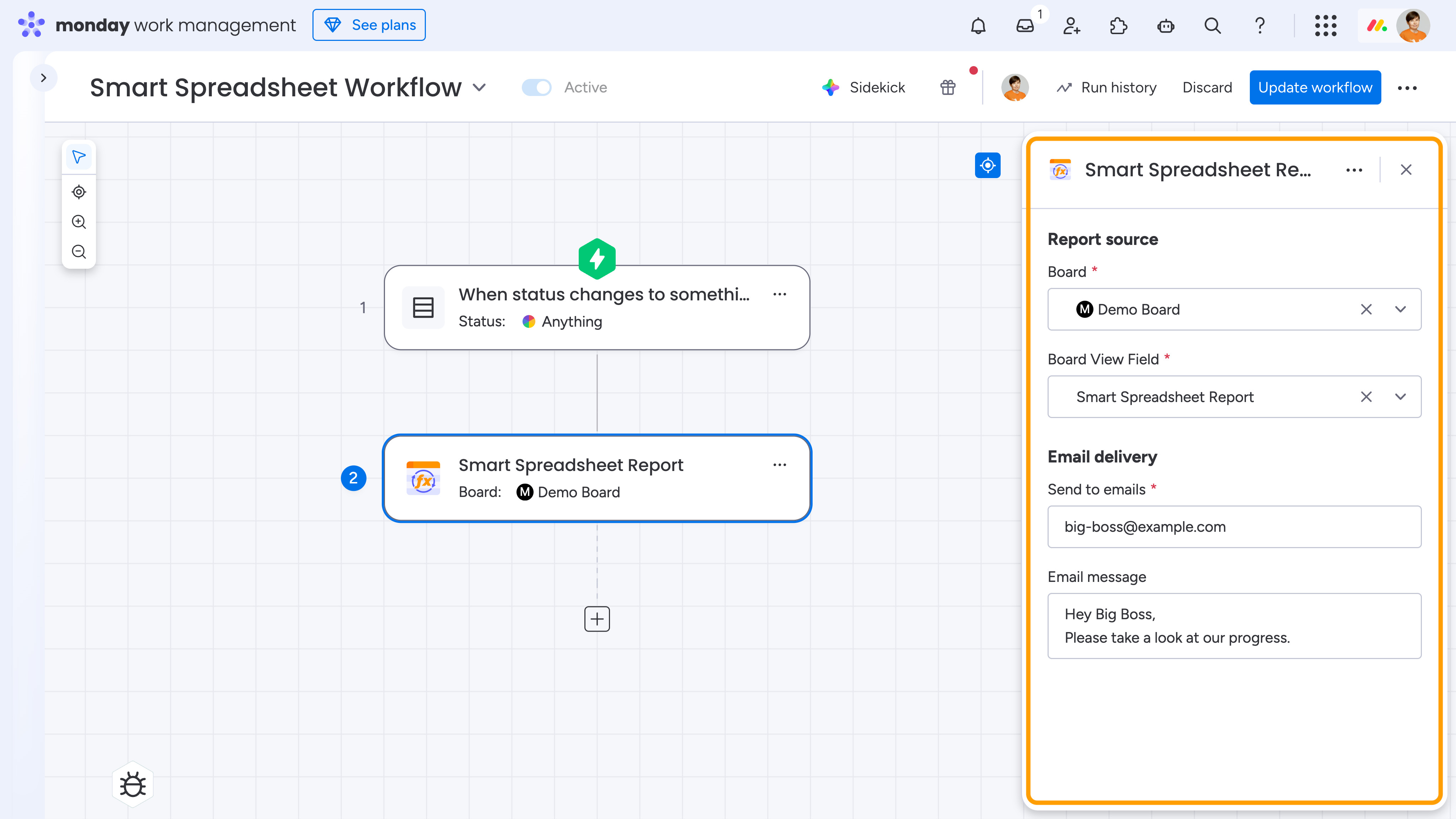
Via a monday Workflow (fully customized report):
- Create a new Workflow or open an existing one.
- Define a trigger for the workflow.
- Add the Smart Spreadsheet Report action block.
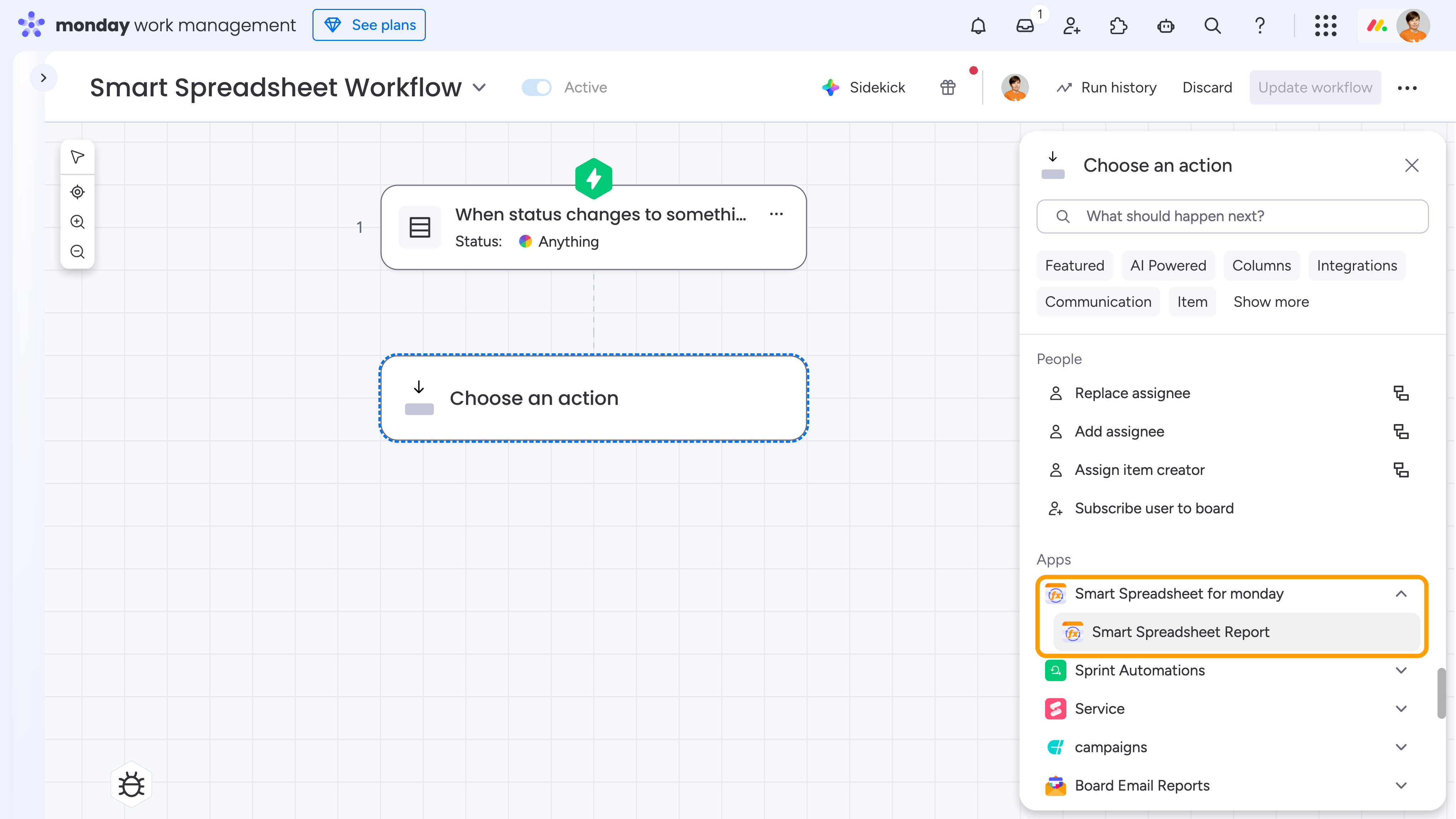
Once added, configure the action block (workflow block or automation recipe) by selecting the view, specifying email recipients, and customizing the message.
If you need more customization, feel free to reach out to our team with your request - we'll be happy to implement it for you!
