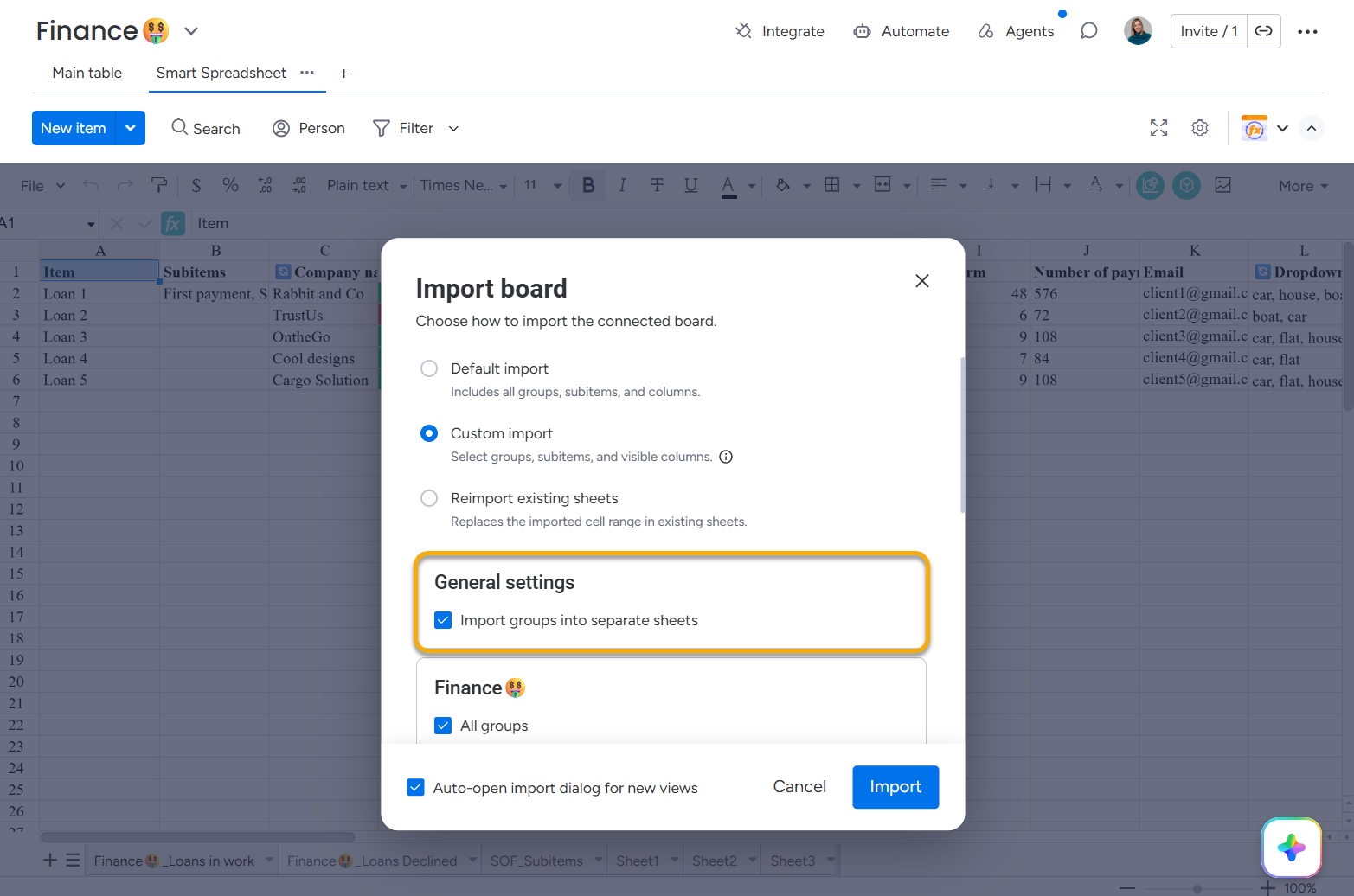
We introduced a new import option that allows you to import all board groups into a single sheet.
Previously, each board group was imported into a separate sheet. Now you can keep all group data in one place, making it easier to analyze the whole board, compare groups, and build reports, formulas, pivot tables, and charts across all items.
To import all groups into one sheet, open File → Import →Custom import → General settings and uncheck Import groups into separate sheets.
This setting is saved and used as the default for all future imports. To change it later, open File → Import →Custom import → General settings again.
Cookie Notice
This website uses cookies for analytics, personalization and advertising. By continuing to browse, you agree to our use of cookies. Learn more