Download page How to insert Smart Spreadsheet from a Column Extension.
How to insert Smart Spreadsheet from a Column Extension
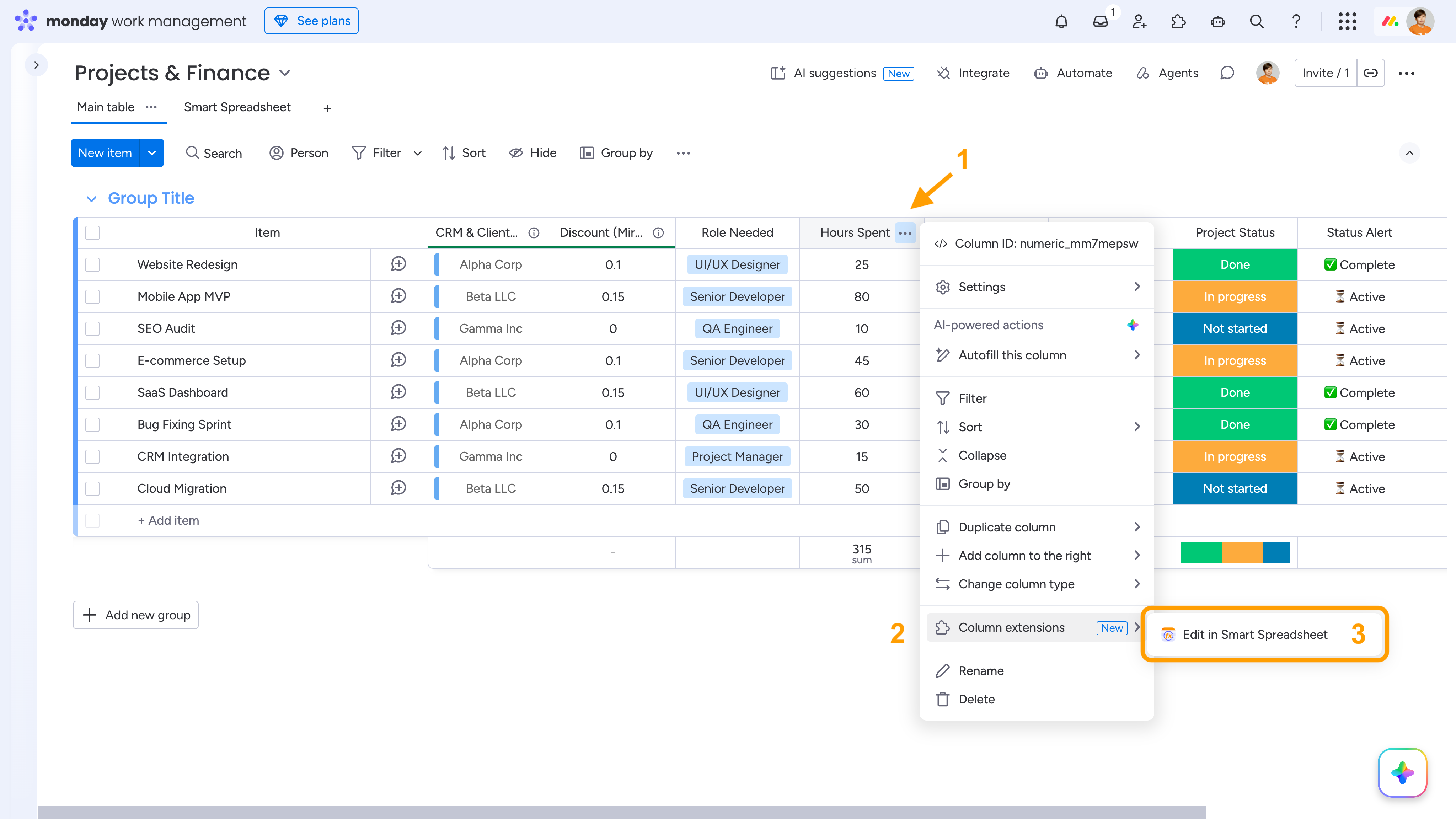
To insert a Smart Spreadsheet view from a Column Extension, click the three-dot menu of the required column → Column Extensions → Edit in Smart Spreadsheet.
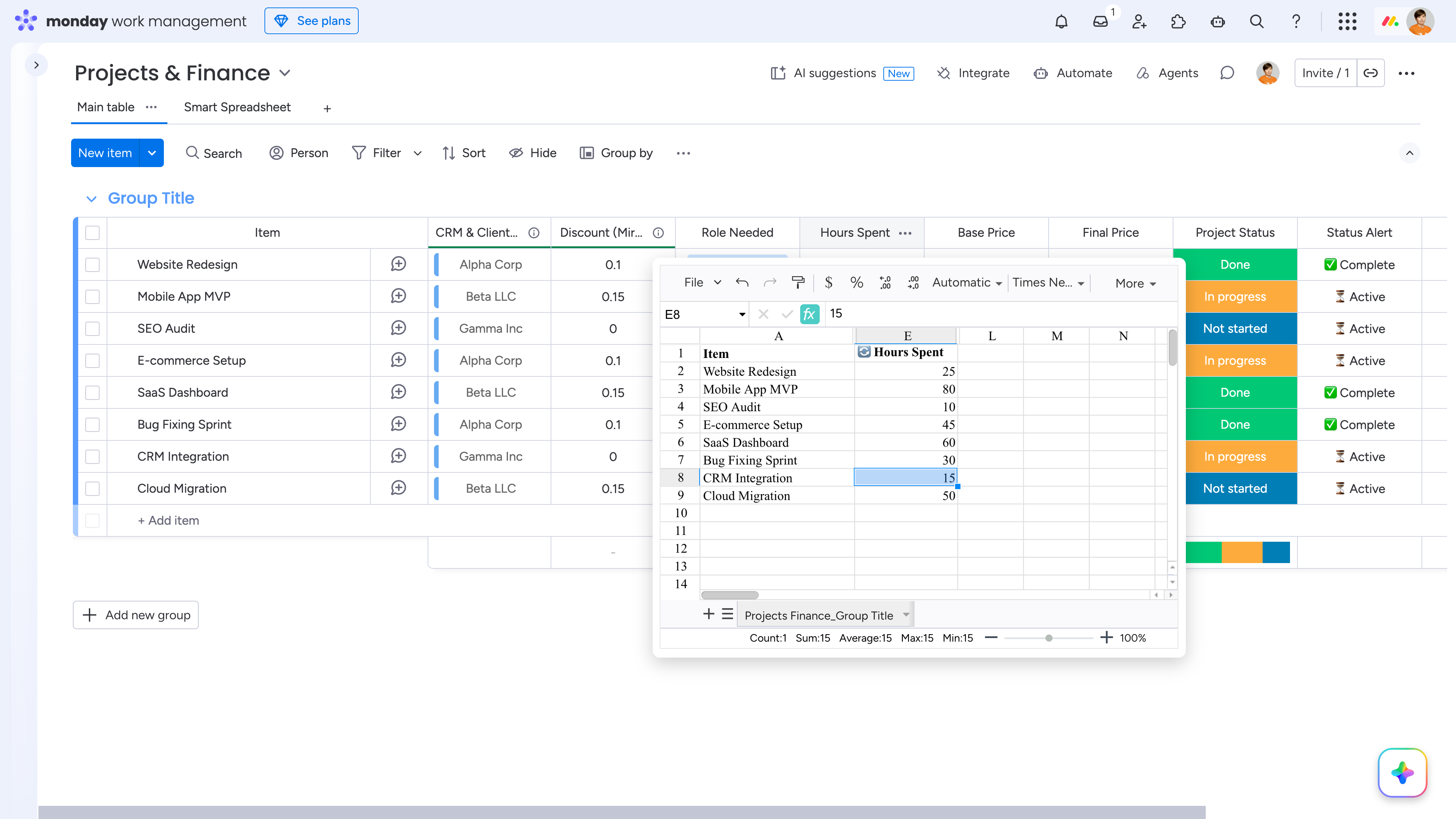
The Smart Spreadsheet view opens with the board data already imported and synchronized, with the current column in focus. You will see the Item column and the selected column. Other columns are hidden by default, but you can restore them if needed.
Cookie Notice
This website uses cookies for analytics, personalization and advertising. By continuing to browse, you agree to our use of cookies. Learn more