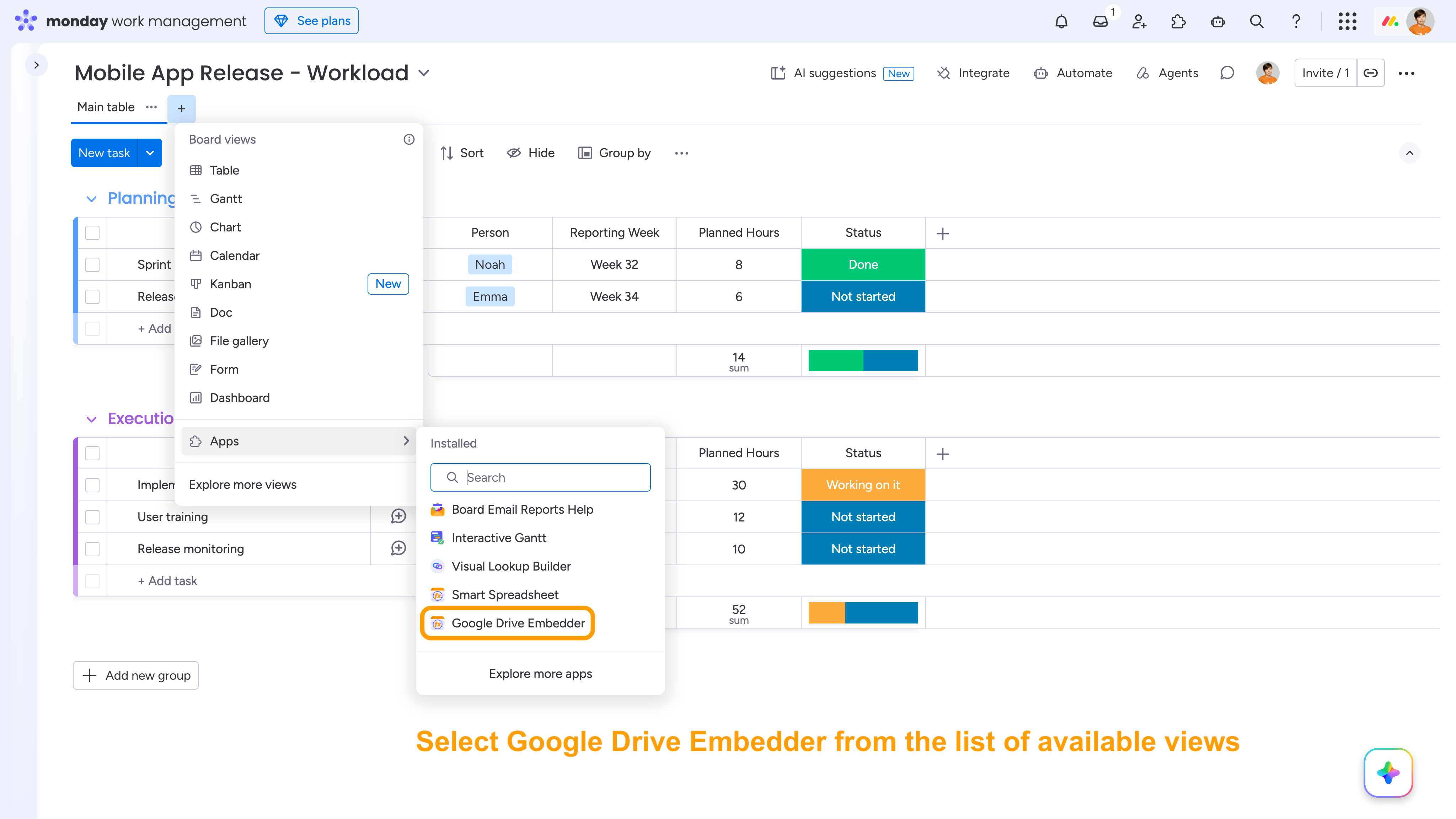
Add the Google Drive Embedder as a separate view/widget in monday.com: open the list of available views or widgets and select Google Drive Embedder.
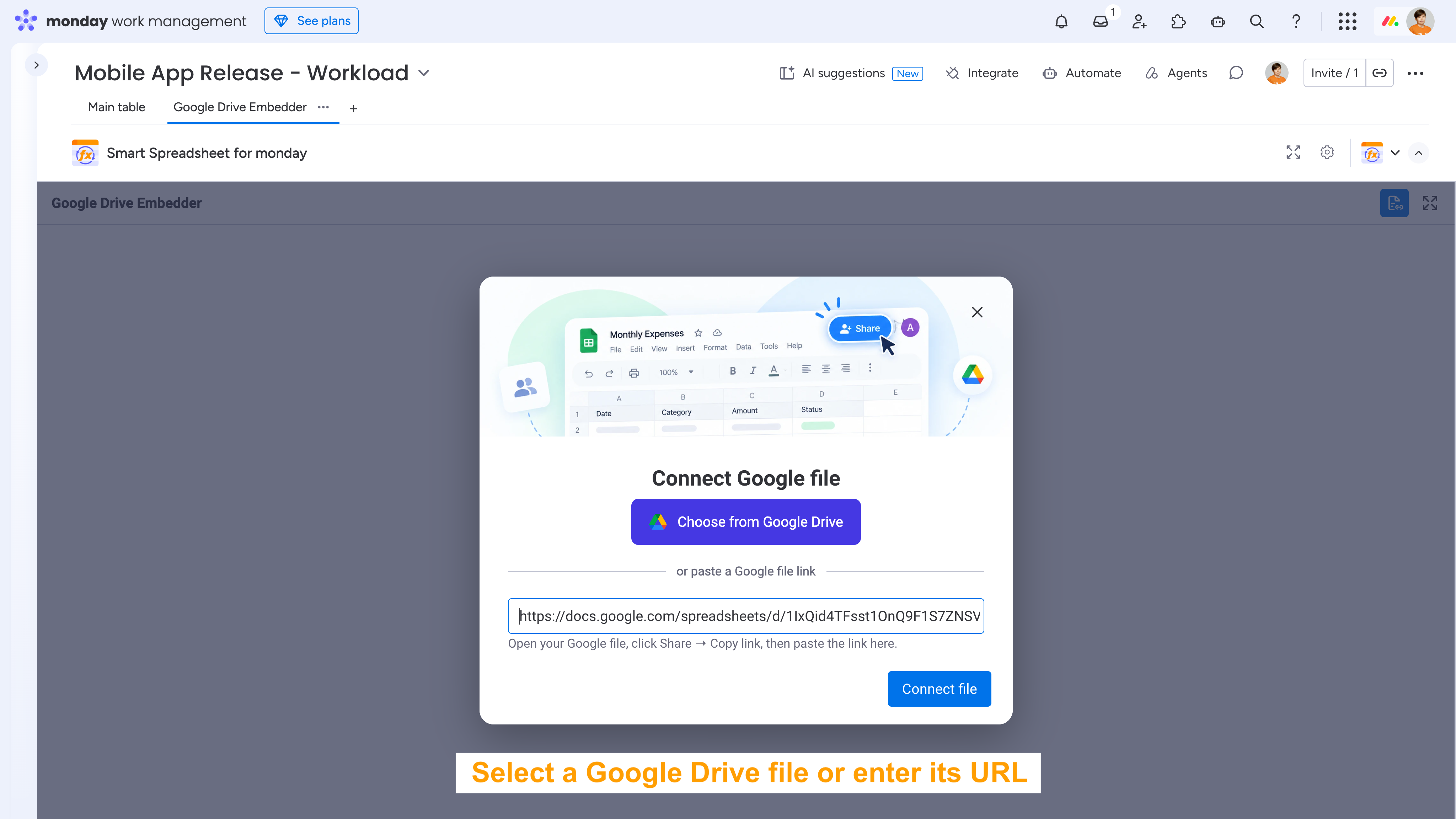
Select a Google Drive file or enter the URL of the file you want to embed and click Connect file.
Work with Google files directly in monday.com
Once connected, the Google file is displayed directly in the view. You can work with it using its native Google interface without leaving monday.com.
For example, when you embed a Google Sheet, you get the full Google Sheets interface and toolbar, allowing you to work with the spreadsheet, including its data, formulas, formatting, filters, and other Google Sheets features.
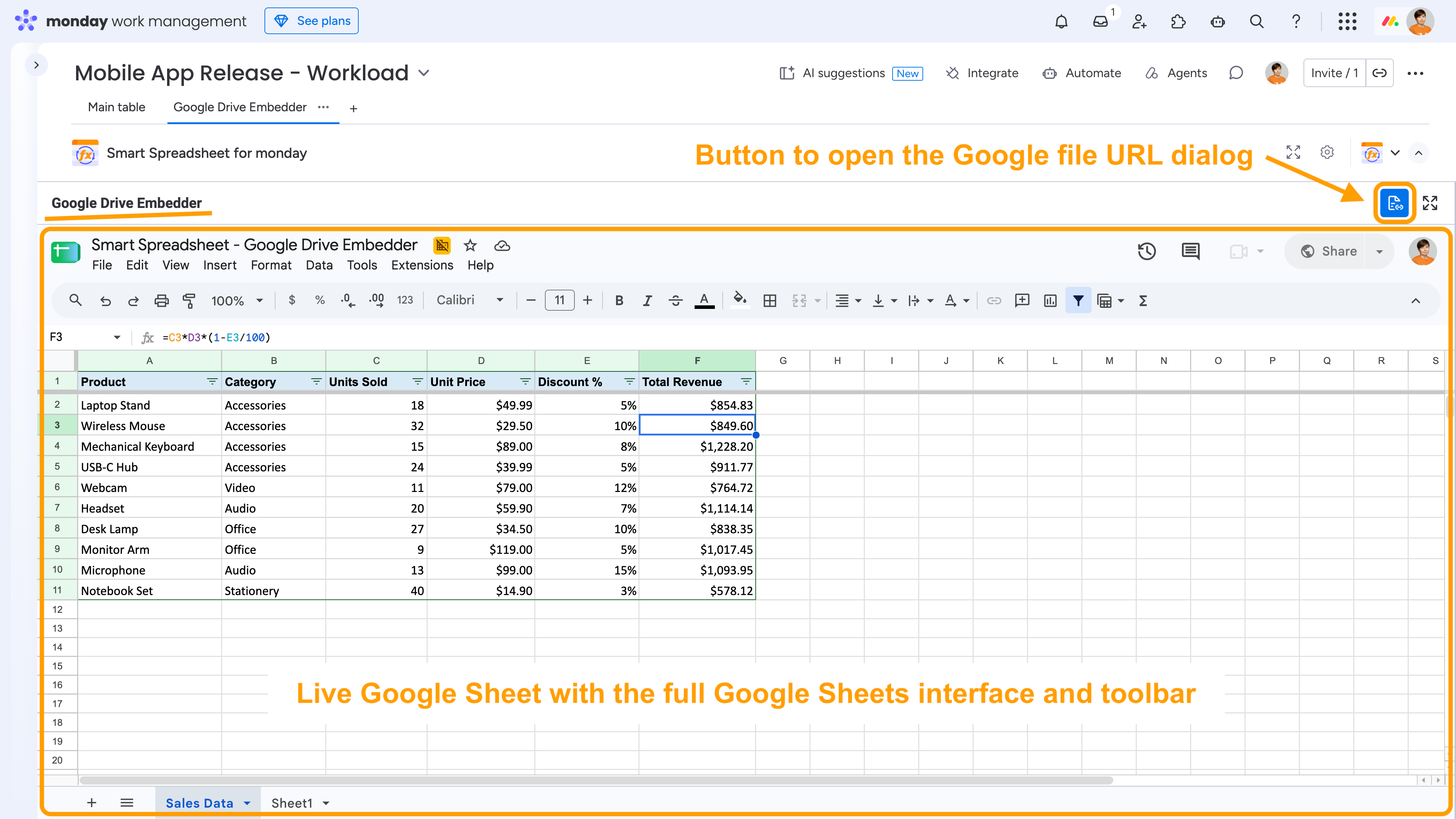
Note: You can embed Google Sheets, Google Docs, Google Slides, and other supported Google Drive files. To update the Google file URL, use the corresponding button on the Google Drive Embedder toolbar.