Download page Smart Spreadsheet - Google Drive & Google Sheets Import.
Smart Spreadsheet - Google Drive & Google Sheets Import
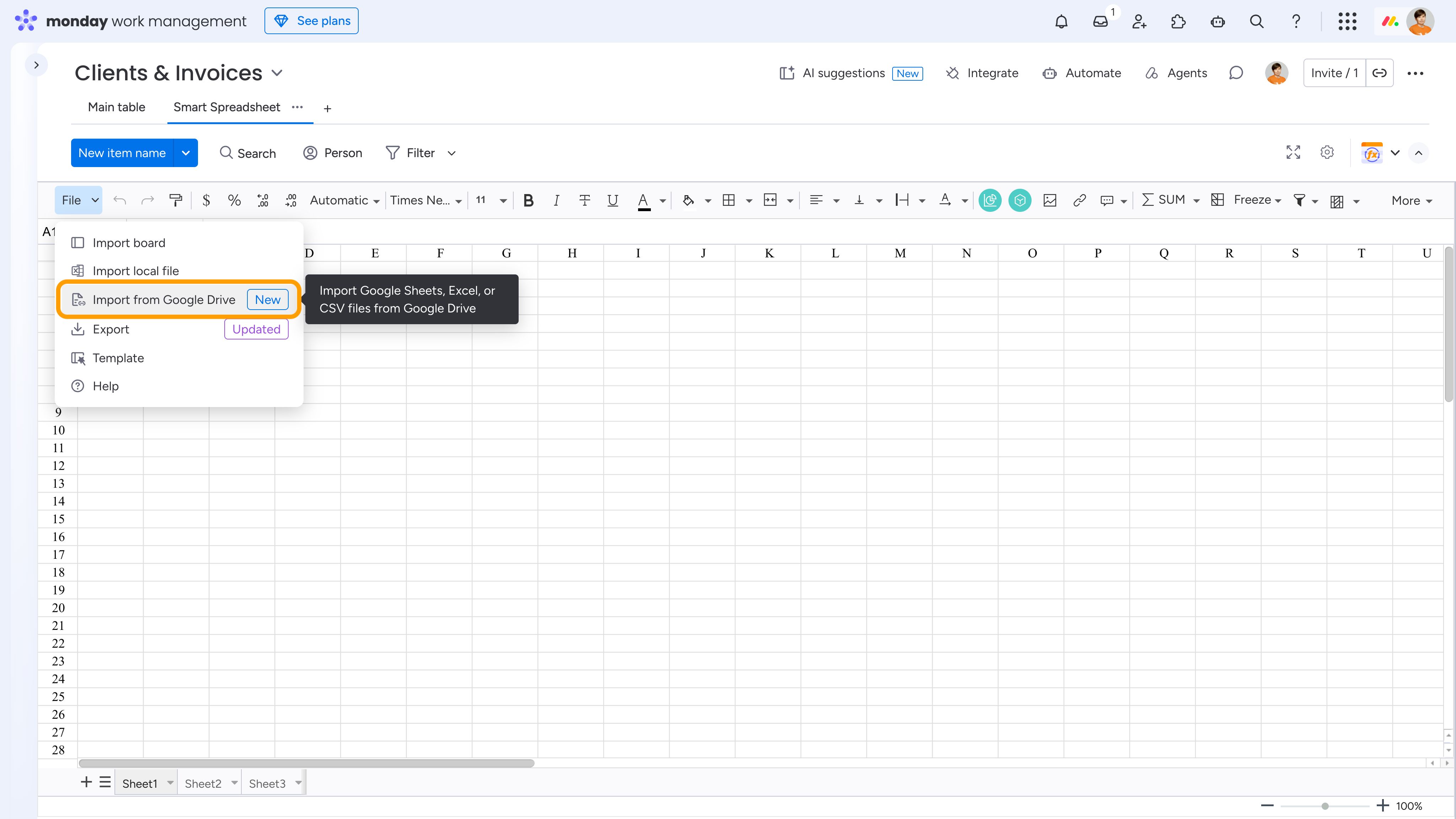
To connect data files from Google Drive, including Google Sheets and .xlsx or .csv files stored on Google Drive, to a Smart Spreadsheet view, go to File → Import from Google Drive.
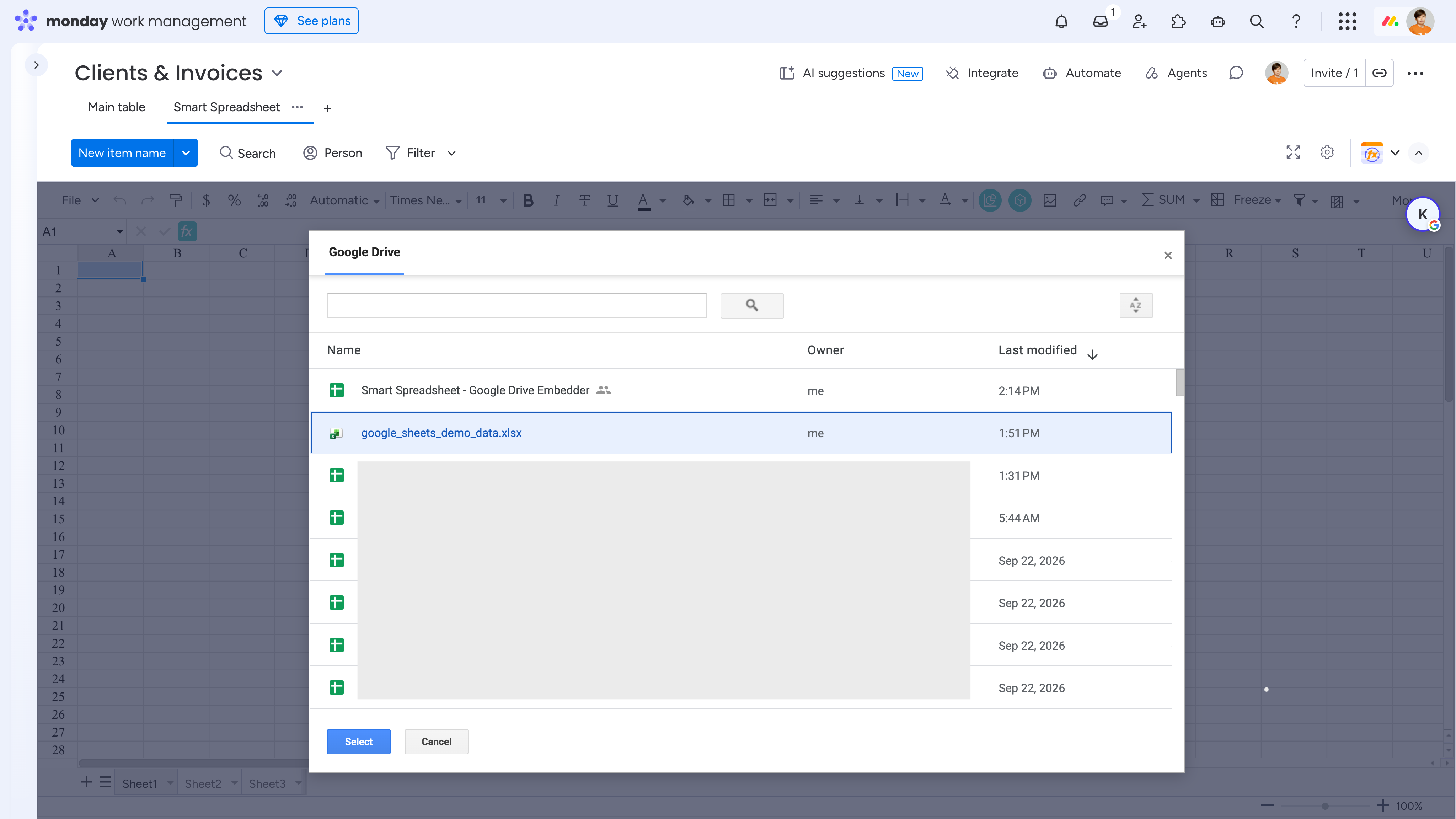
Then authorize your Google account and select the required file.
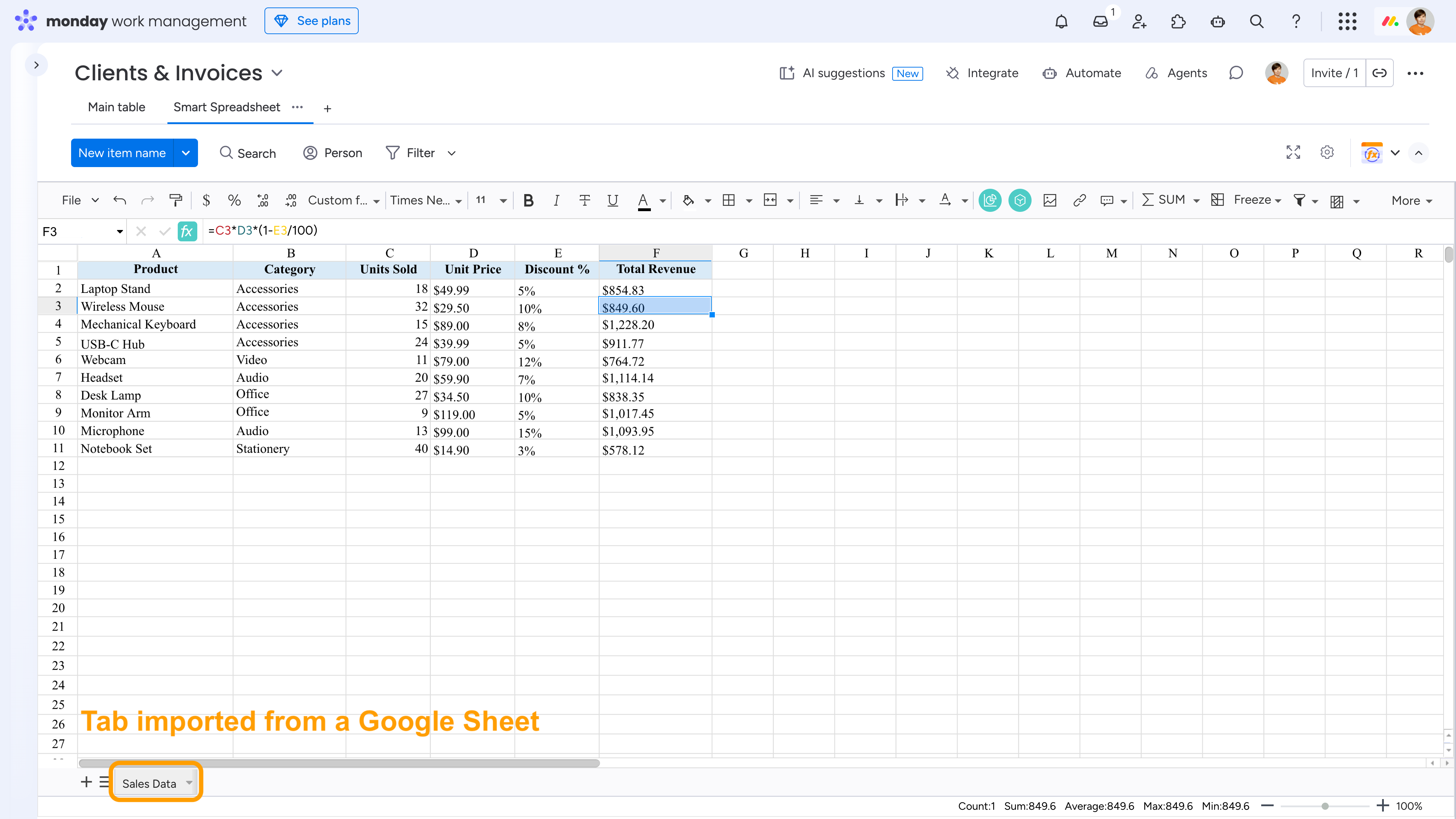
The imported data will be added as a new tab inside the Smart Spreadsheet view. You can then reference this data in your calculations just like any other data in Smart Spreadsheet.
The imported data reflects the file’s state at the time of import and does not update automatically.
Cookie Notice
This website uses cookies for analytics, personalization and advertising. By continuing to browse, you agree to our use of cookies. Learn more
 The imported data reflects the file’s state at the time of import and does not update automatically.