The Send Email option lets you email your current Smart Spreadsheet view to colleagues or clients, making it easy to share reports.
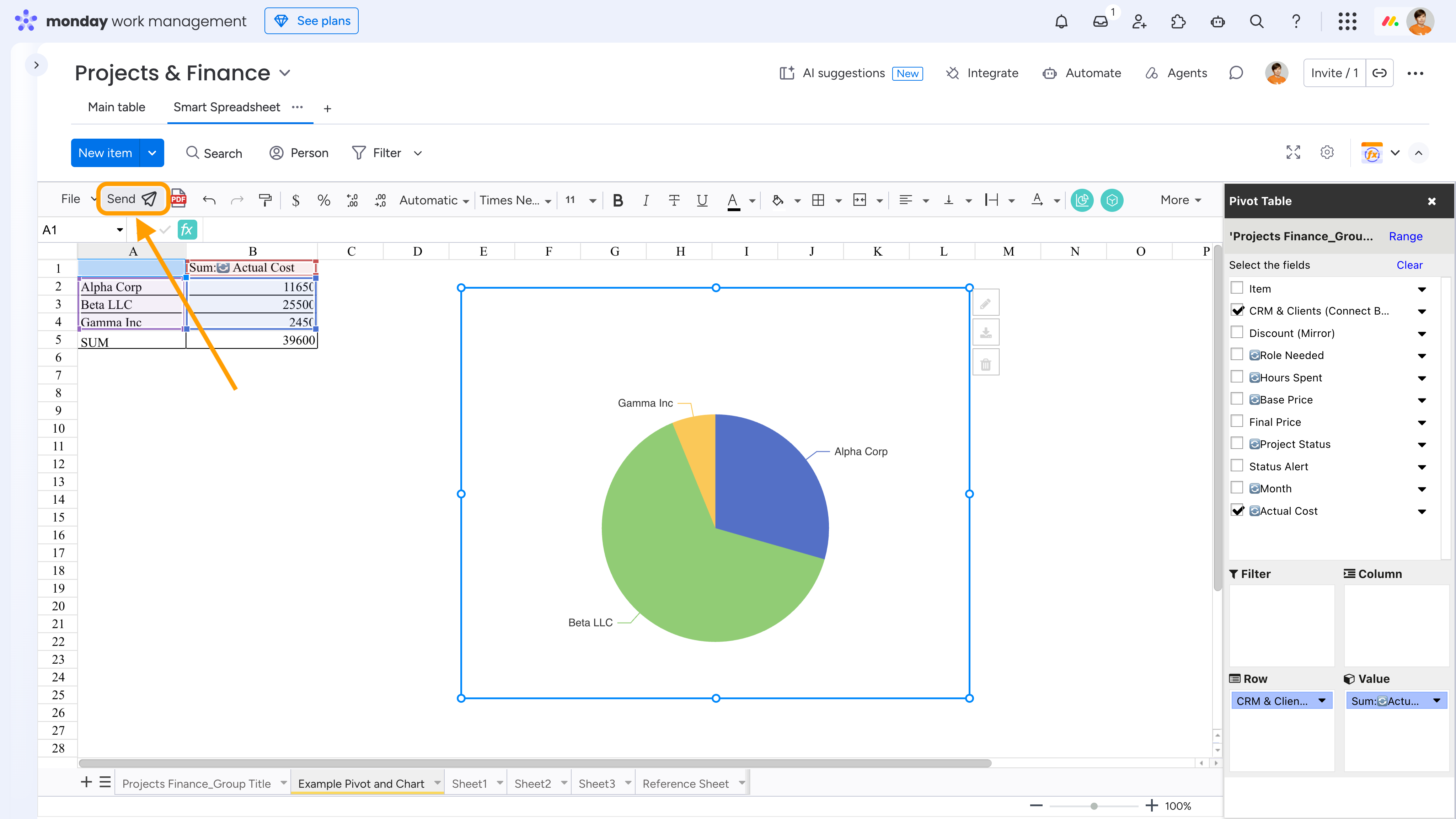
To get started, locate the Send Email button in the toolbar and click it. The first time you use this feature, you'll be asked to grant the app permission to send emails. You only need to do this once.
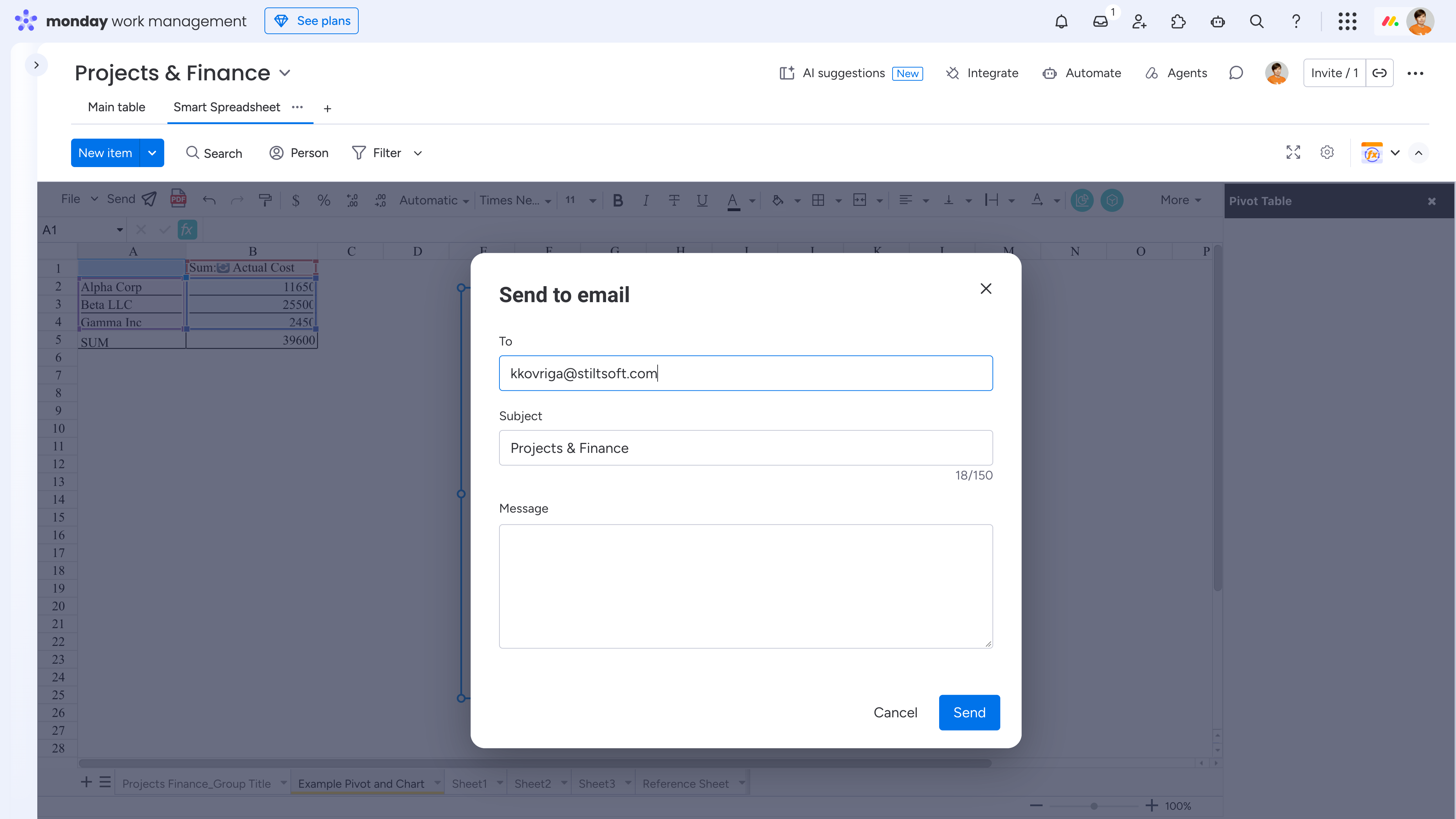
Next, enter the recipient email address(es), subject, and message to provide context for your report. The email will include your current spreadsheet view as an Excel (.xlsx) attachment.
Please note that you can send an email to up to 5 recipients at a time, the attached Excel file must not exceed 10 MB, and emails can be sent no more frequently than once every 5 minutes.
Cookie Notice
This website uses cookies for analytics, personalization and advertising. By continuing to browse, you agree to our use of cookies. Learn more
 Please note that you can send an email to up to 5 recipients at a time, the attached Excel file must not exceed 10 MB, and emails can be sent no more frequently than once every 5 minutes.