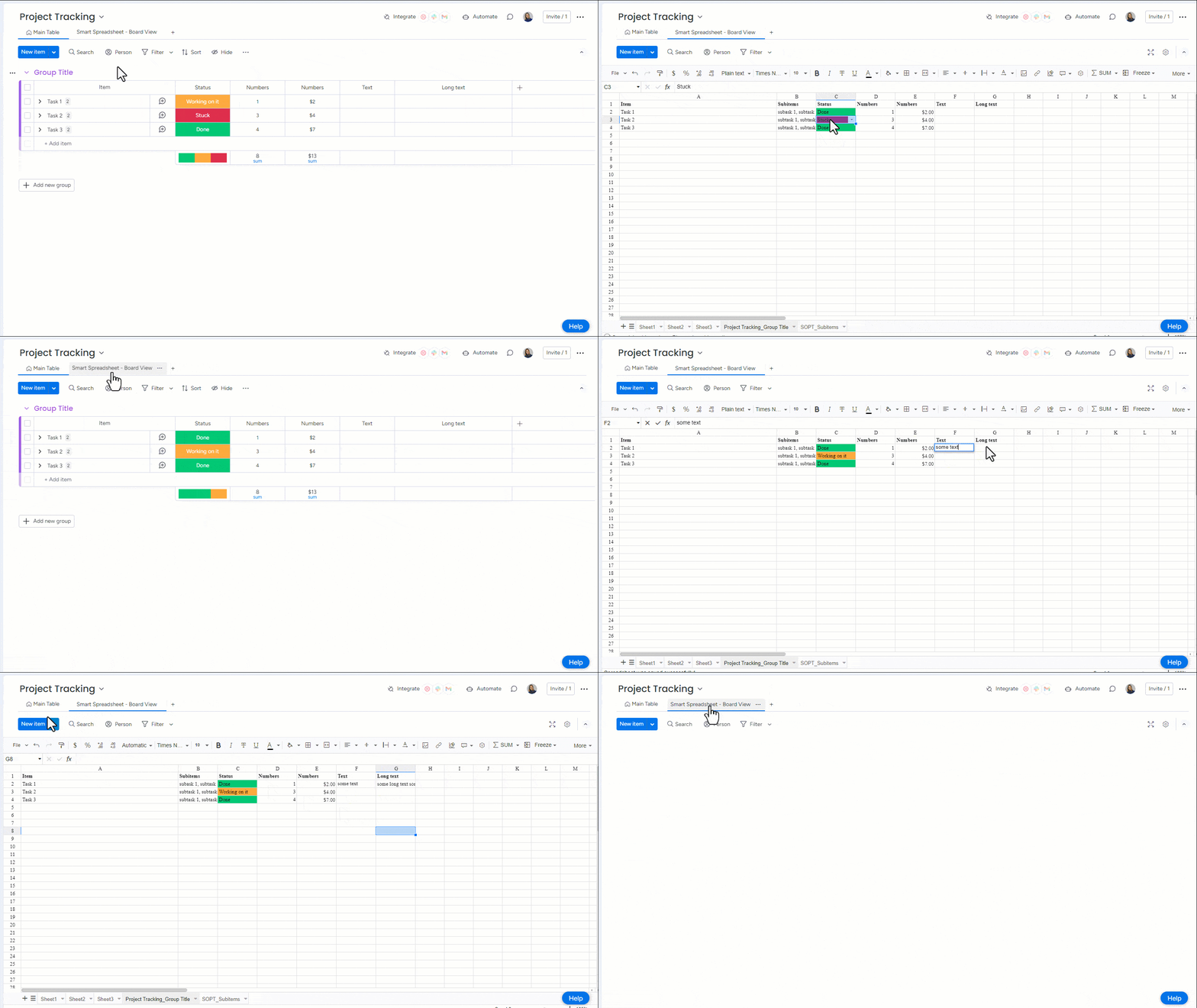
Download page Smart Spreadsheet - Two-way Synchronization with a Board.
Smart Spreadsheet - Two-way Synchronization with a Board
After importing a board with subitems into Smart Spreadsheet, all existing updates from the board are automatically pulled into the spreadsheet, ensuring your data is immediately up to date.
At the moment, synchronization from the spreadsheet back to the board is partially supported. You can currently update the following column types directly from Smart Spreadsheet:
Status
Number
Date
Text
Long Text
Dropdown
Hour
The imported sheets are synchronized with the board in both directions:
Real-time updates: Any changes made on the board are instantly reflected in the corresponding sheet - and vice versa (for supported column types).
Adding new items:
New items (rows) created on the board automatically appear in the spreadsheet.
Rows added in the spreadsheet - whether at the end or between existing rows - are also created on the board.
Note: Creating subitems from the spreadsheet is not yet supported.
Adding new columns:
Columns added on the board are automatically pushed to the spreadsheet and synchronized.
To sync columns created in the spreadsheet back to the board, use the Bound Column to Board feature (currently available for numeric columns only).
Note that dropdown-based columns (including Status and Dropdown) are fully supported after import. To update these fields in the spreadsheet, double-click the cell and select the desired option from the dropdown.
We are continuously expanding support and plan to enable full two-way synchronization for all column types, as well as subitems.
If you need two-way sync for a specific column type right now, feel free to contact our team - we’re happy to prioritize requests based on your needs.
Cookie Notice
This website uses cookies for analytics, personalization and advertising. By continuing to browse, you agree to our use of cookies. Learn more