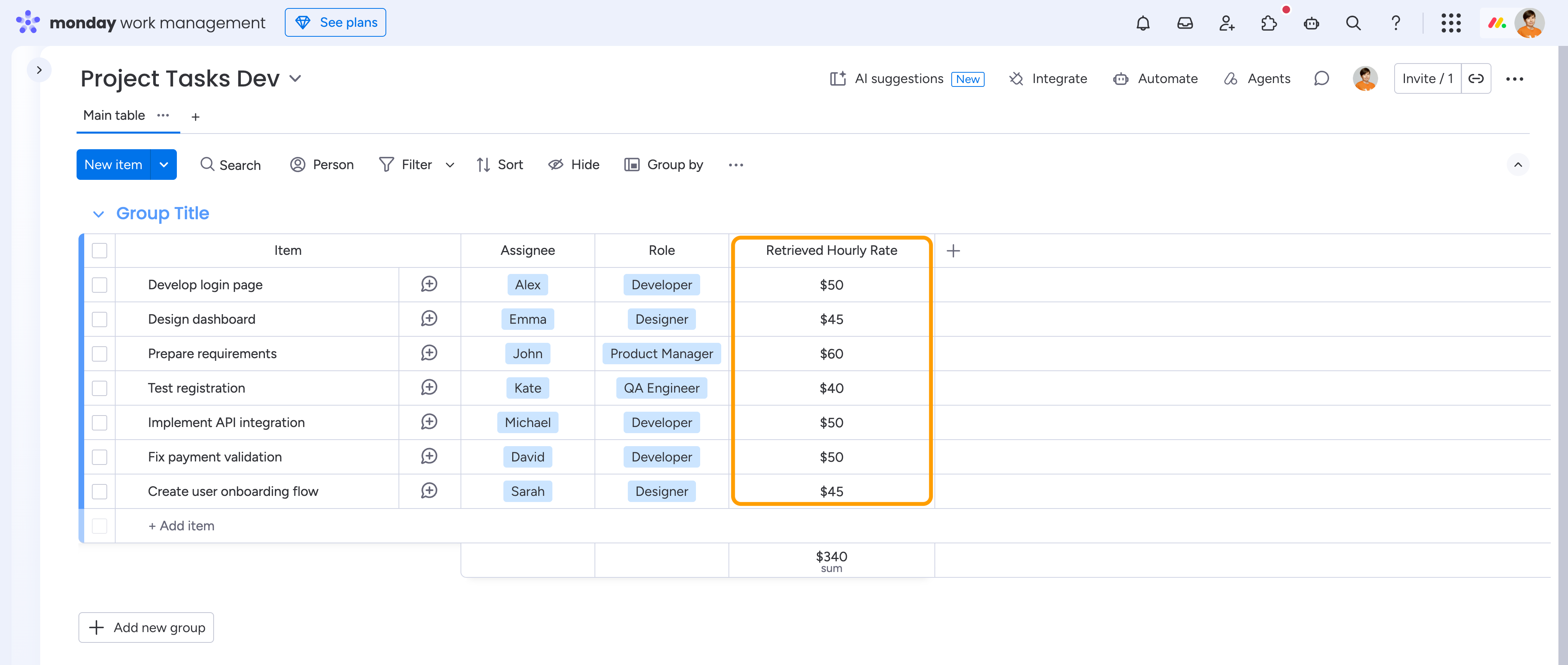
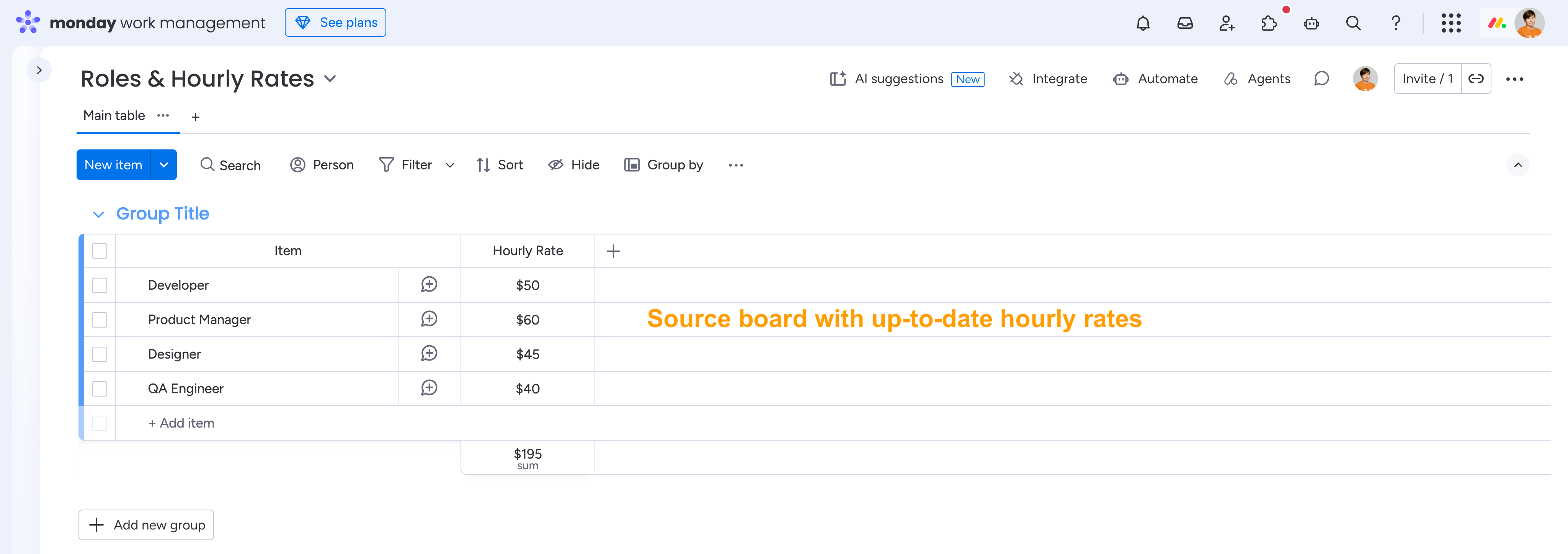
The VLOOKUP Column Extension by Smart Spreadsheet lets you automatically find matching items on another monday.com board and retrieve values from their columns. It works just like VLOOKUP or XLOOKUP in Excel, helping you connect data across boards without manually searching for information or copying values.
Use it to look up hourly rates, product prices, employee details, project information, and other data stored on separate boards. Once configured, the extension automatically retrieves the corresponding values and keeps them up to date when the source data changes.
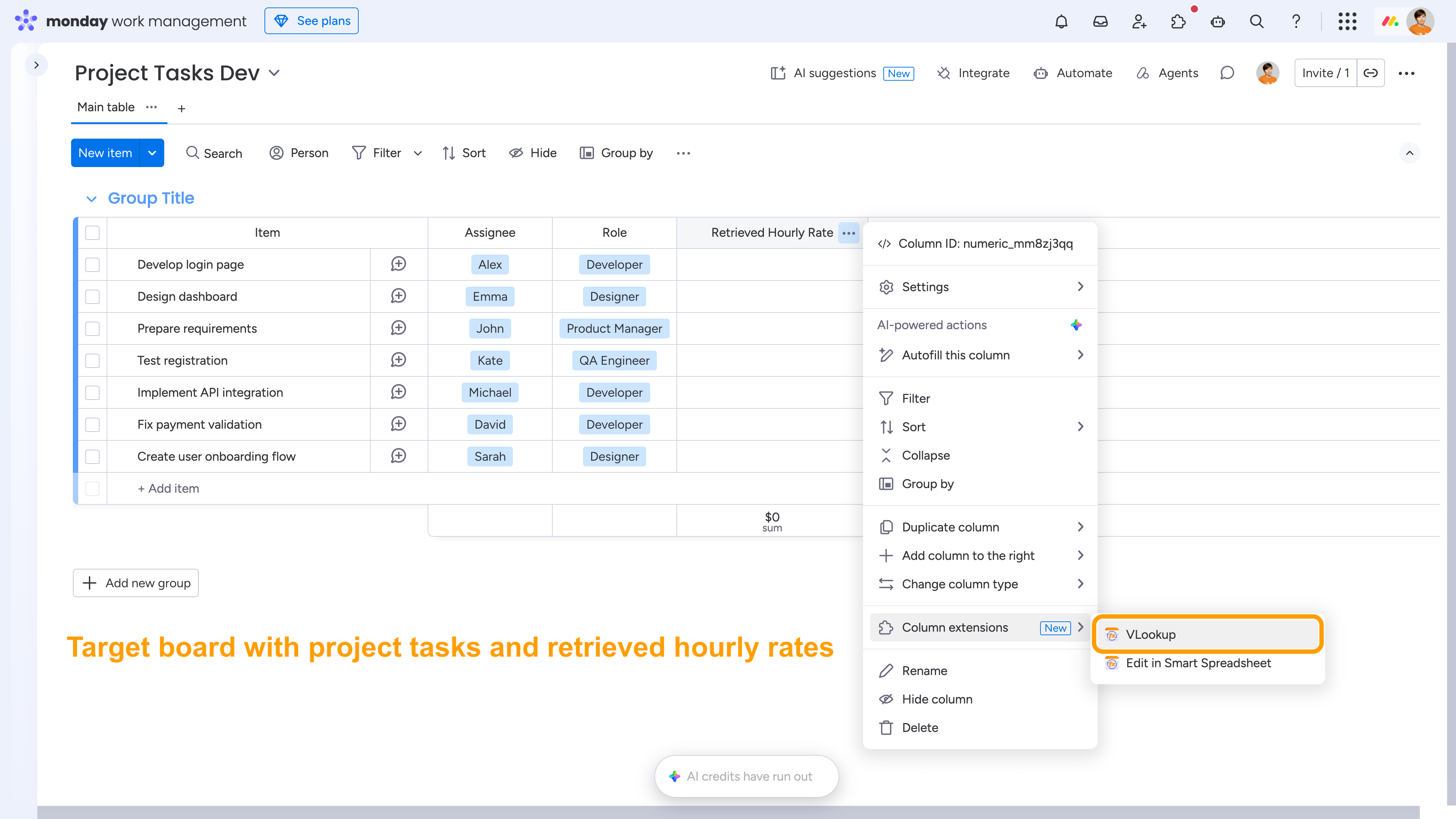
To use the VLOOKUP Column Extension, add a new column where you want to retrieve the values, or select an existing column of a compatible type.
Then open the three-dot menu (•••) of the column, go to Column Extensions and select VLOOKUP.
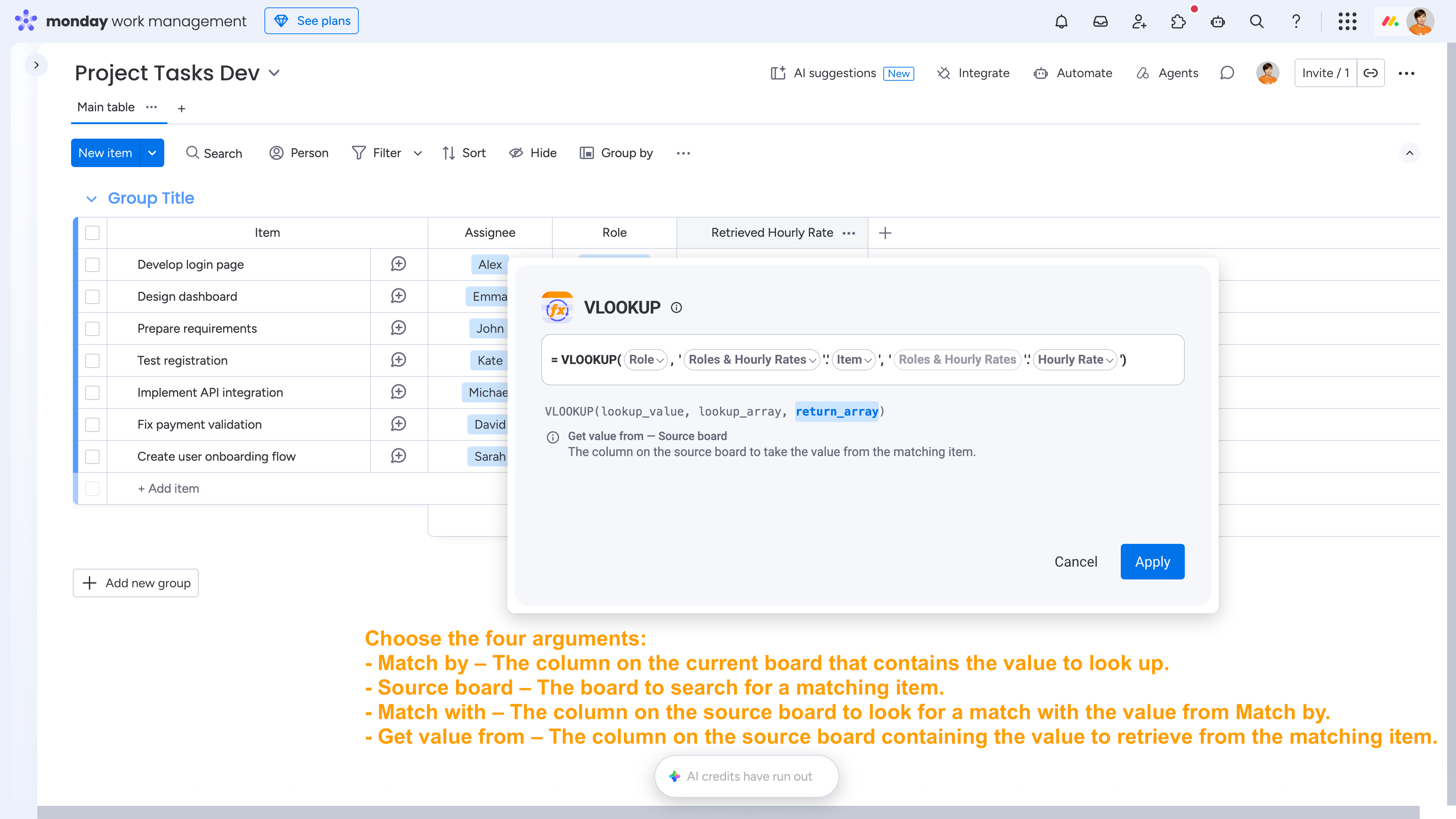
Configure the four arguments:
- Match by - The column on the current board that contains the value to look up.
- Source board - The board to search for a matching item.
- Match with - The column on the source board to look for a match with the value from Match by.
- Get value from - The column on the source board containing the value to retrieve from the matching item.
Apply the formula to retrieve the corresponding values.