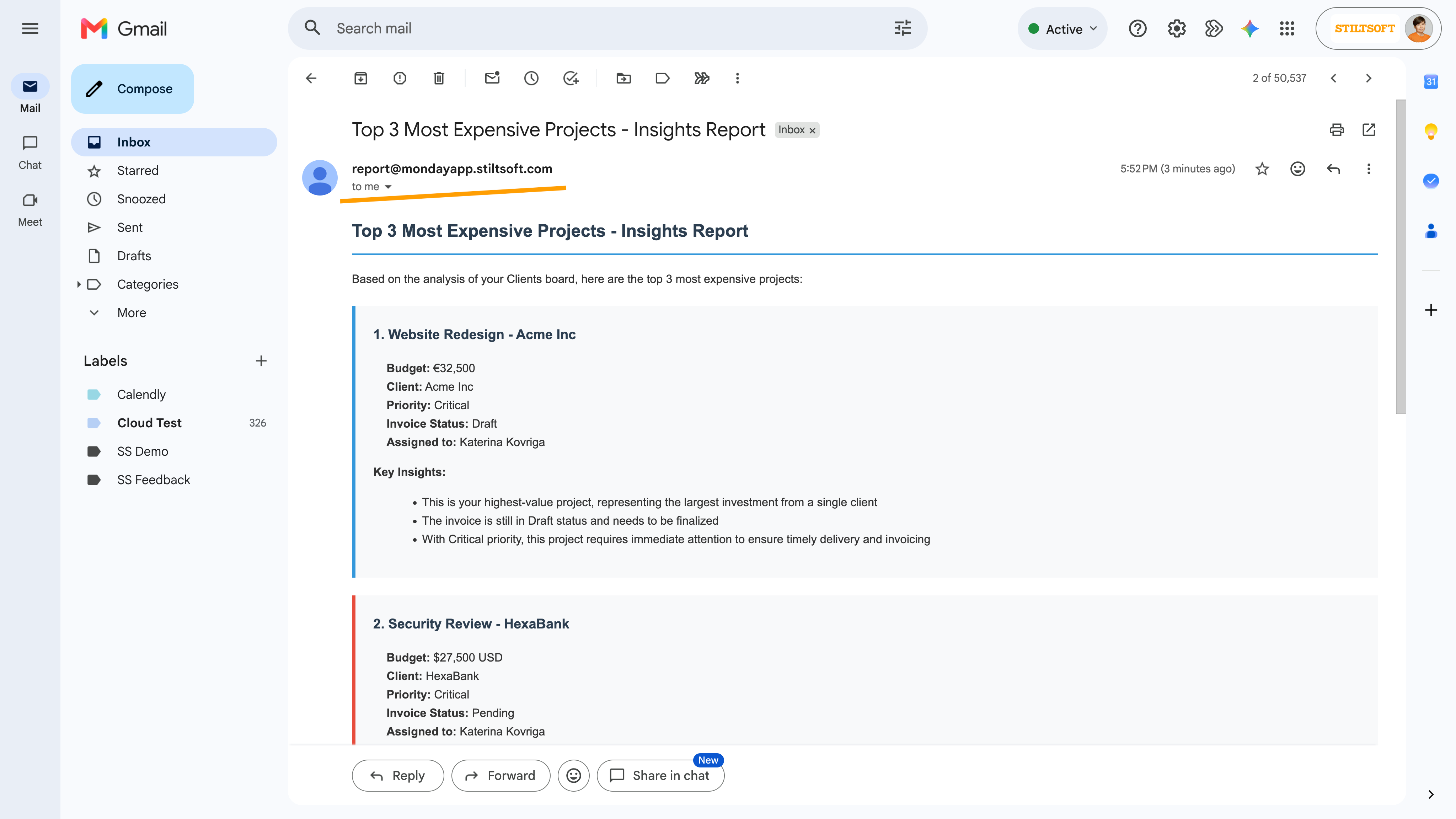
Board Email Reports integrates with monday.com's AI Sidekick, allowing you to generate and deliver custom board reports using simple natural-language prompts. Instead of manually configuring report filters and layouts, you can ask Sidekick to create a report from your board data and immediately send it by email.
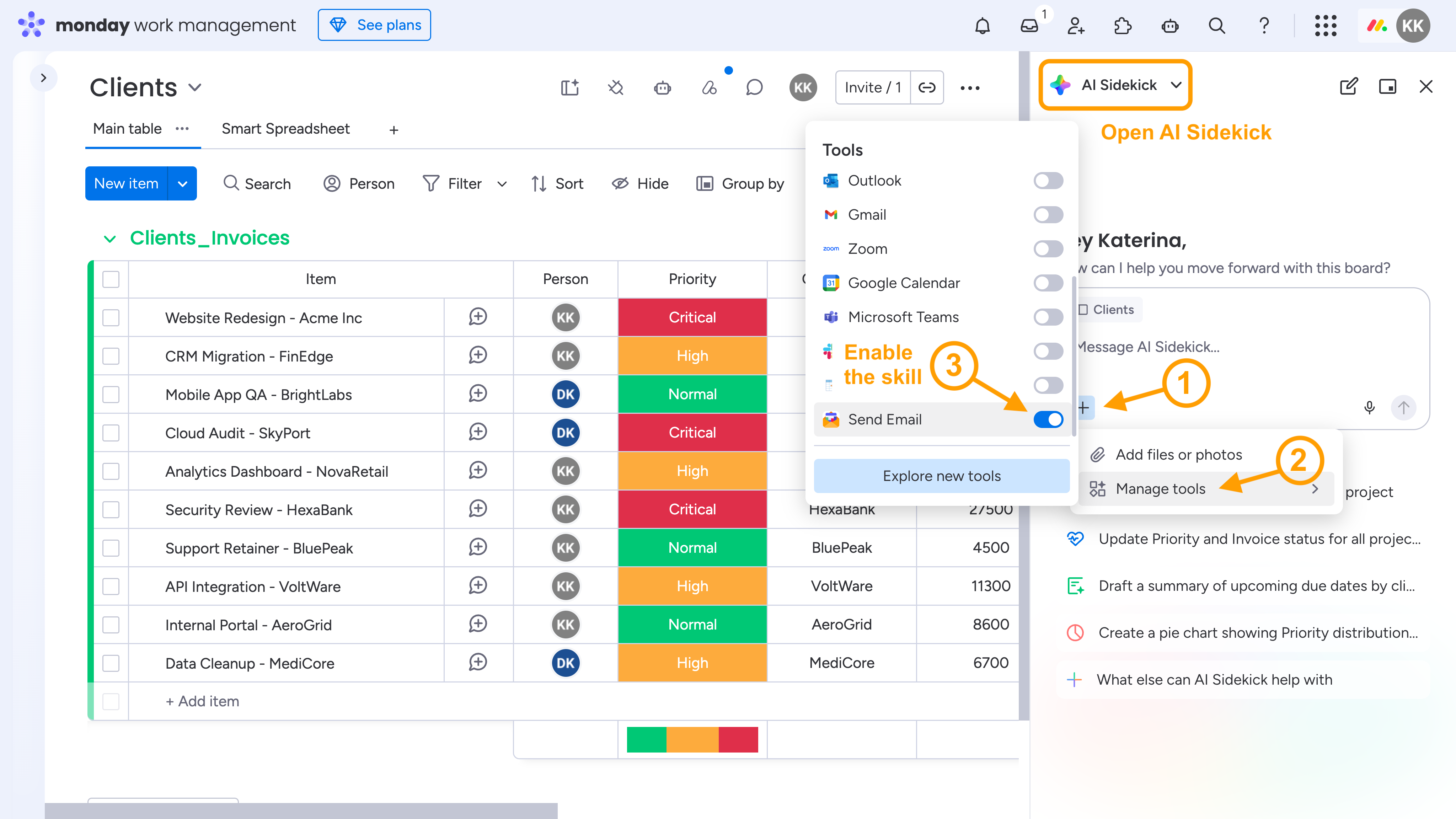
Integration with AI Sidekick Setup
1. Open AI Sidekick in your monday.com account. 2. Enable the Send Email skill by the Board Email Reports app.
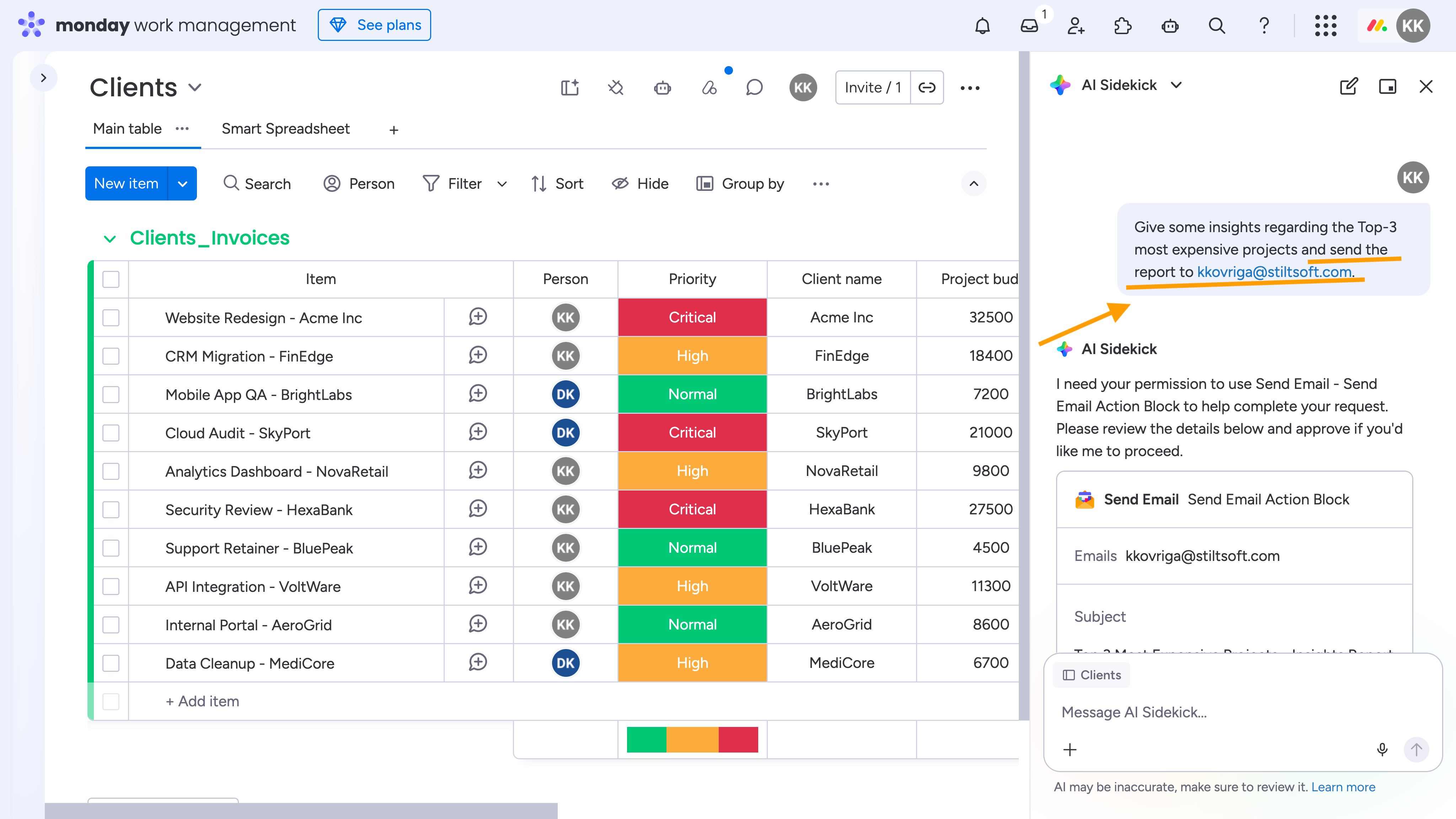
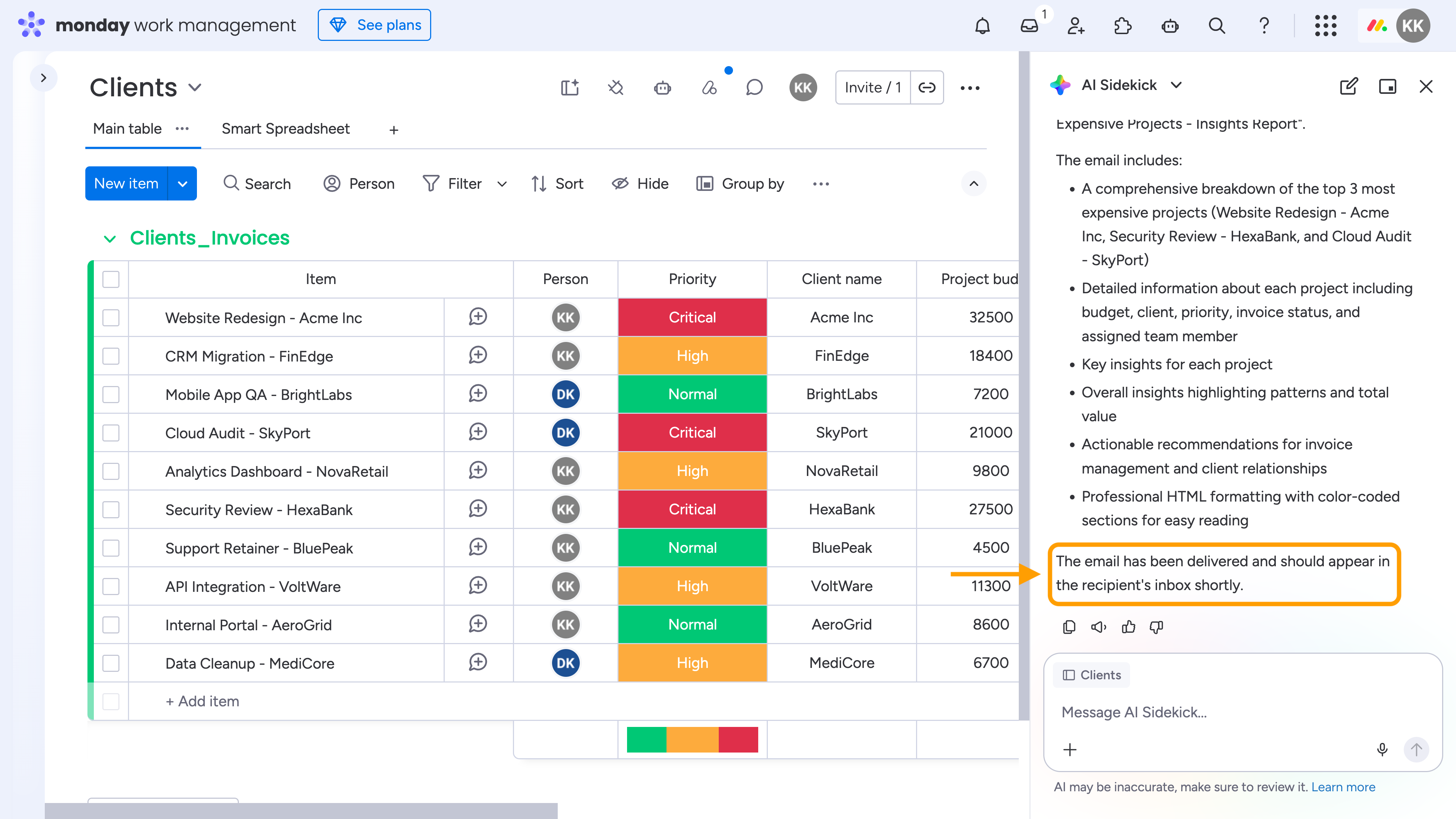
3. Enter a prompt describing the report you need, review the generated results, and send the report to your recipients.
Reports can be delivered to any valid email address, making it easy to share insights with stakeholders both inside and outside your monday.com account.
Integration with AI Sidekick vs Custom Reports
Use AI Sidekick integration when you need:
One-time reports
Ad-hoc analysis
Answers to specific business questions
On-demand reports generated from natural language prompts
 Reports can be delivered to any valid email address, making it easy to share insights with stakeholders both inside and outside your monday.com account.