Ensure that all required checklist items are completed before a work item can be transitioned to a specific status. This workflow validator enforces compliance with required checklist items by blocking work items from progressing until all mandatory steps are completed.
How it works
When a user attempts to transition a work item that has incomplete required checklist items, the validator will block the transition and display an error message. If a work item contains multiple checklists, the validator checks all of them. Every mandatory item across all checklists must be completed before the transition is allowed.
Before using this workflow validator, ensure that the items you want to enforce are marked as mandatory.
Steps to mark checklist items as mandatory:
Open the checklist containing the items you want to enforce.
For each item that should be required, click the item menu (...) and select the Mark as mandatory option from the dropdown menu.
After marking the necessary items as mandatory, the validator will enforce their completion during the workflow transition.
Note: Checklist items that are not marked as mandatory will be ignored by this validator.
How to add the validator
Access the workflow editor
The first step depends on the type of your project.
For company-managed projects:
- Navigate to Space settings -> Workflows.
- Find the workflow you want to add the validator to, and click Edit workflow.
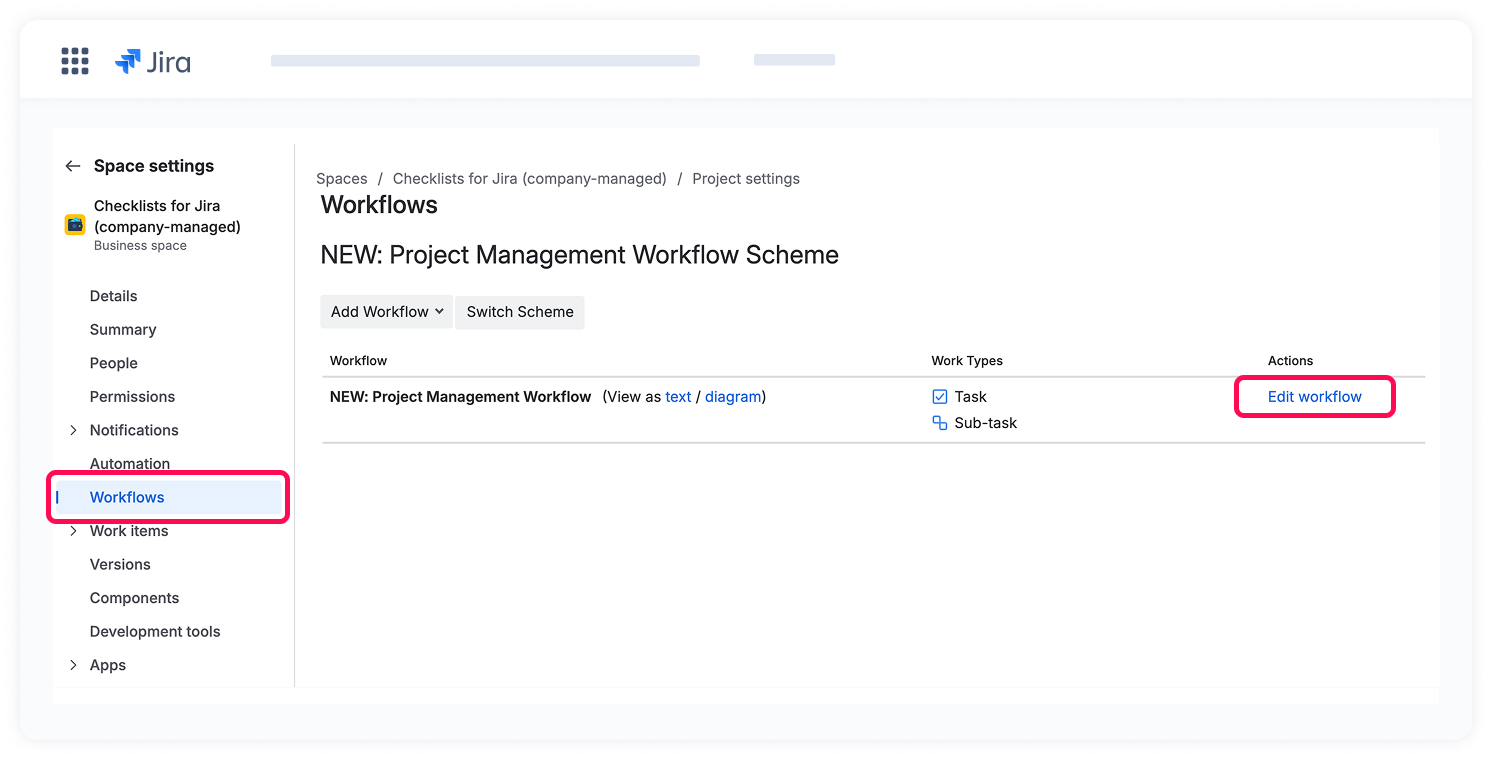
For team-managed projects:
- Navigate to Space settings -> Work types.
- Choose the work type you want to configure.
- Click Edit workflow.
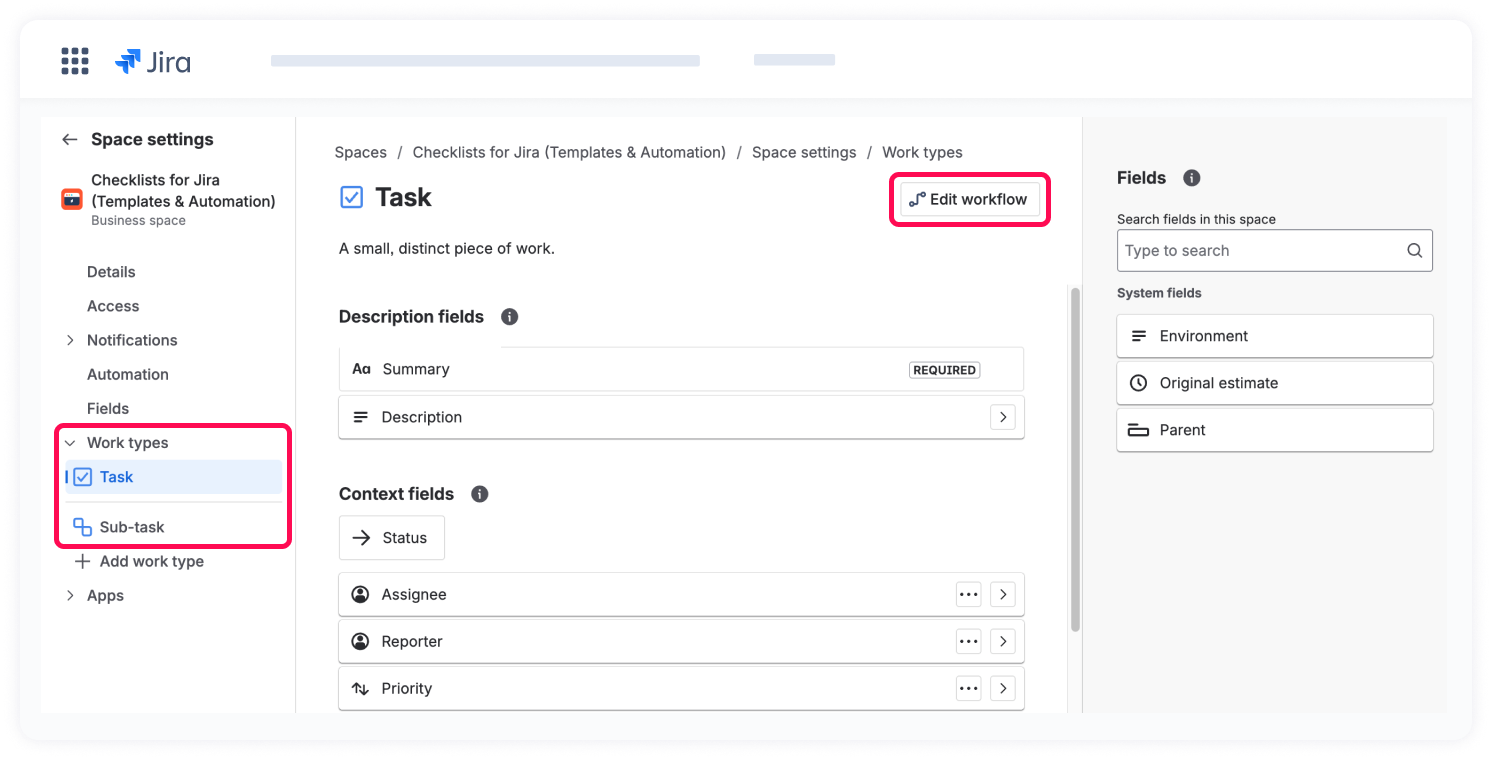
Add the validator
Once you're in the workflow editor:
- Select the transition (arrowed line) where you want to add the validator, and click Add rule.
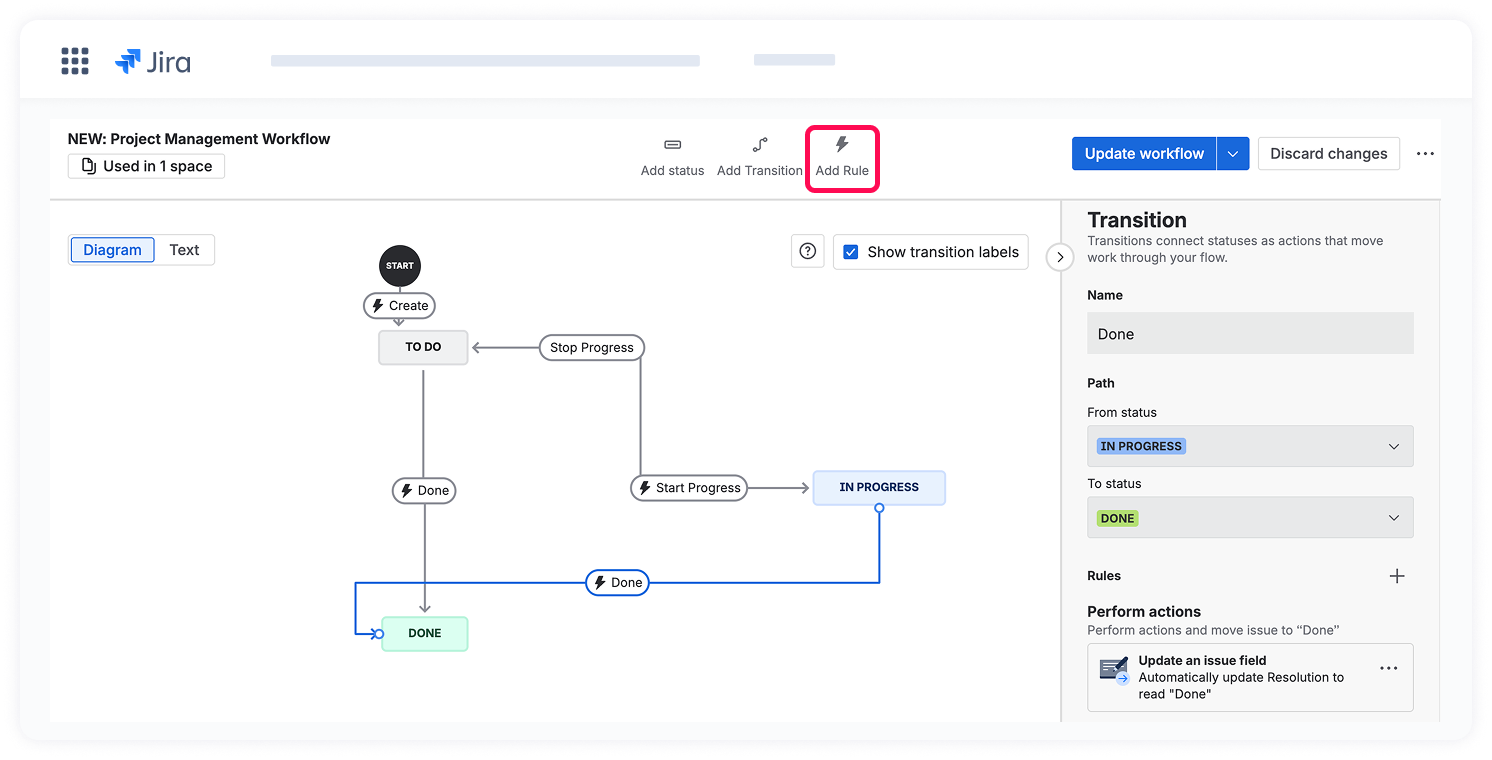
2. In the configuration screen, click Checklists for Jira (Templates & Automation) under Marketplace Rules.
3. Choose Checklists: Validate that all mandatory items are complete.
4. Click Select.
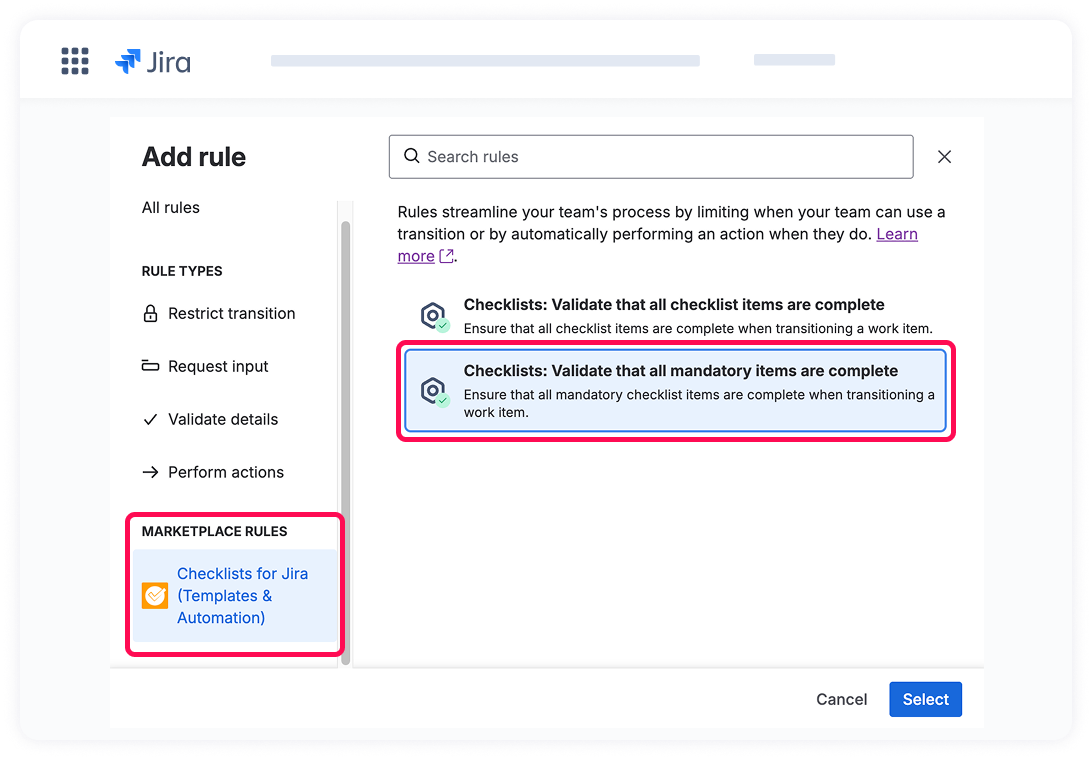
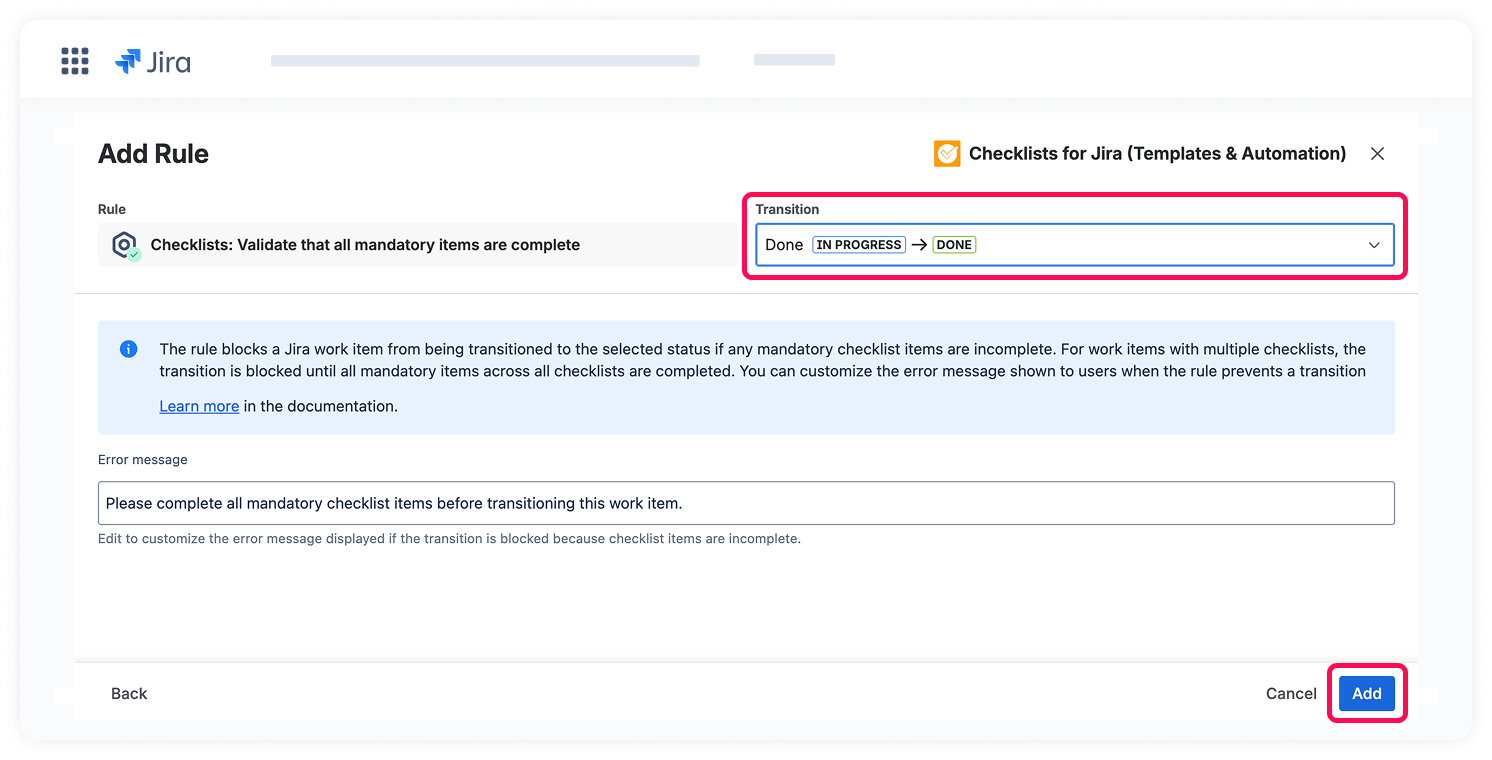
After selecting the validator, a configuration dialog appears where you can define its parameters:
- Choose the transition path
Select the transition to which this validator should be applied, based on your workflow configuration. - Customize the error message (optional)
The error message field is pre-filled with a default message. You can customize this message to match your team's terminology or provide users with specific guidance. - Click Add to apply the rule to the transition.
After configuring the validator, click the Update workflow button to save your changes.
This rule ensures that no required step is accidentally skipped, maintaining consistent quality standards across your team's workflow.
