Overview
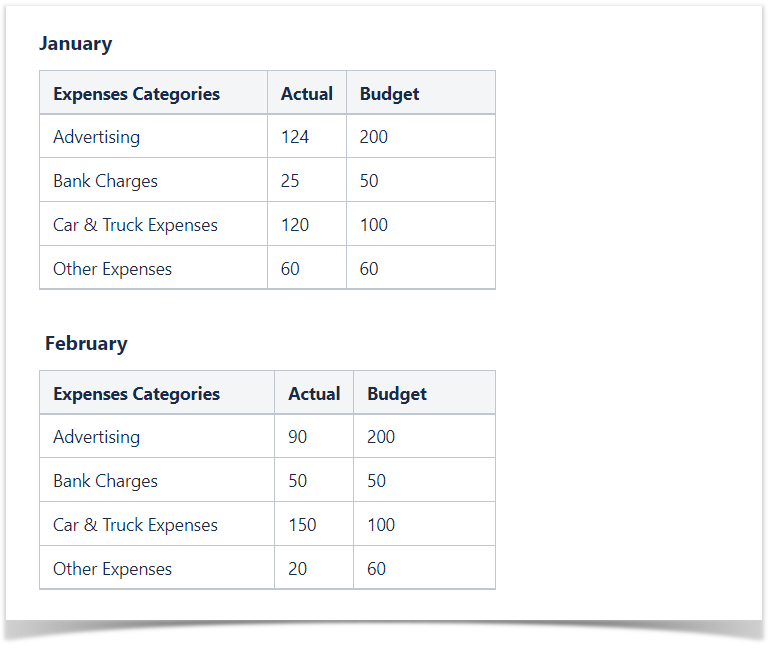
The Source Table:
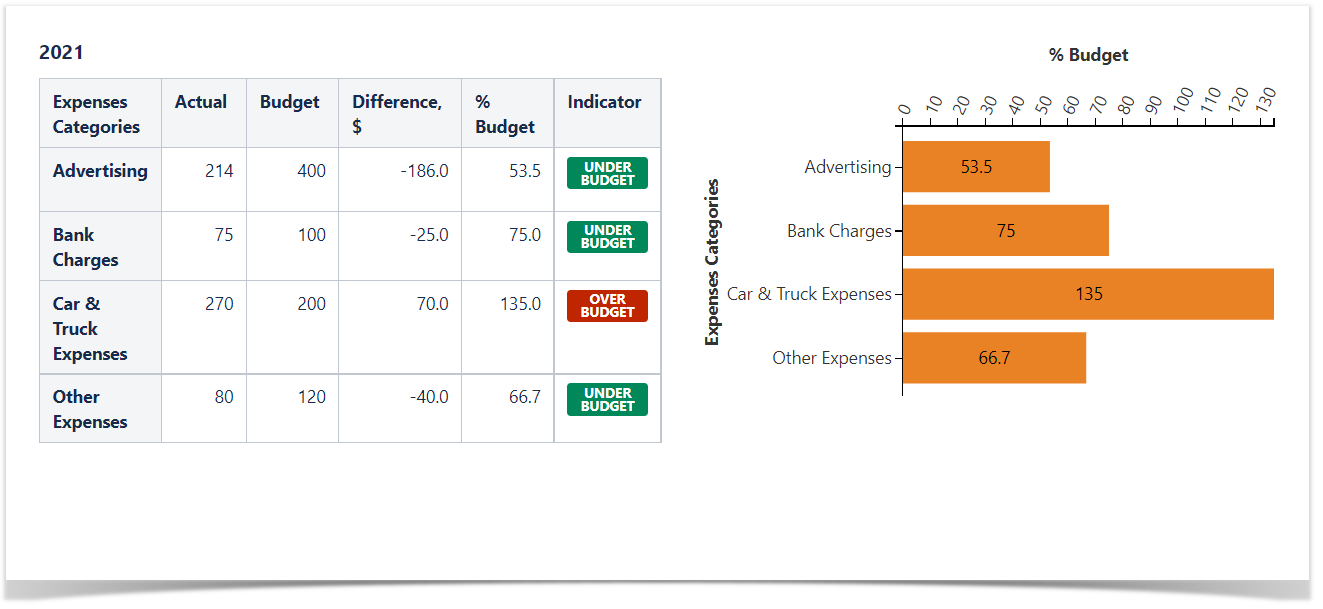
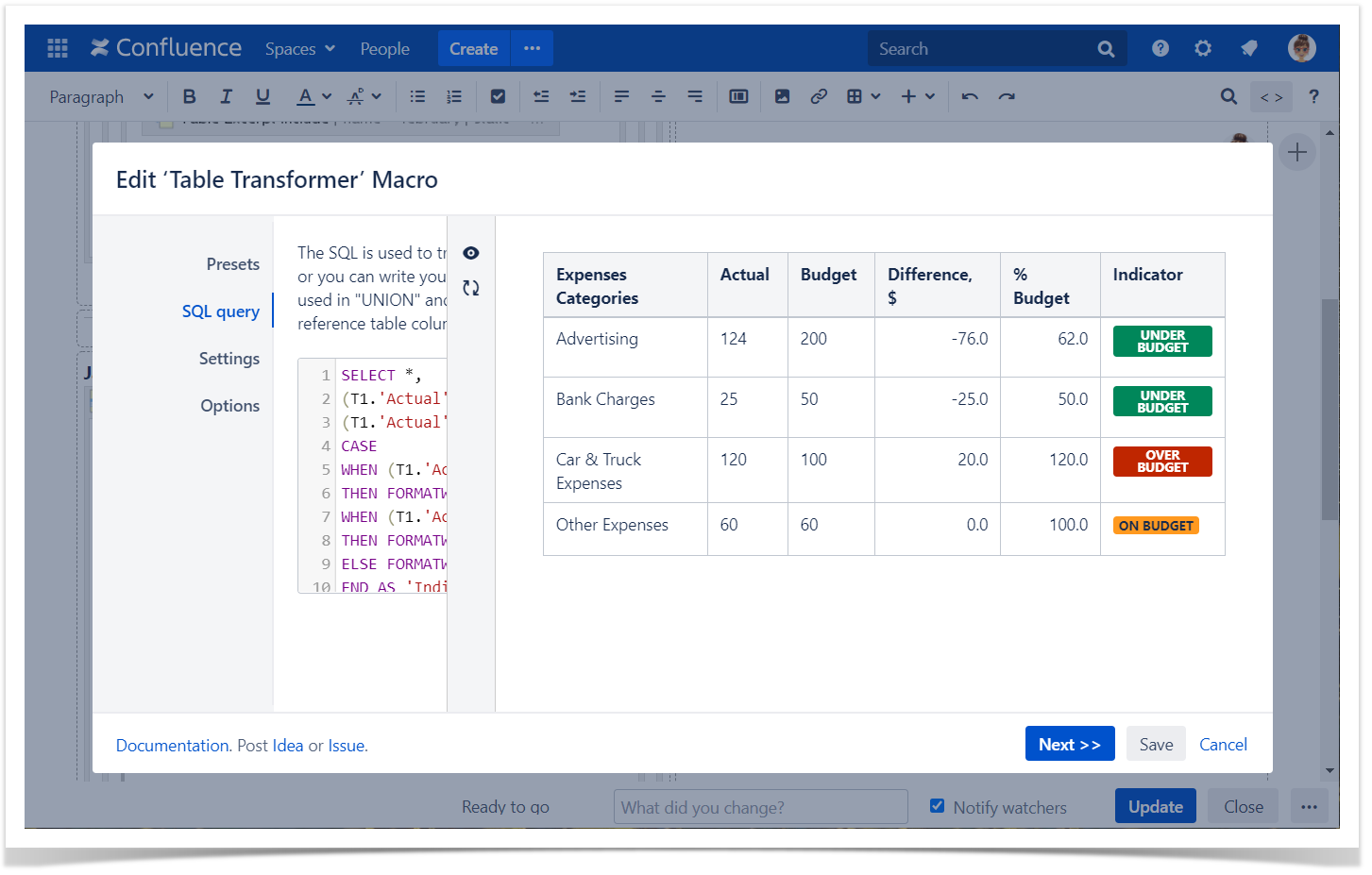
The Result:
Macro combination:
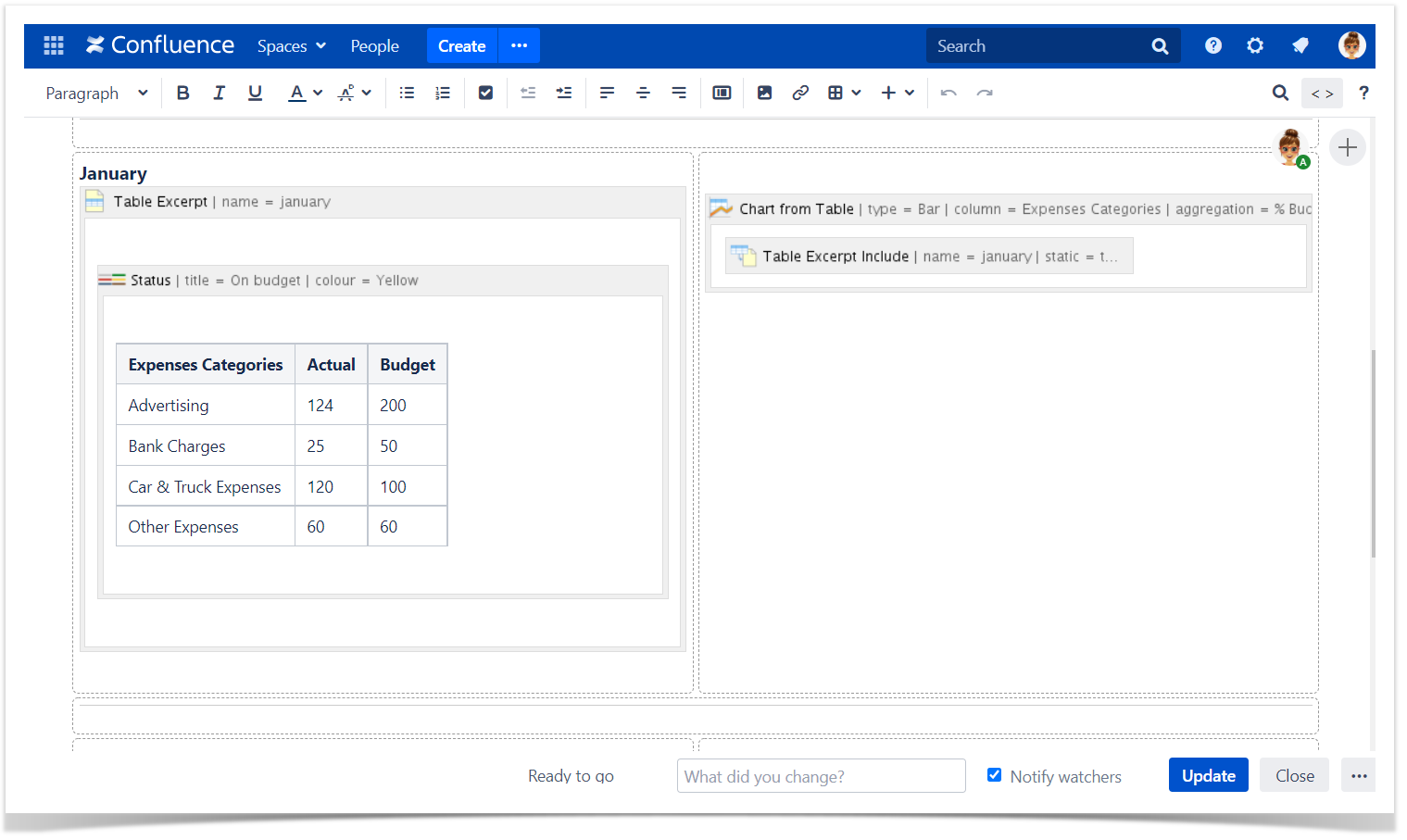
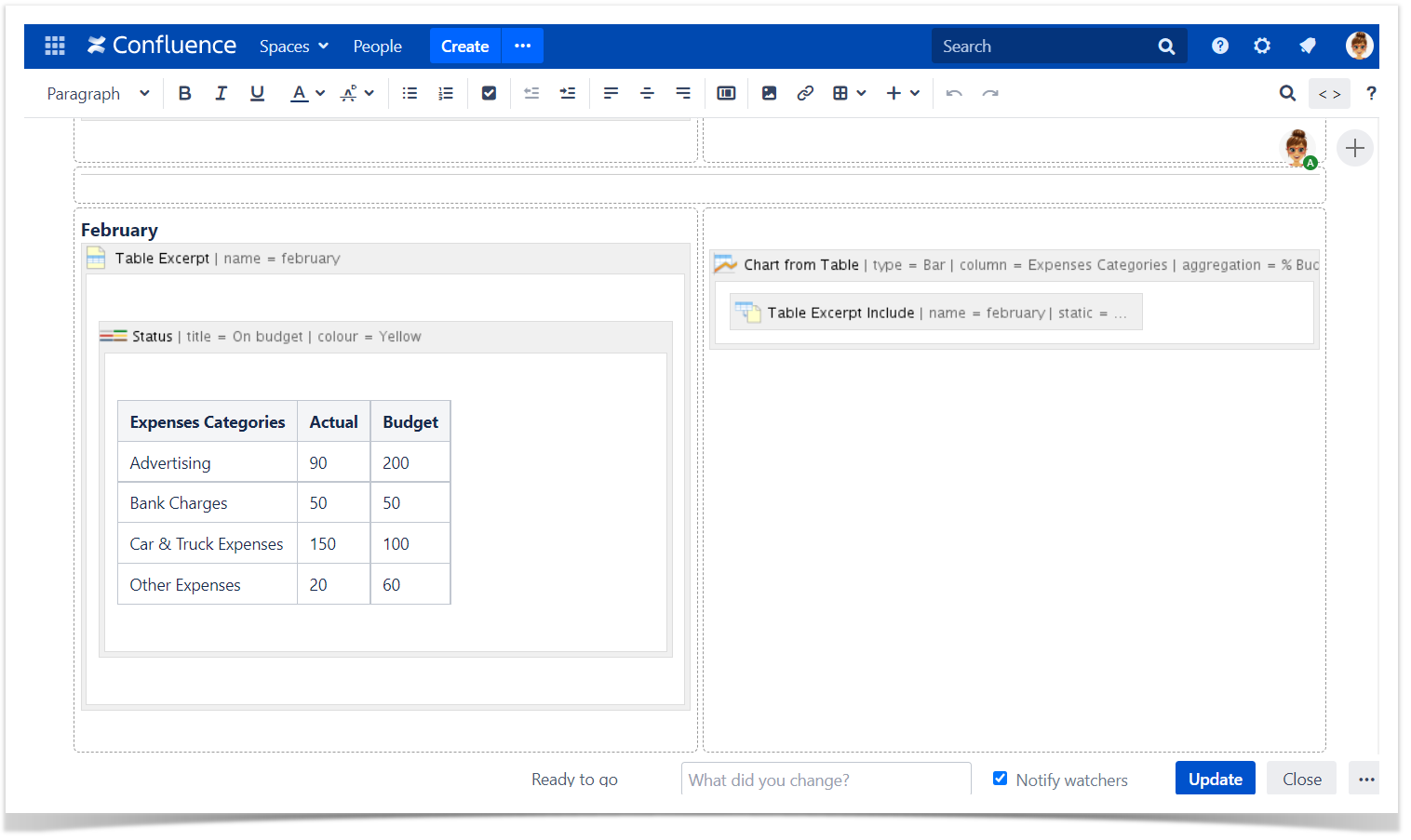
- Caculating the difference between monthly budget and actual expenses by categories and display the appropriate status: "Under budget", "Over budget", "On budget".
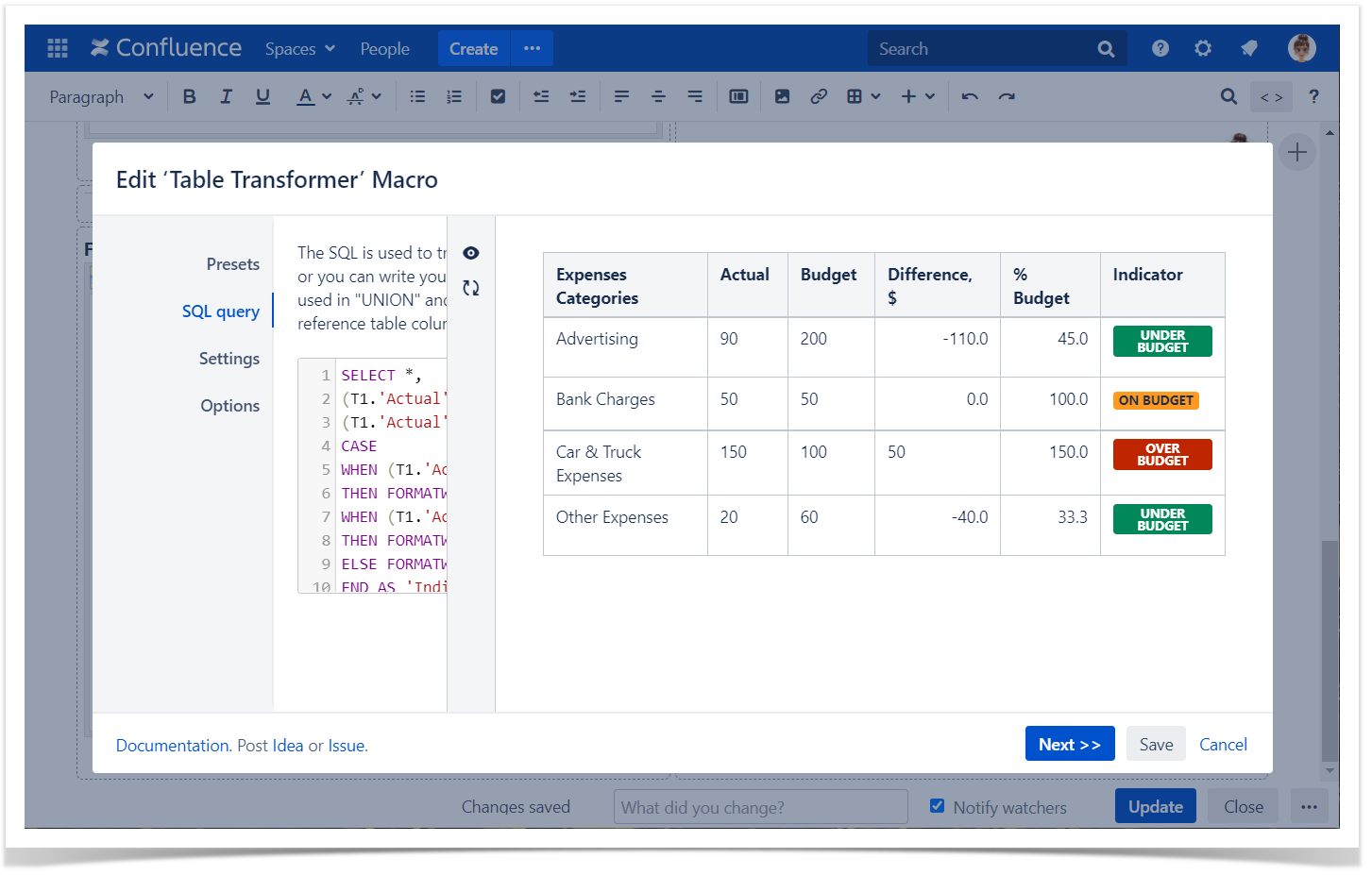
- Wrap source tables with the Table Transformer macro.
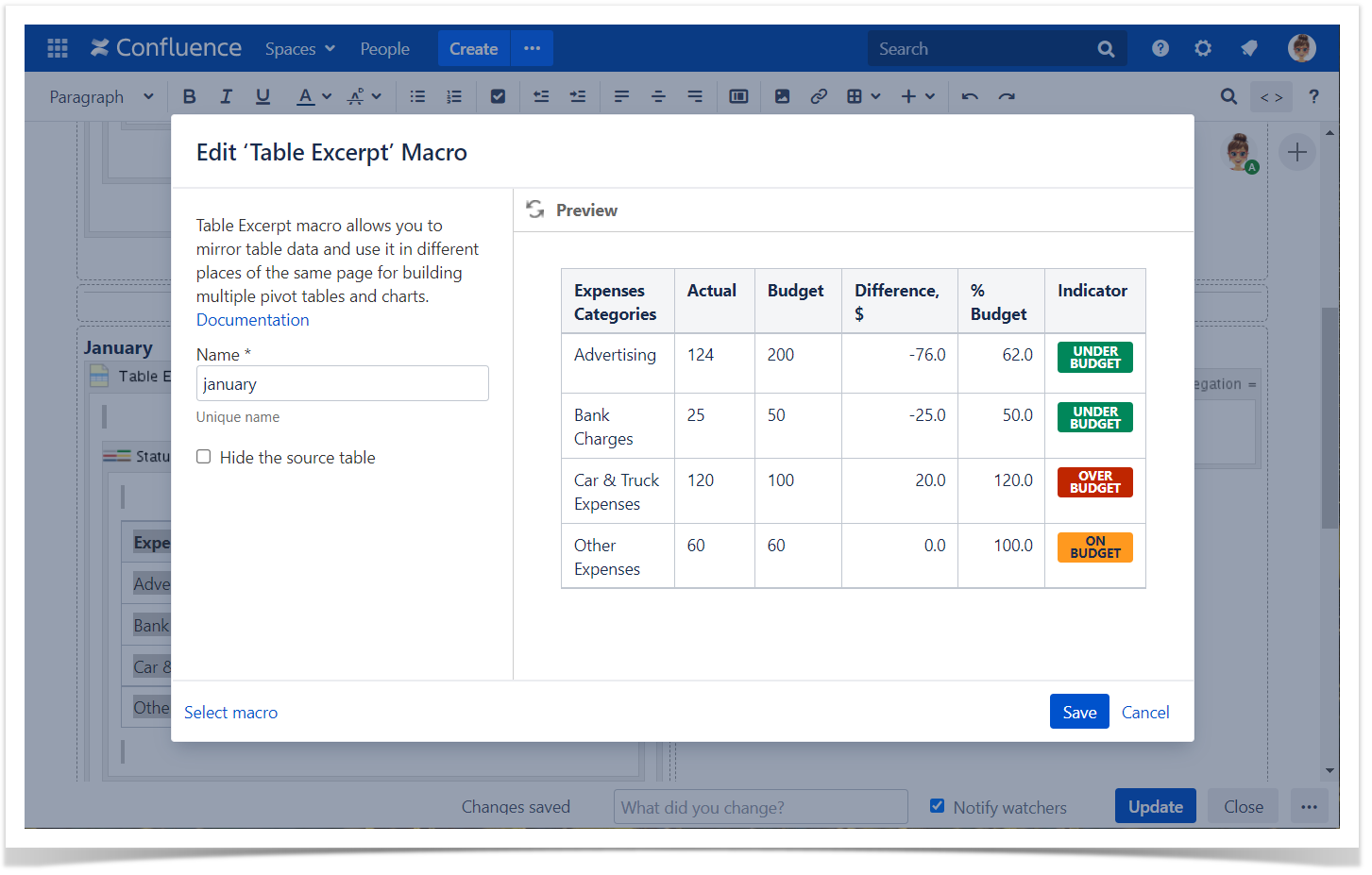
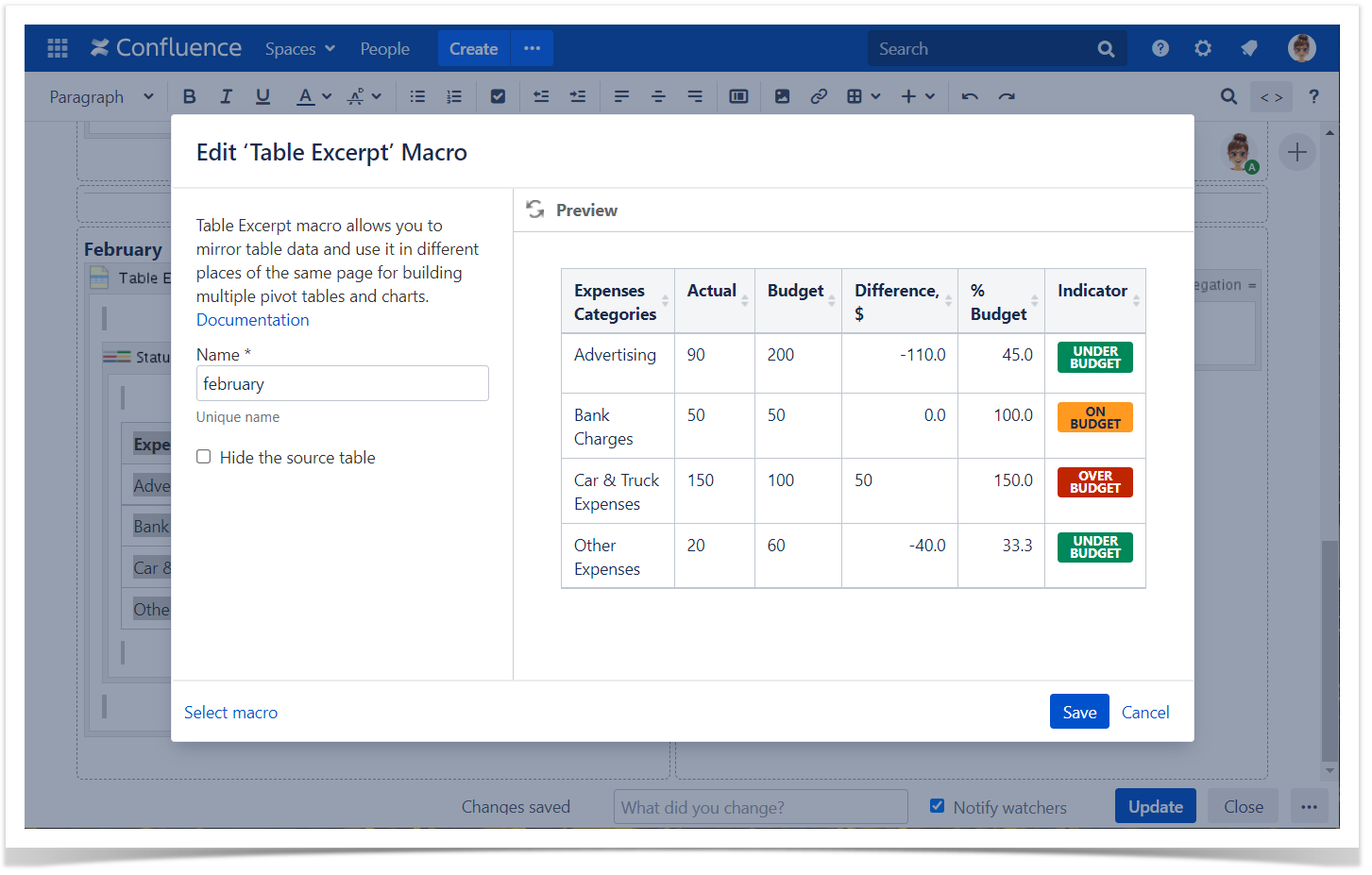
- Wrap Table Transformer with the Table Excerpt macro.
- Reusing the result table and building the chart based on it.
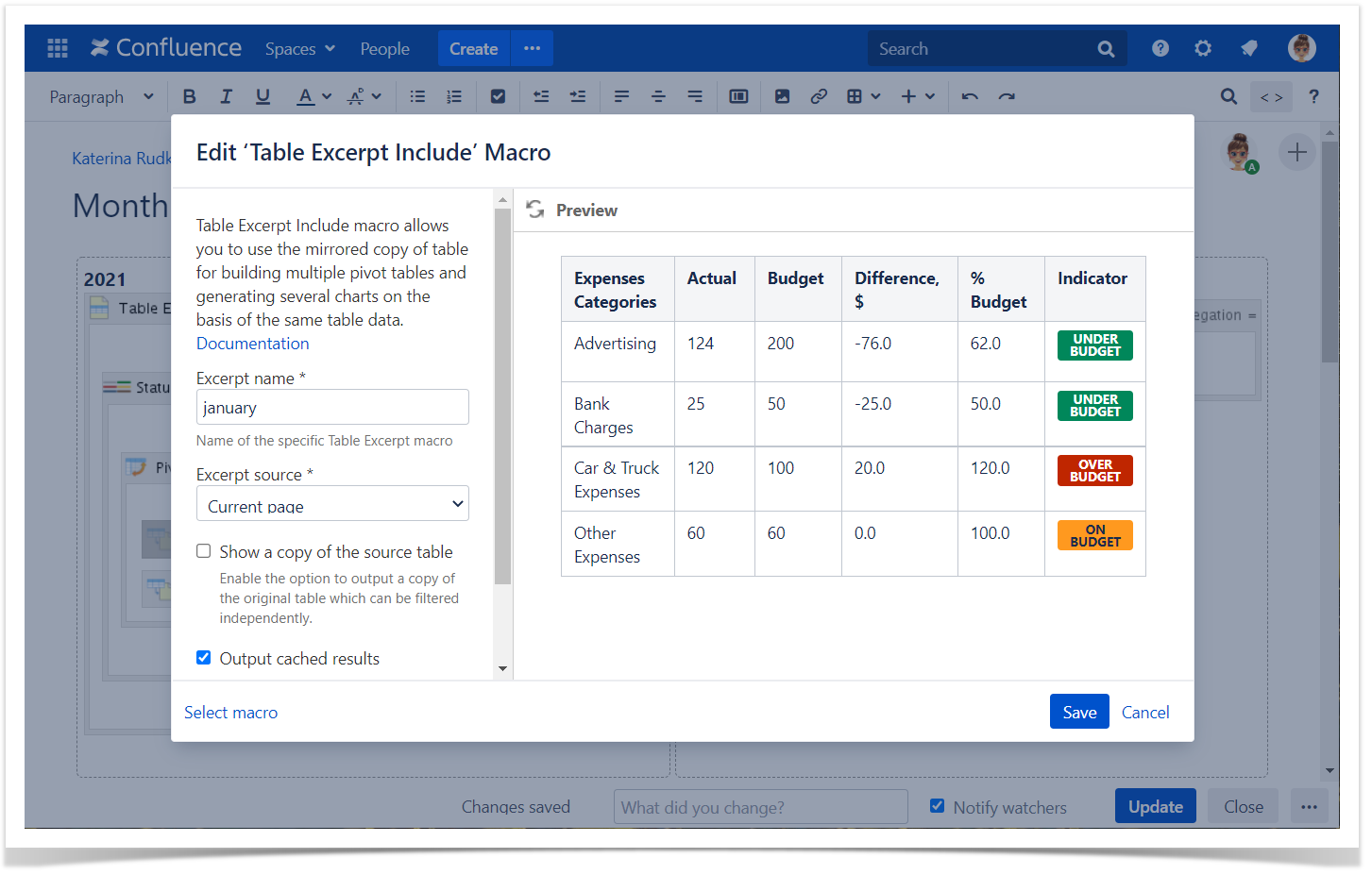
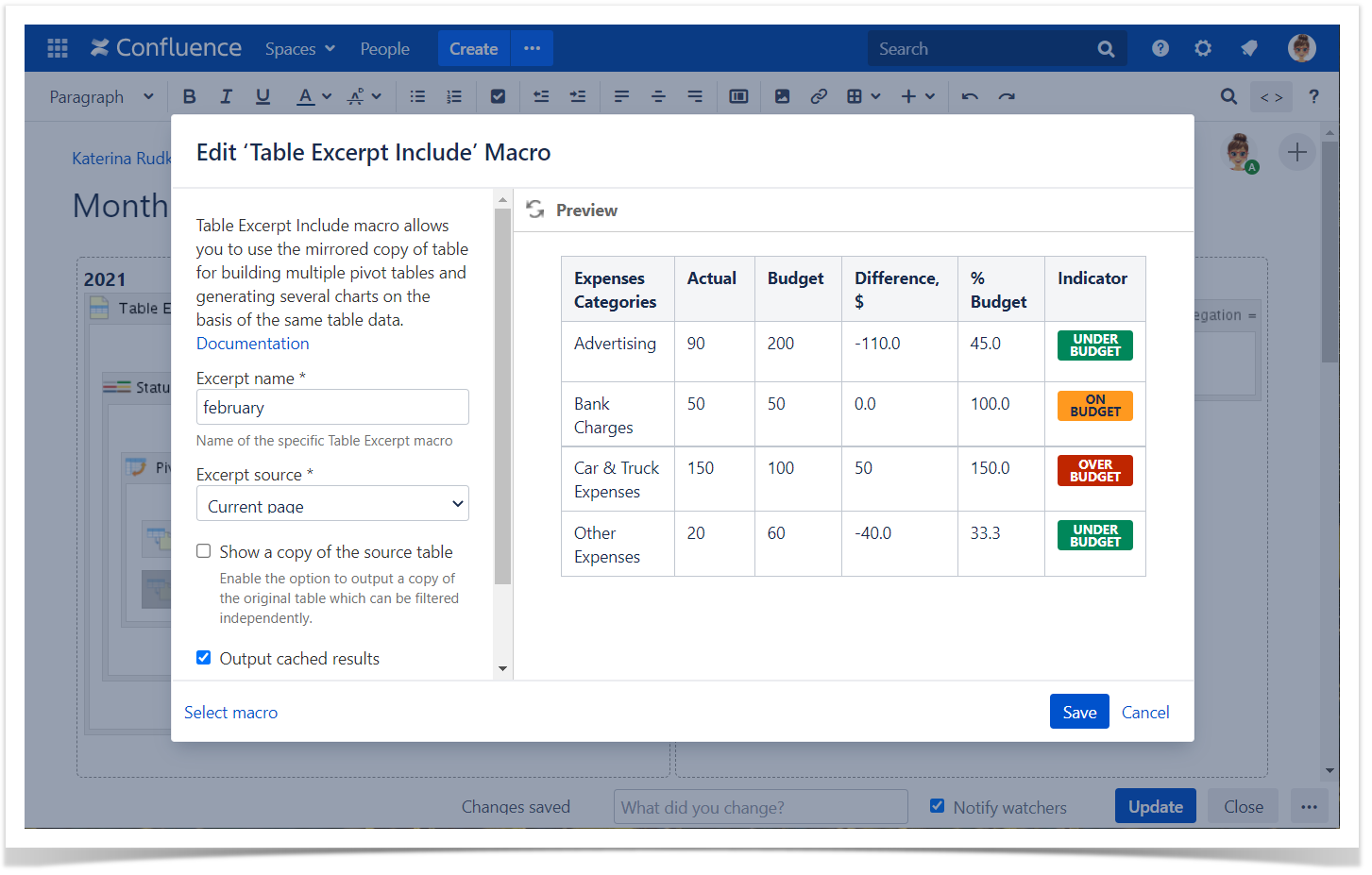
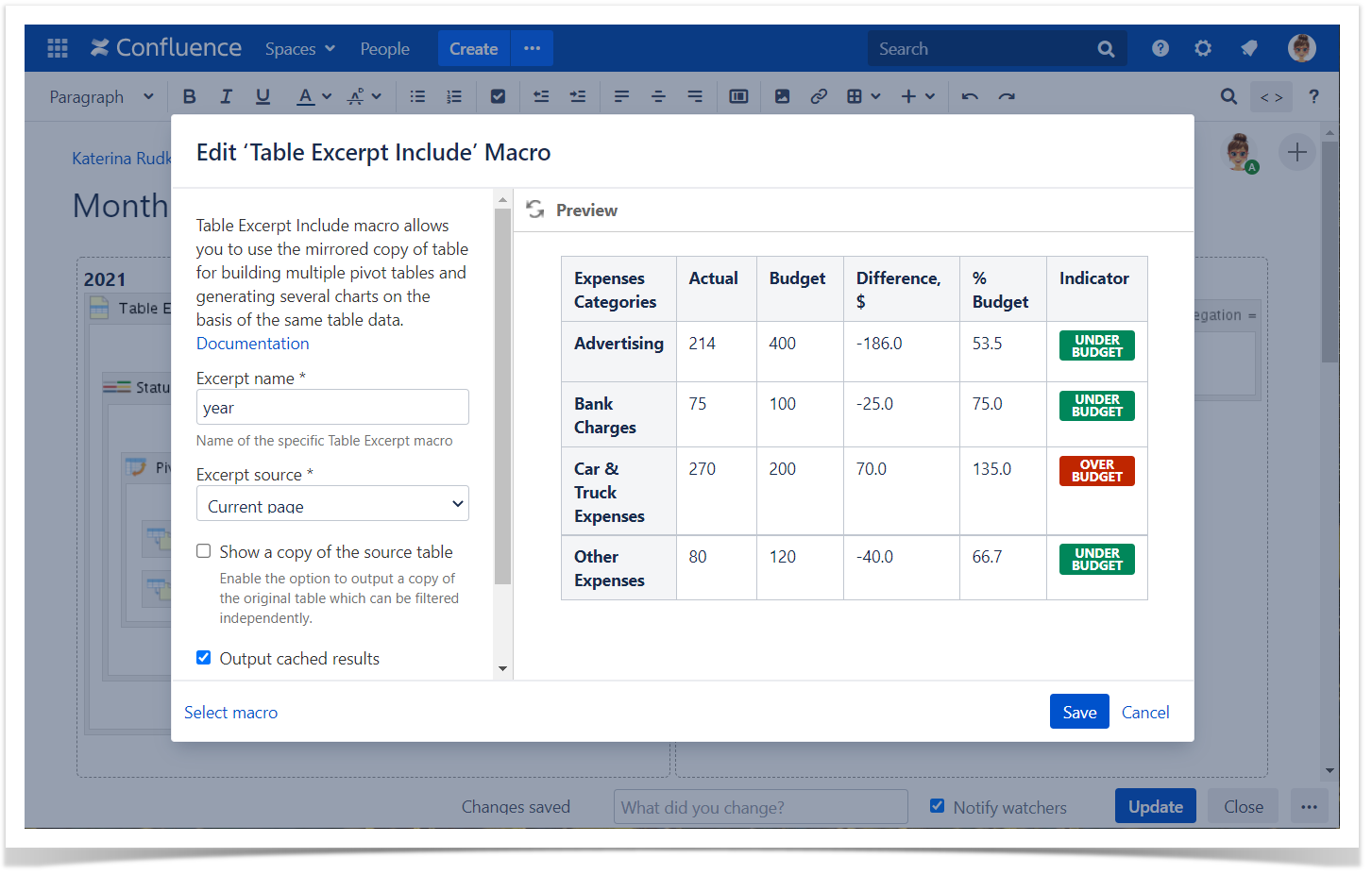
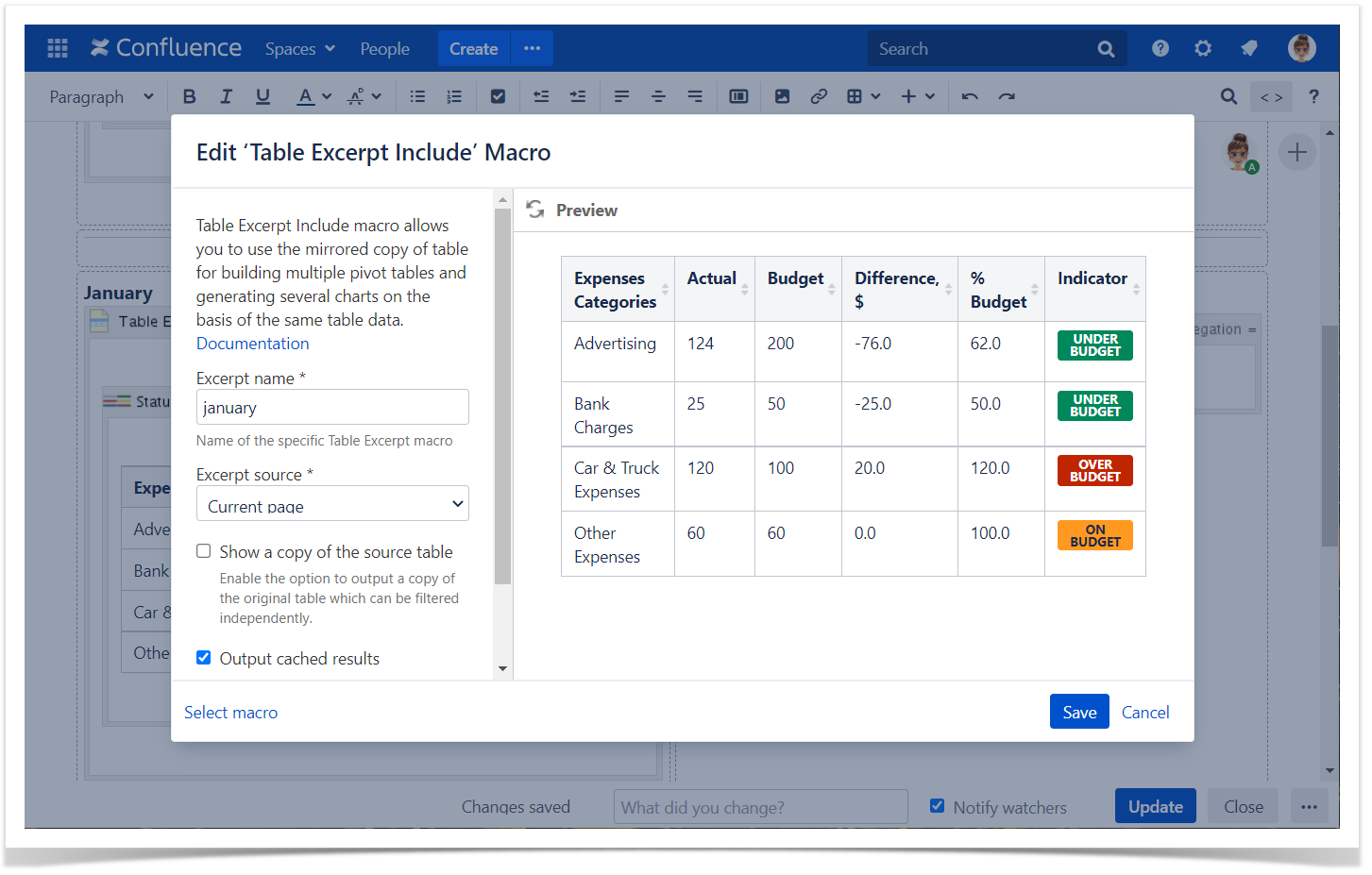
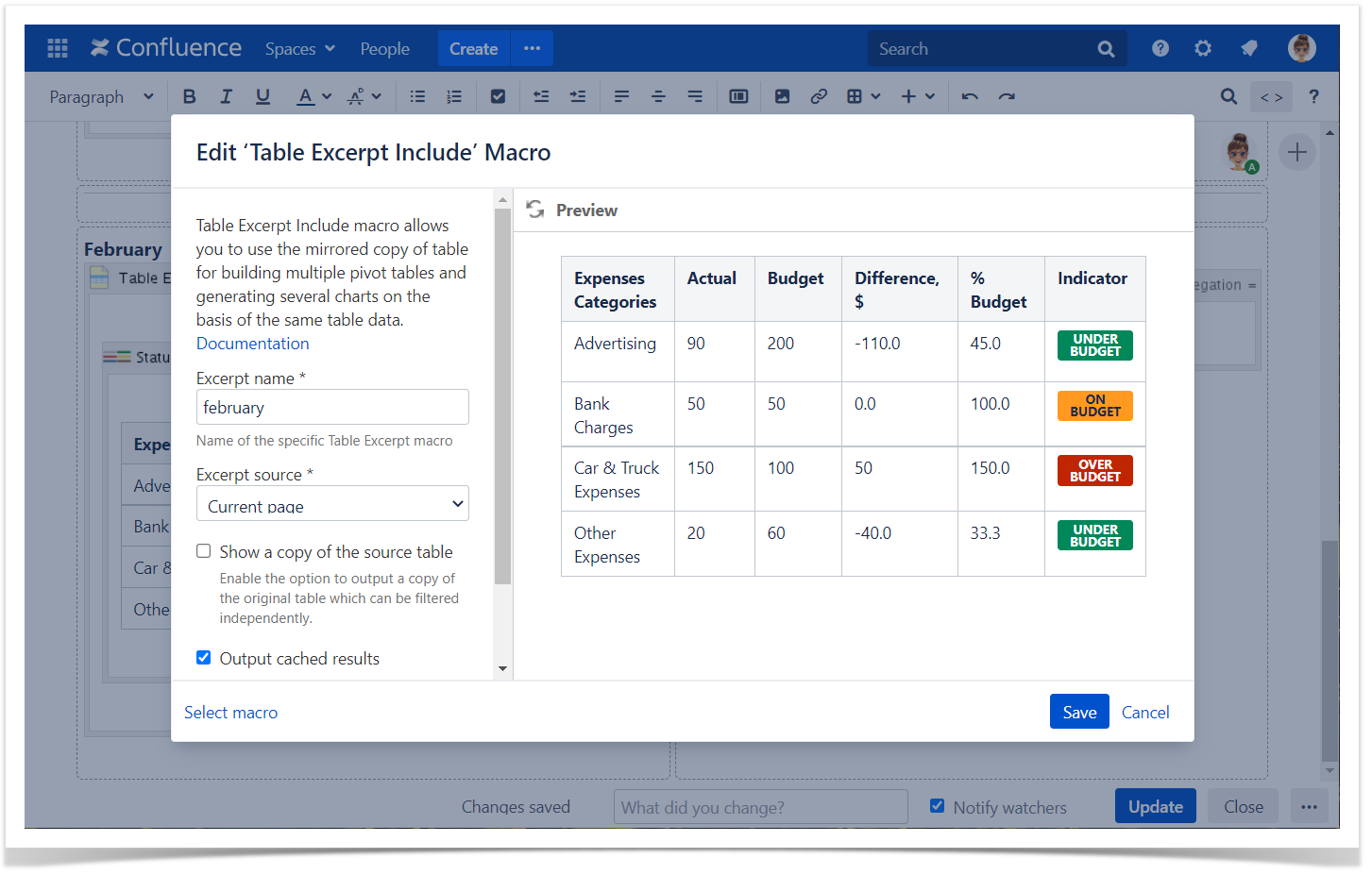
- Insert the Table Excerpt Include macro.
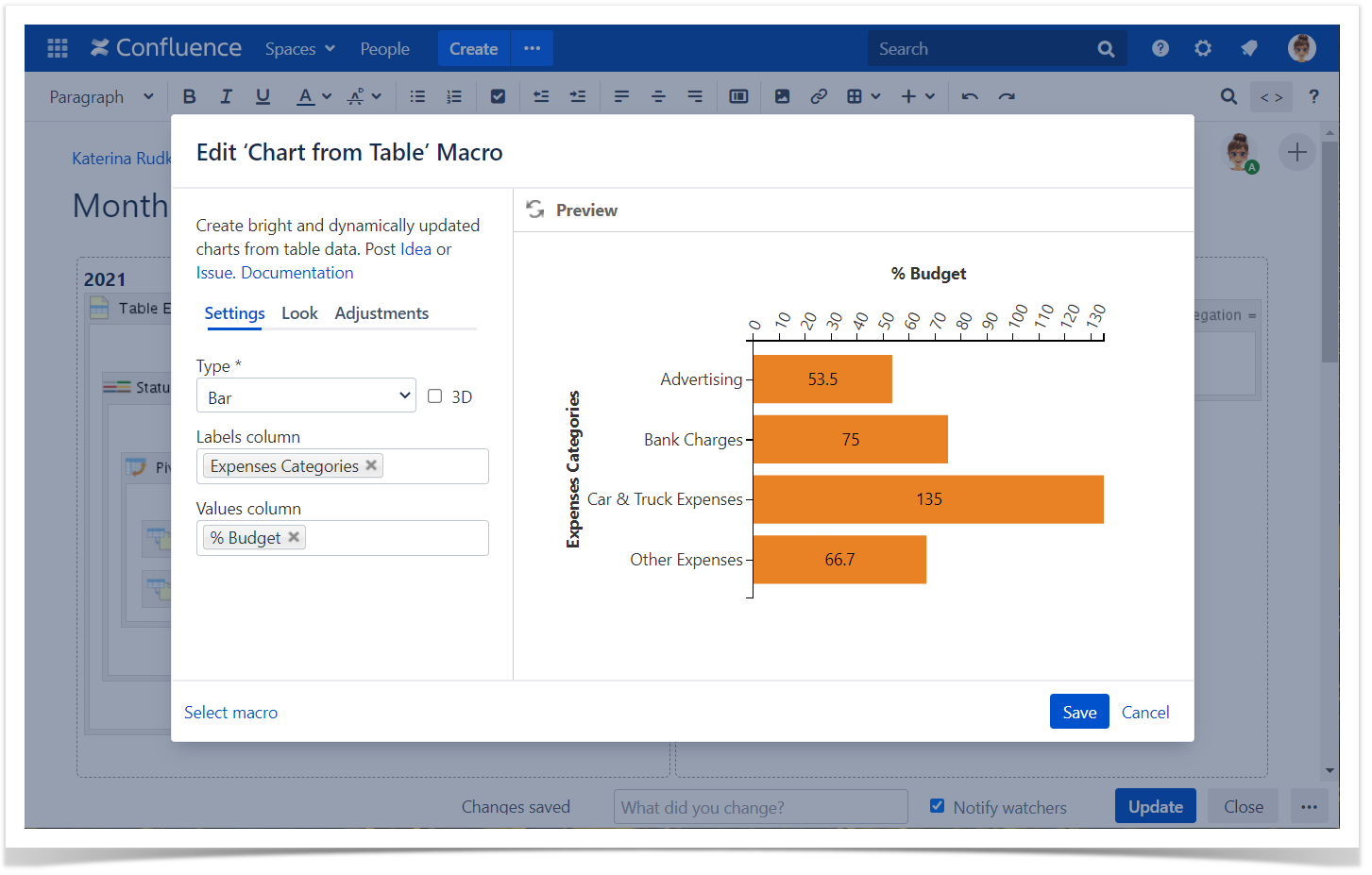
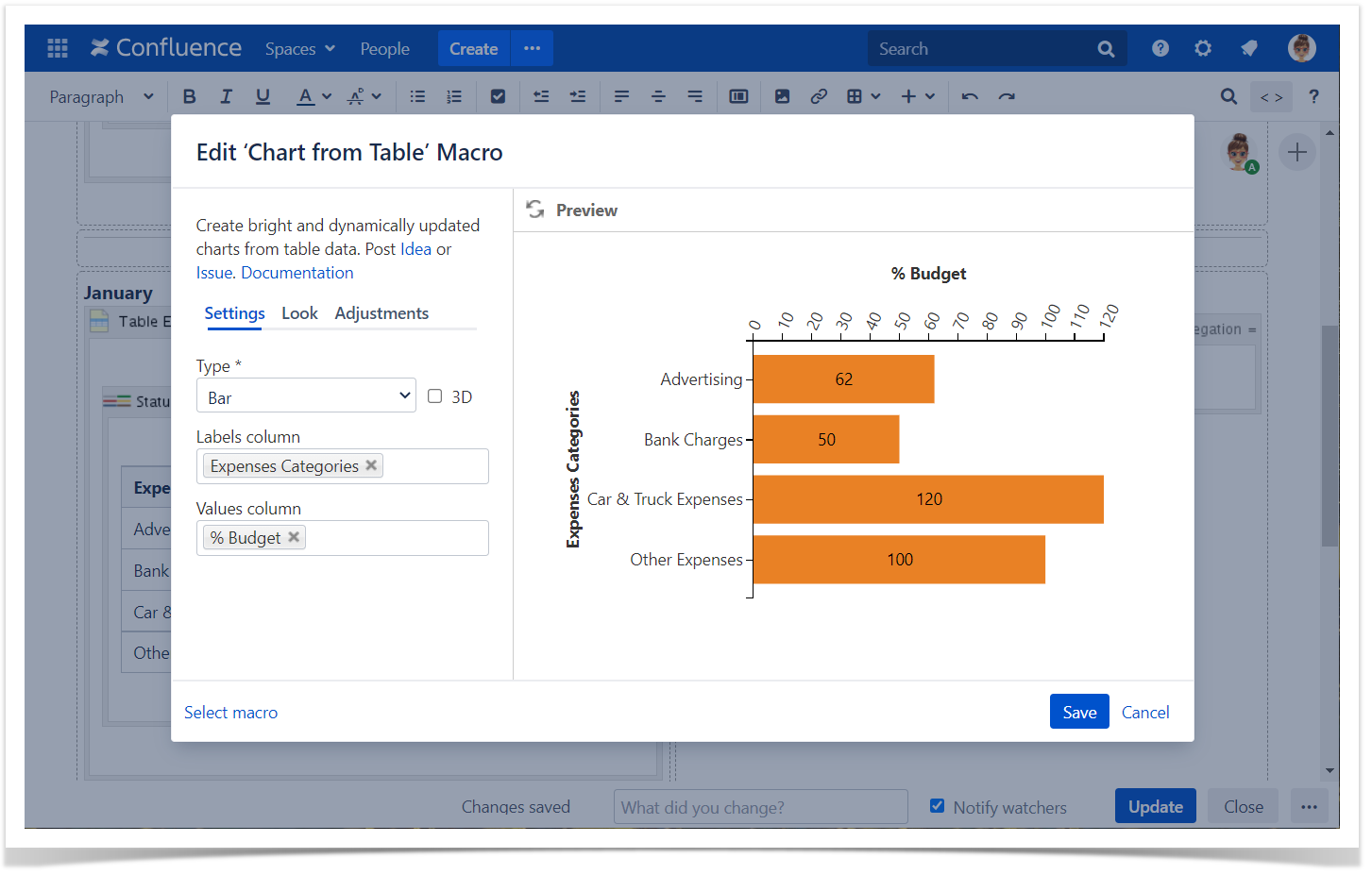
- Wrap Table Excerpt Include with the Chart from Table macro.
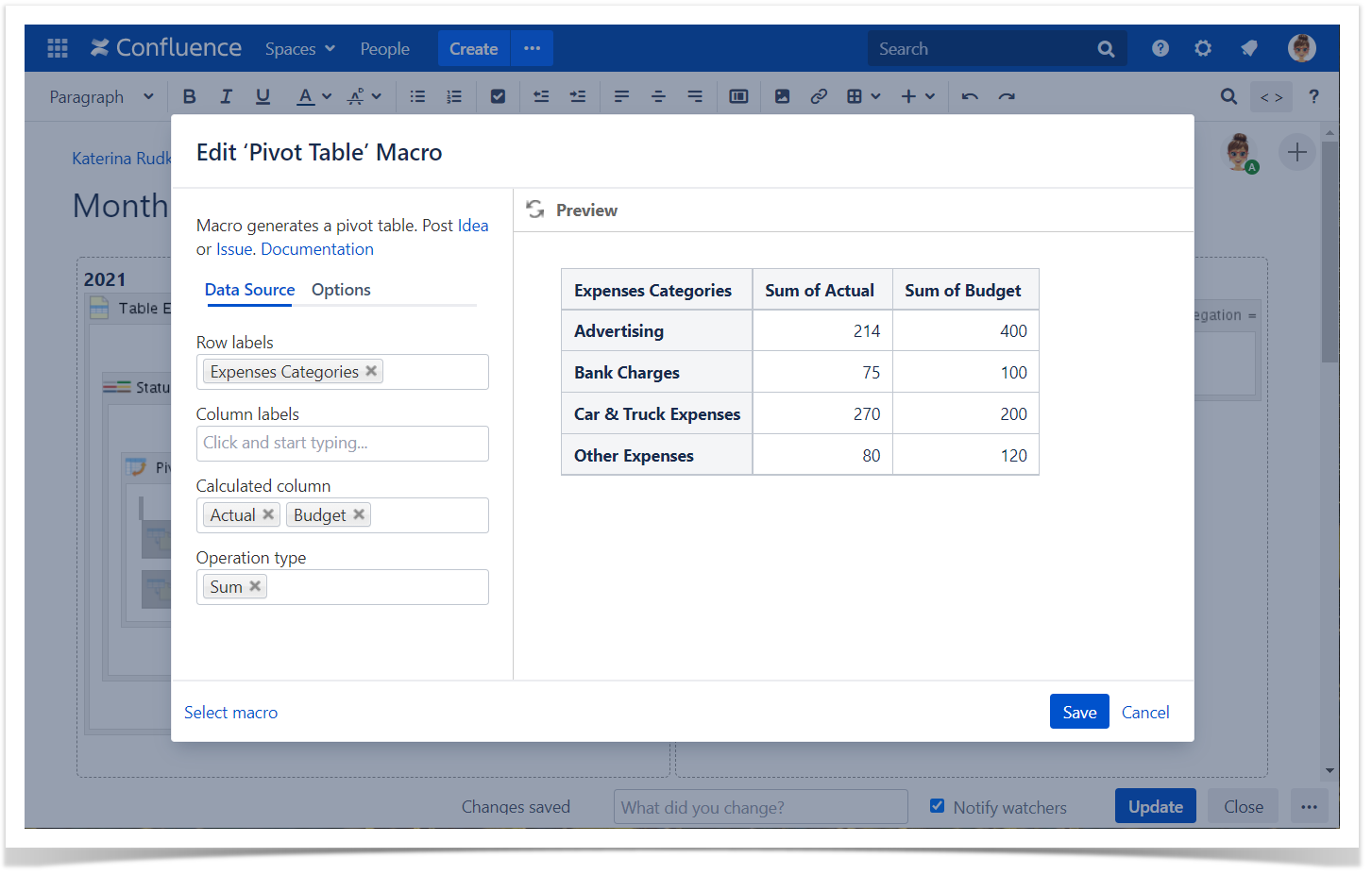
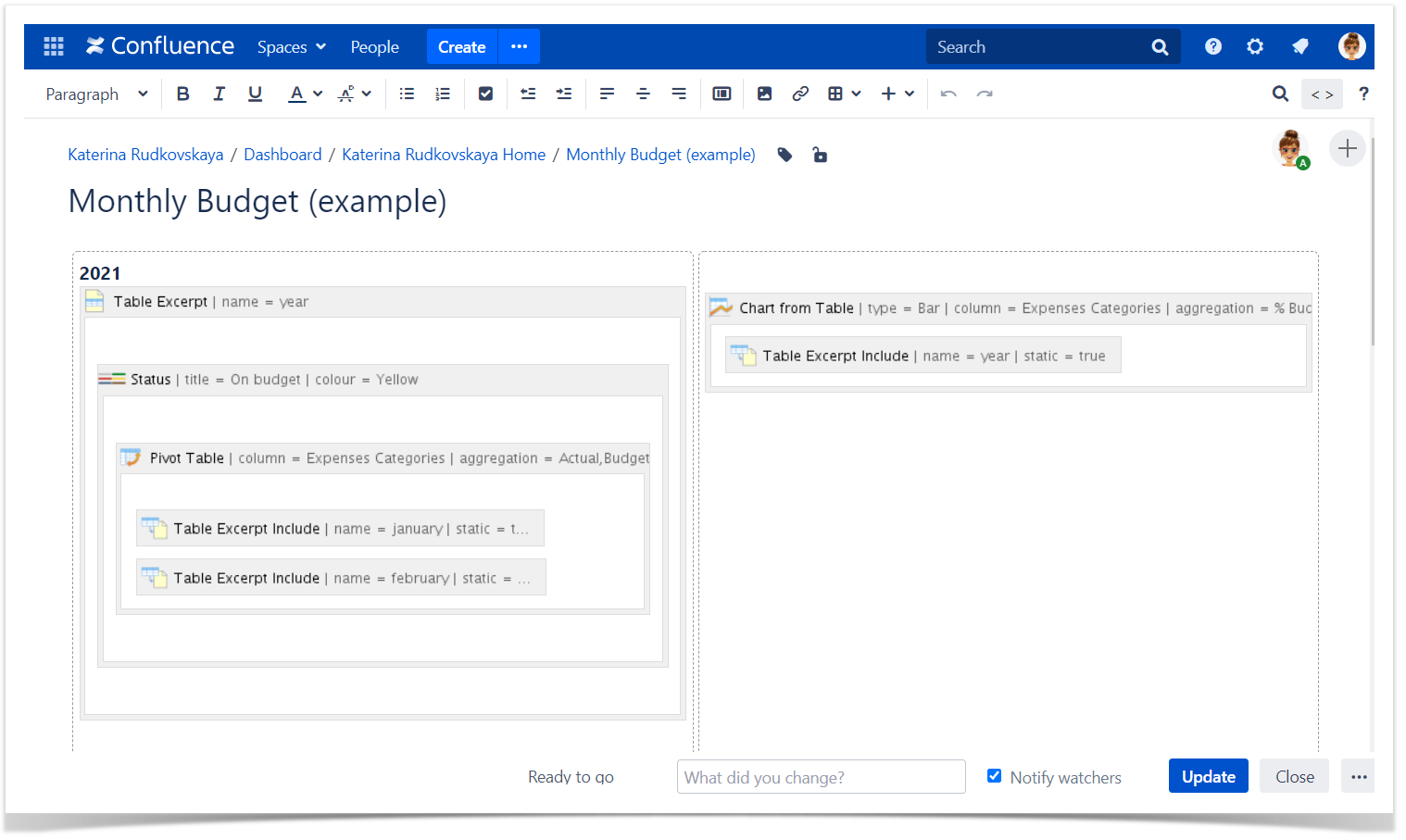
- Creating the pivot table based on the result tables by each month.
- Insert Table Excerpt Include of each month.
- Wrap Table Excerpt Include macros with the Pivot Table macro.
- Gerenating the yearly report
- Wrap Pivot Table with Table Transformer.
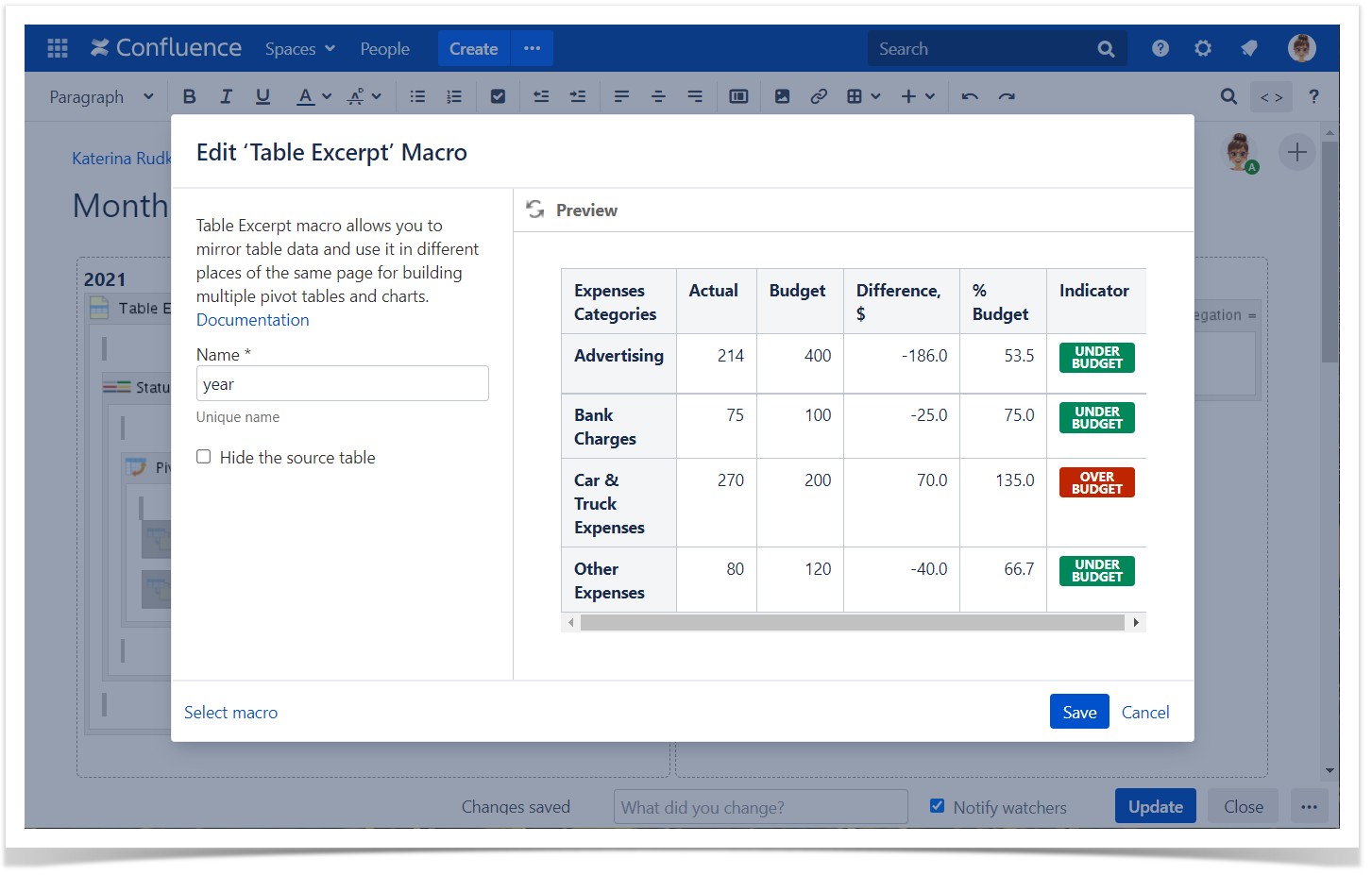
- Wrap Table Transformer with the Table Excerpt macro.
- Reusing the result table and building the chart based on it.
- Insert the Table Excerpt Include macro.
- Wrap Table Excerpt Include with the Chart from Table macro.
Macro configuration:
Table Transformer:
Use the following SQL query for each month:
SELECT *,
(T1.'Actual'- T1.'Budget') AS 'Difference, $',
(T1.'Actual' / T1.'Budget' * 100) AS '% Budget',
CASE
WHEN (T1.'Actual' / T1.'Budget' * 100) < 100
THEN FORMATWIKI("{status:colour=Green|title=Under budget}")
WHEN (T1.'Actual' / T1.'Budget' * 100) > 100
THEN FORMATWIKI("{status:colour=Red|title=Over budget}")
ELSE FORMATWIKI("{status:colour=Yellow|title=On budget}")
END AS 'Indicator'
FROM T*
| Name | january |
|---|
| Name | february |
|---|
| Name | year |
|---|
Excerpt name | january |
|---|---|
| Excerpt source | Current page |
Excerpt name | february |
|---|---|
| Excerpt source | Current page |
Excerpt name | year |
|---|---|
| Excerpt source | Current page |
| Type | Bar |
|---|---|
| Labels Column | Expenses Categories |
| Values Column | % Budget |
| Row Labels | Expenses Categories |
|---|---|
| Column Labels | |
| Calculated Column | Actual, Budget |
| Operation Type | Sum |
Table Transformer:
Use the following SQL query ti sum data by months up:
SELECT T1.'Expenses Categories', T1.'Sum of Actual' AS 'Actual',
T1.'Sum of Budget' AS 'Budget',
(T1.'Sum of Actual'- T1.'Sum of Budget') AS 'Difference, $',
(T1.'Sum of Actual' / T1.'Sum of Budget' * 100) AS '% Budget',
CASE
WHEN (T1.'Sum of Actual' / T1.'Sum of Budget' * 100) < 100
THEN FORMATWIKI("{status:colour=Green|title=Under budget}")
WHEN (T1.'Sum of Actual' / T1.'Sum of Budget' * 100) > 100
THEN FORMATWIKI("{status:colour=Red|title=Over budget}")
ELSE FORMATWIKI("{status:colour=Yellow|title=On budget}")
END AS 'Indicator'
FROM T*

SOME TEXT HERE
SOME TEXT HERE


SOME TEXT HERE
SOME TEXT HERE