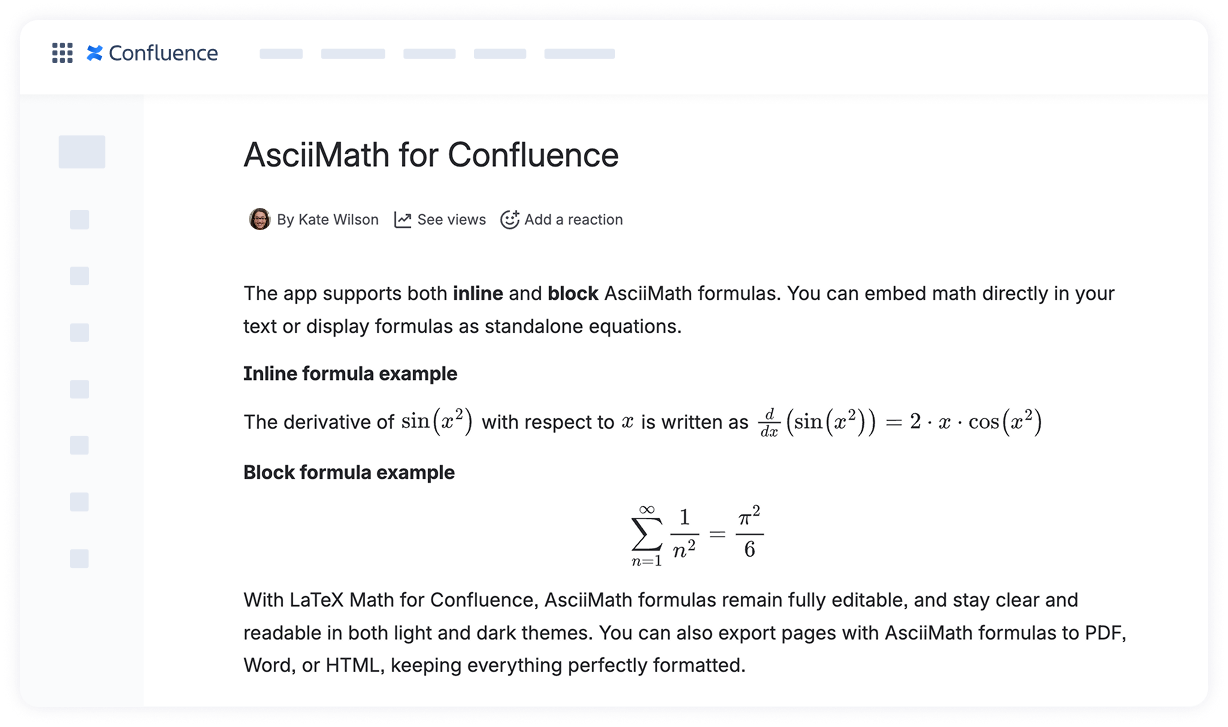
The AsciiMath Block Formulas macro lets you display mathematical expressions as standalone blocks on your Confluence page, making them easier to read and reference.
How to add a block AsciiMath formula:
Open a Confluence page in edit mode.
Place the cursor where you want the formula to appear.
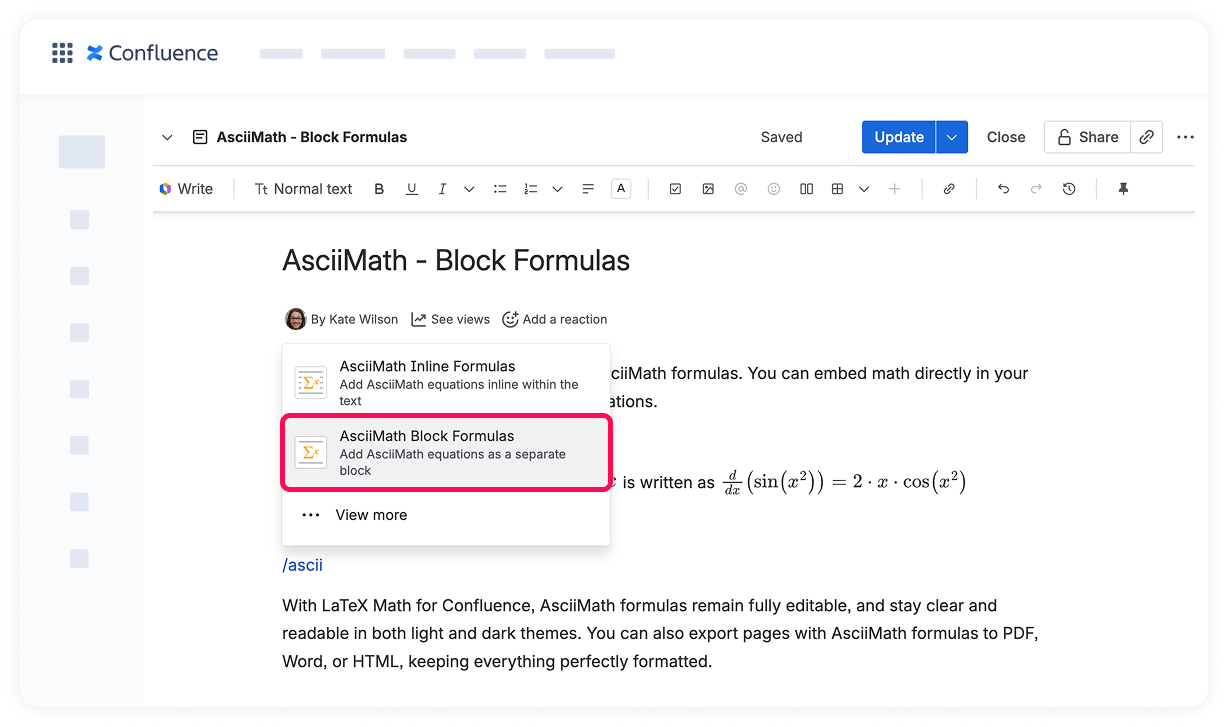
Type /ascii and select the AsciiMath Block Formulas macro from the suggestions.
Alternatively, click the + button in the page toolbar, search for “Ascii,” and pick AsciiMath Block Formulas.
Enter your AsciiMath expression in the editor.
Click Save to insert the formula.
Your equation will now appear as a separate block, neatly formatted for clarity and readability. 🔍
Cookie Notice
This website uses cookies for analytics, personalization and advertising. By continuing to browse, you agree to our use of cookies. Learn more