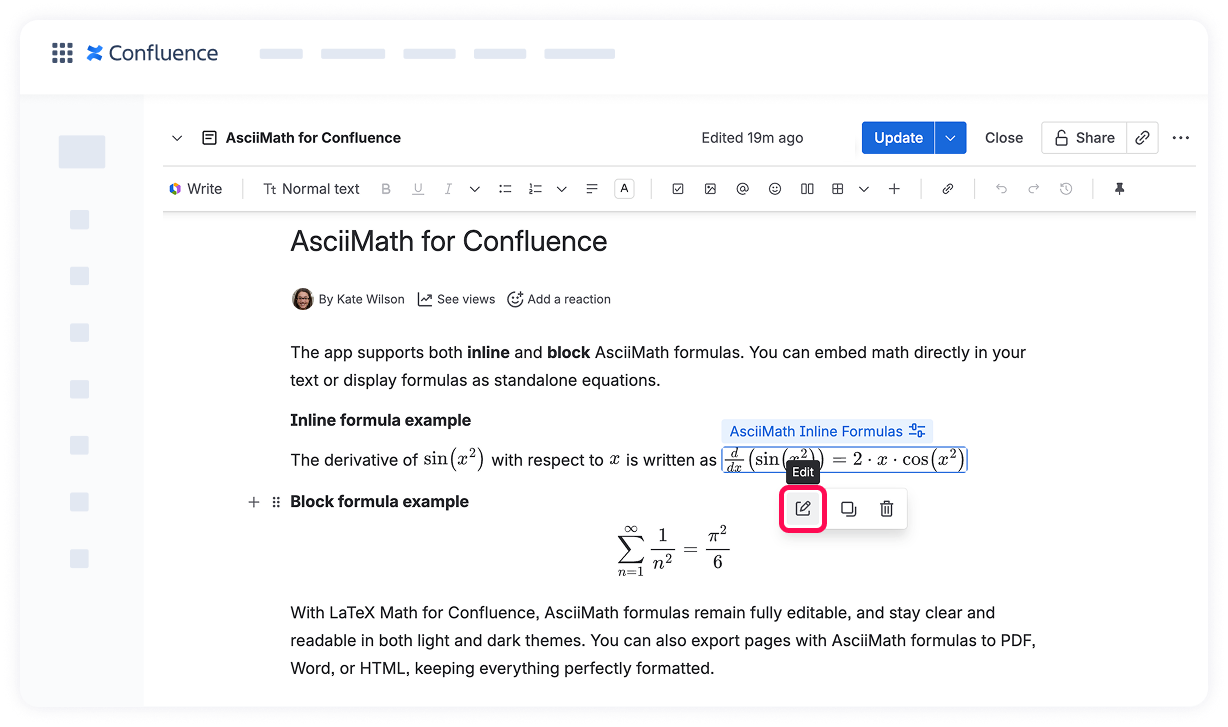
LaTeX Math for Confluence 📗 How to Use AsciiMath in Confluence Current: Edit AsciiMath Formulas PDF Download PDF Download page Edit AsciiMath Formulas. Current page All pages Edit AsciiMath Formulas You can quickly update any AsciiMath formula on your Confluence page without re-adding it.Open the page where your formula is located and click Edit.Click on the existing AsciiMath formula you want to change — the formula menu will appear.Click the edit icon to open the AsciiMath formula editor.Make changes to your AsciiMath code. The live preview updates instantly, so you can see how your formula will look.Click Save to update the formula on the page.✅ Your formula will now reflect your edits, seamlessly integrated within your content. ×