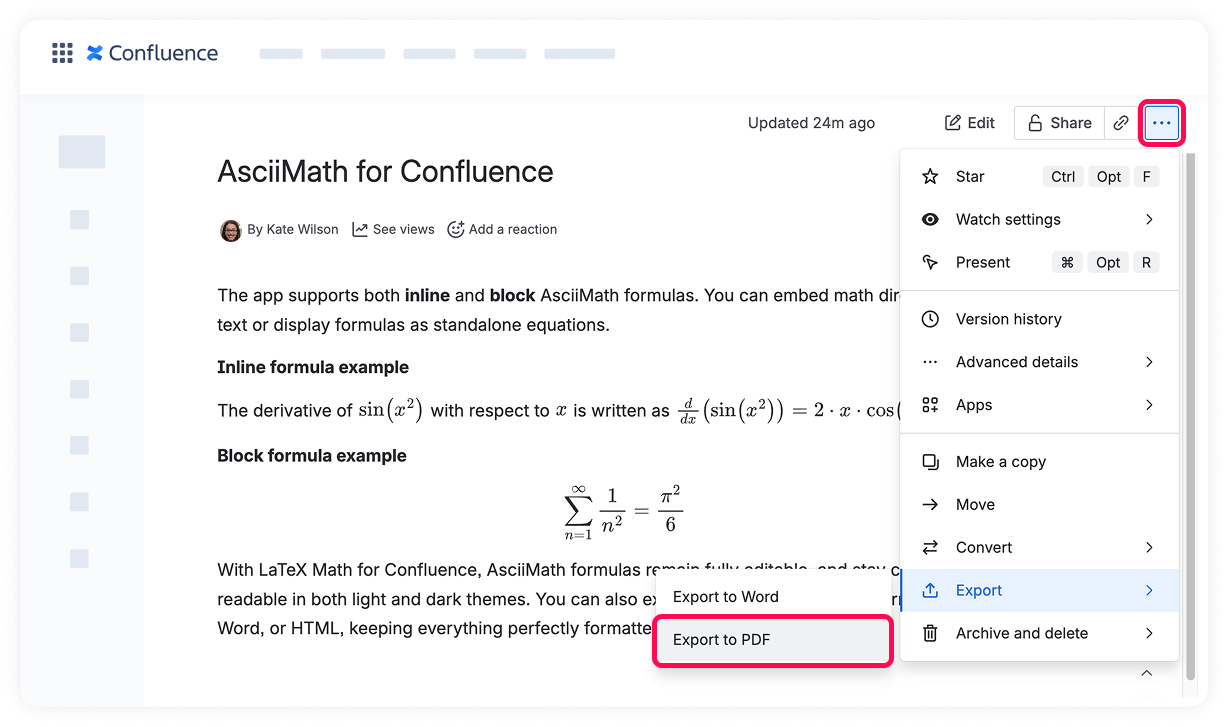
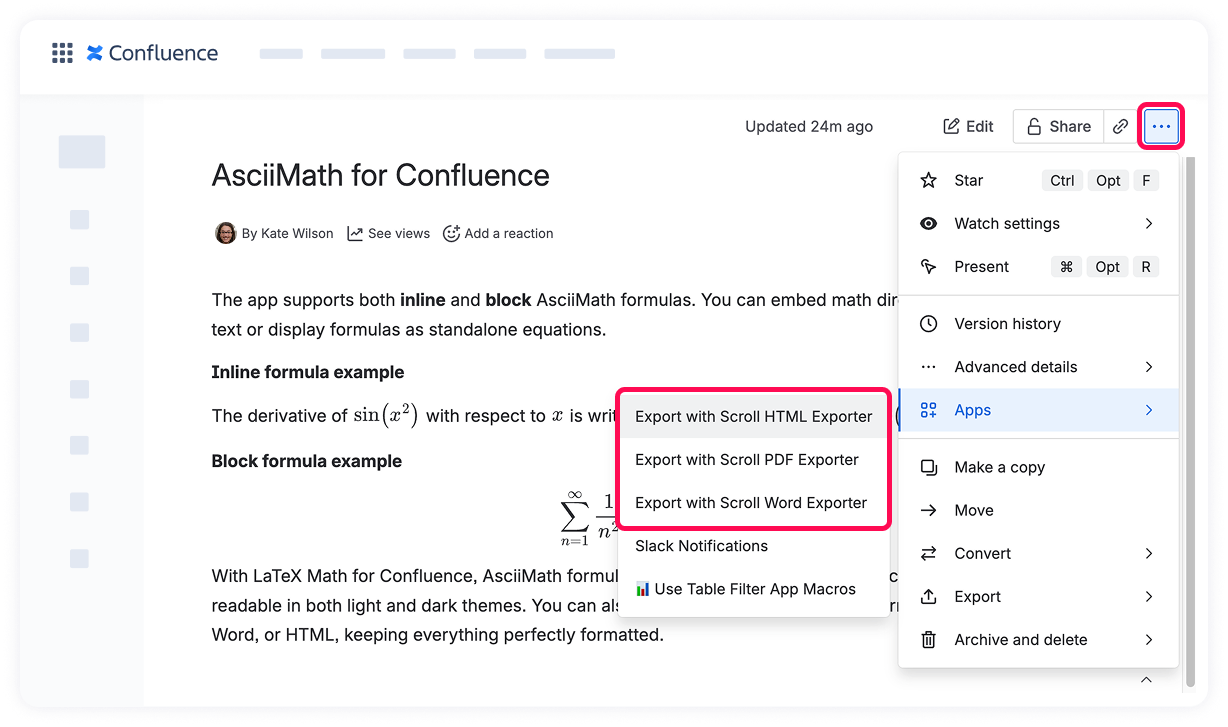
You can export pages containing AsciiMath formulas from Confluence in the same way you export LaTeX formulas — either using Confluence’s built-in PDF exporter or Scroll Exporter to generate PDF, Word, or HTML documents.
Export using Confluence’s built-in PDF exporter
To export a page with AsciiMath formulas to PDF:
Open the page containing the formulas.
Click the More actions menu (three dots in the top-right corner).
Select Export → Export to PDF.
Download the generated PDF once the export is complete.
✅ All AsciiMath formulas will appear in the PDF exactly as they do on the page, fully rendered and easy to read.
Export using the Scroll Exporter apps (PDF, Word, HTML)
AsciiMath formulas are compatible with Scroll Exporter apps, allowing you to export pages to PDF, Word, or HTML while preserving formatting.
Steps to export:
Open the page with your AsciiMath formulas.
Click the More actions menu and select Apps.
Choose the desired Scroll Exporter:
Scroll PDF Exporter
Scroll Word Exporter
Scroll HTML Exporter
Configure export settings if needed.
Run the export.
✅ The exported document will maintain all AsciiMath equations exactly as they appear on the page.
Please note that Scroll Exporter apps are not available in Atlassian Government Cloud (AGC). As a result, exporting via Scroll Exporters is not supported in this environment.
Cookie Notice
This website uses cookies for analytics, personalization and advertising. By continuing to browse, you agree to our use of cookies. Learn more