| Excerpt | ||
|---|---|---|
| ||
|

The Spreadsheet from Table macro allows
transferringyou to convert your regular table or table outputting macro's content into
Table Spreadsheet environment with all its corresponding tools and features.Thea spreadsheet.
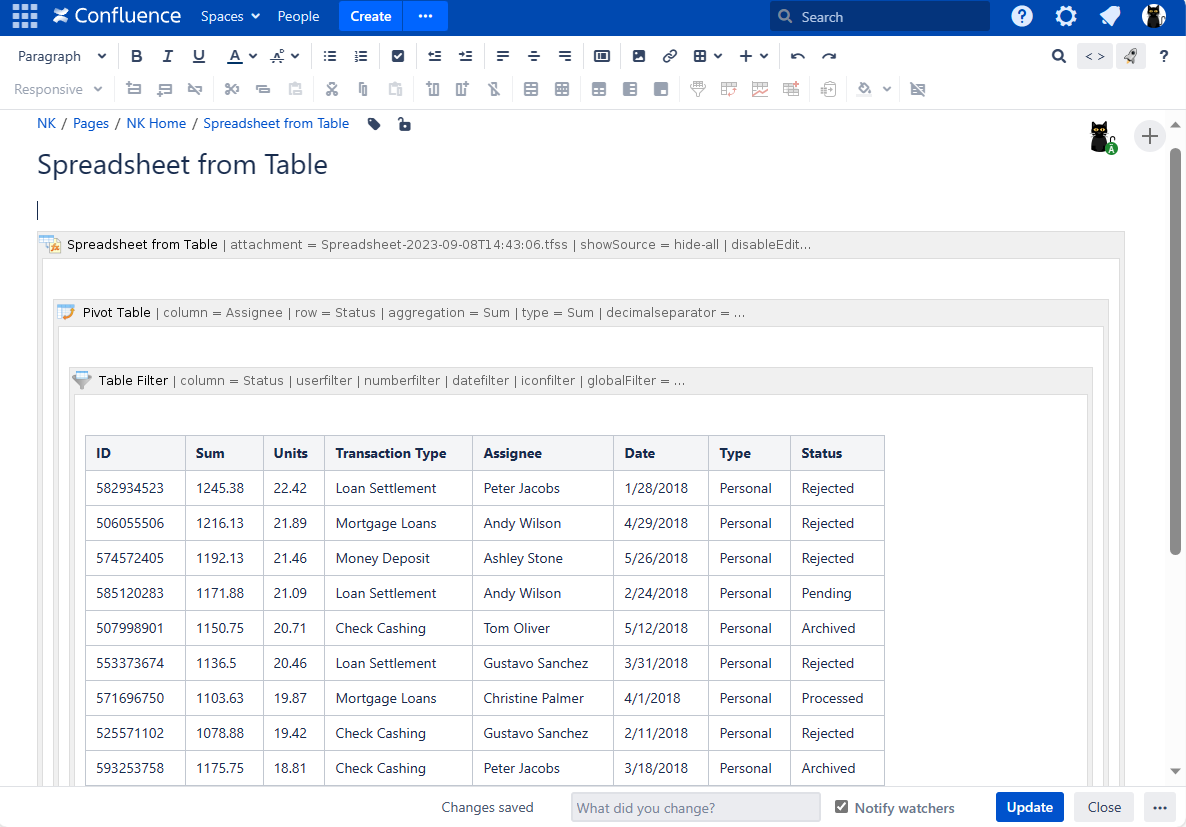
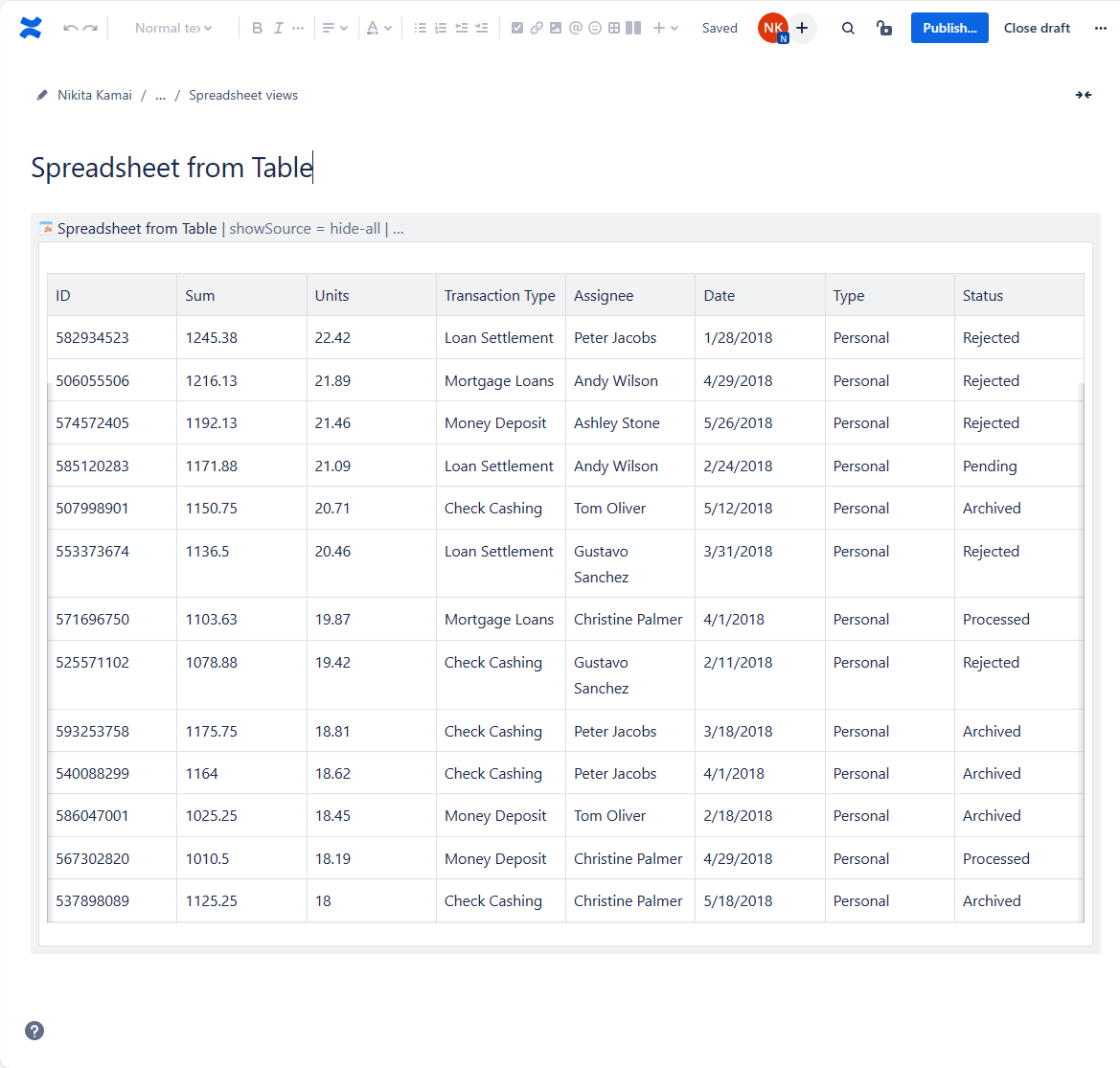
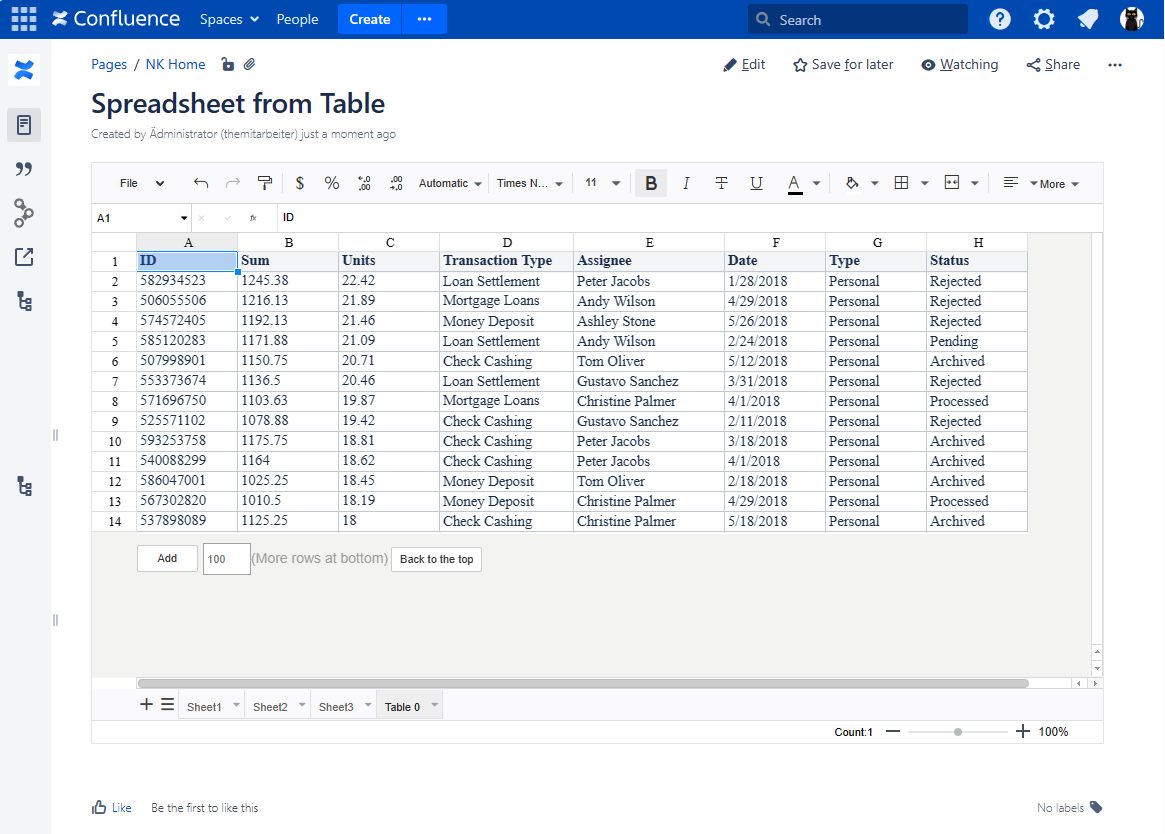
To turn your source table into an Excel-like sheet, insert the Spreadsheet from Table macro
allows transferring your regular table or table outputting macro's content into Table Spreadsheet environment with all its corresponding tools and featureson the page and copy/paste your table (either manually created or macro generated) inside its body. Then you may open the macro once more or publish your page and return to the view mode - you'll see your data in the spreadsheet.
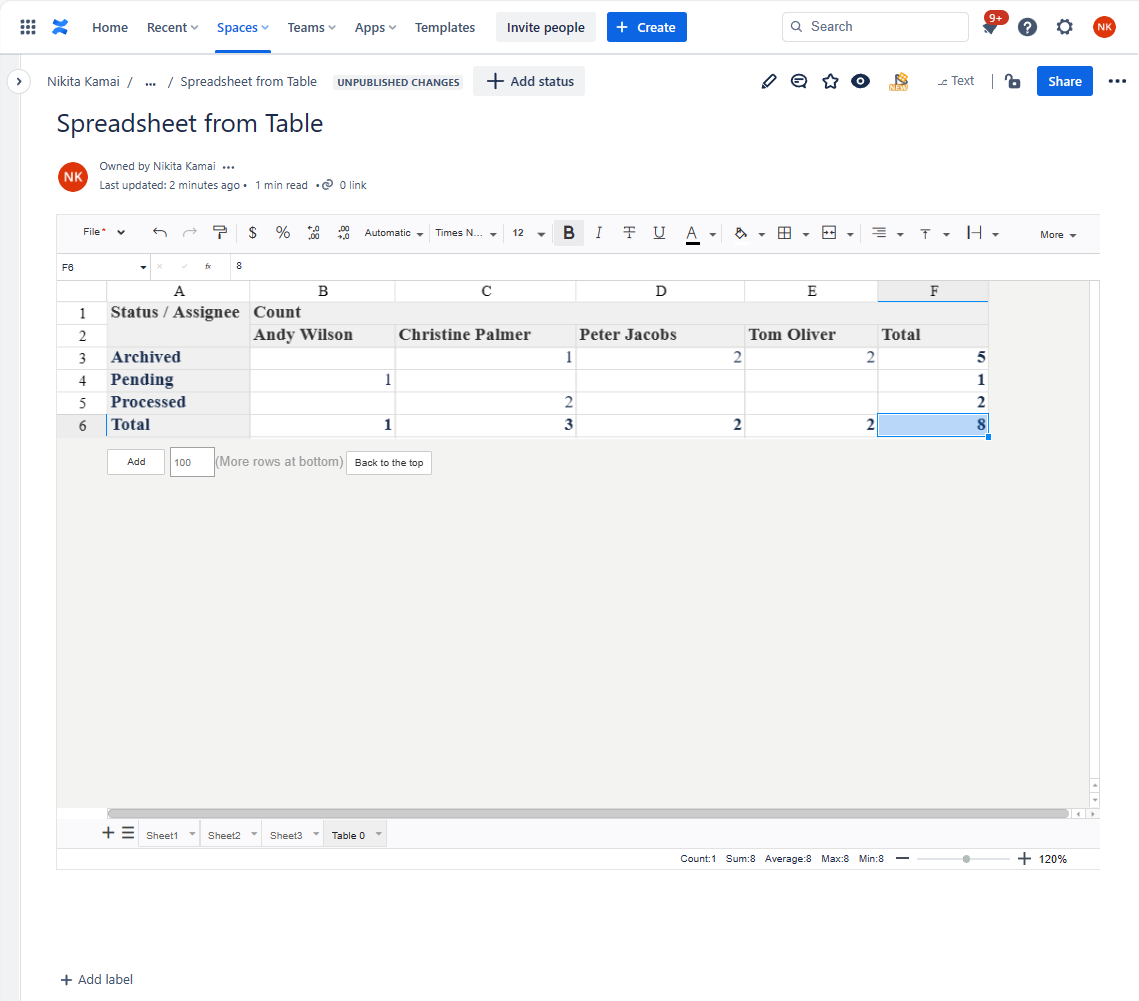
The interface, tools, and features will be the same as in the Table Spreadsheet macro. But the difference is that the Table Spreadsheet macro is bodiless, so, you won't be able to wrap anything in it.
| Info |
|---|
Spreadsheet from Table will create a separate sheet for each source table/table outputting macro within its body. NOTE: The content of Spreadsheet from Table is dynamic, thus will change in its corresponding cell range every time the source table/-s are updated. |
| Tip |
|---|
Copy&paste the source cell range elsewhere in the current sheet or copy an entire sheet to create a static replica of your source table in the Spreadsheet from Table macro. |
| Section | ||||||||||||||||||||||||||||||||||||||
|---|---|---|---|---|---|---|---|---|---|---|---|---|---|---|---|---|---|---|---|---|---|---|---|---|---|---|---|---|---|---|---|---|---|---|---|---|---|---|
|




How to enable the Spreadsheet from Table
Macromacro
| Info | |||||
|---|---|---|---|---|---|
Spreadsheet from Table is available starting with the version 1.3.4-AC and OFF by default.
|

| Note | ||
|---|---|---|
| ||
As the Spreadsheet from Table macro stores table data in a spreadsheet as a snapshot upon saving, such data will become available for all users with page view&attachments permissions, even if the source data are derived from the limited access sources or macros as Jira issues, Page Properties Report, external databases, etc. |
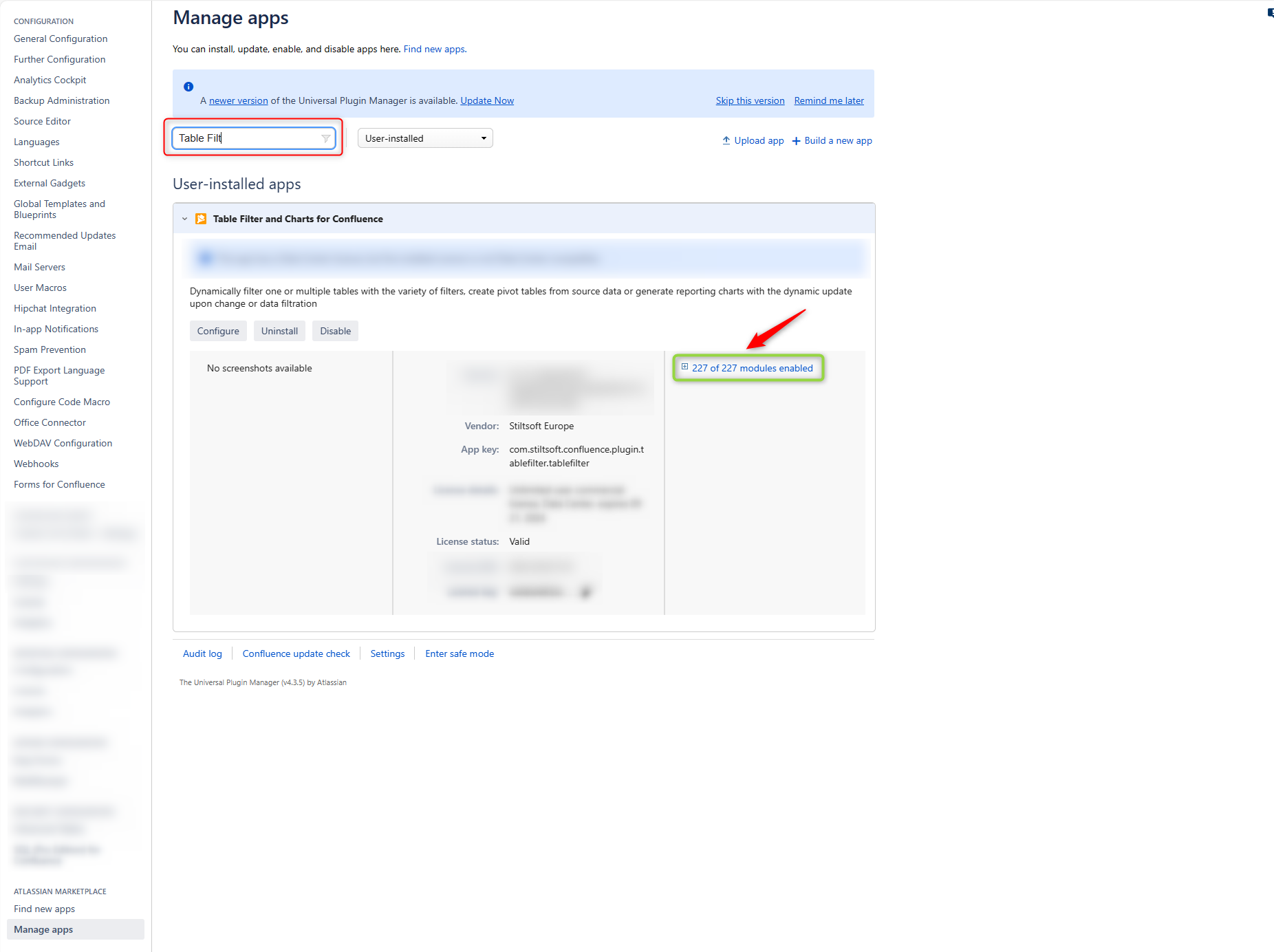
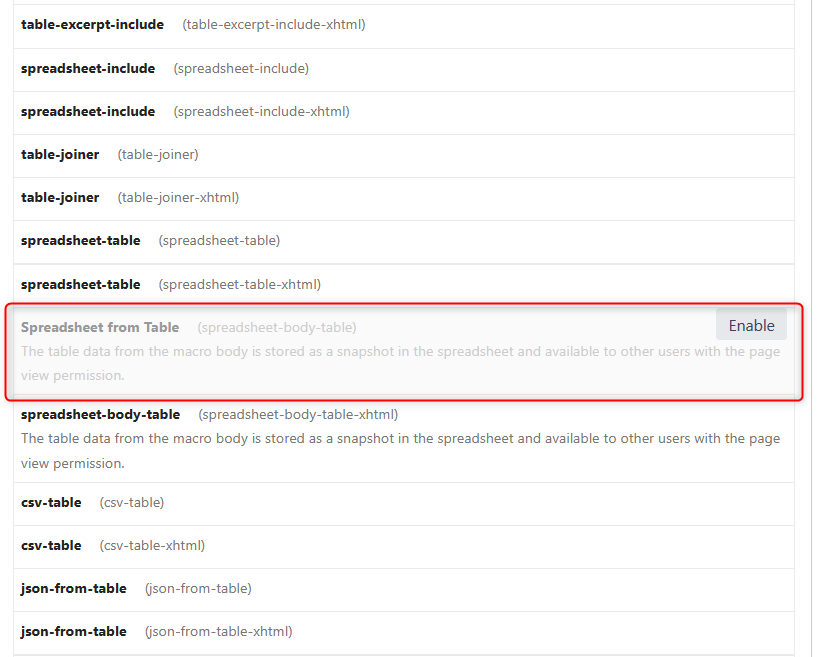
As a Confluence admin:
Navigate to the Manage Apps section of the given instance.
Locate the Table Filter, Charts & Spreadsheets add-on.
- Unfold the modules dropdown list to the right.
- Find the Spreadsheet from Tablemodule and enable it.
As a Confluence admin:
Navigate to the Manage Apps section of the given instance.
Locate theTable Filter, Charts & Spreadsheets add-on.
- Click the Configure button.
- Enable the Spreadsheet from macro functionality.
| Handy Carousel | ||||
|---|---|---|---|---|
| ||||
|
| Handy Carousel | ||||
|---|---|---|---|---|
| ||||
|


Adding the Spreadsheet from Table
Macromacro to a
Pagepage
There are two options available:
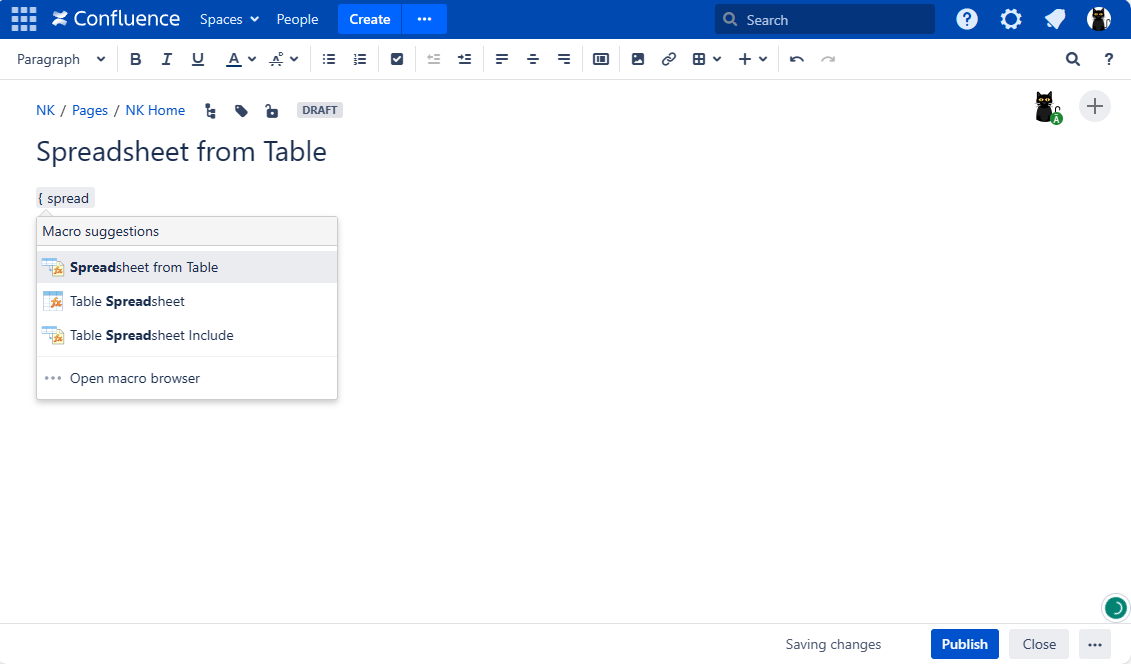
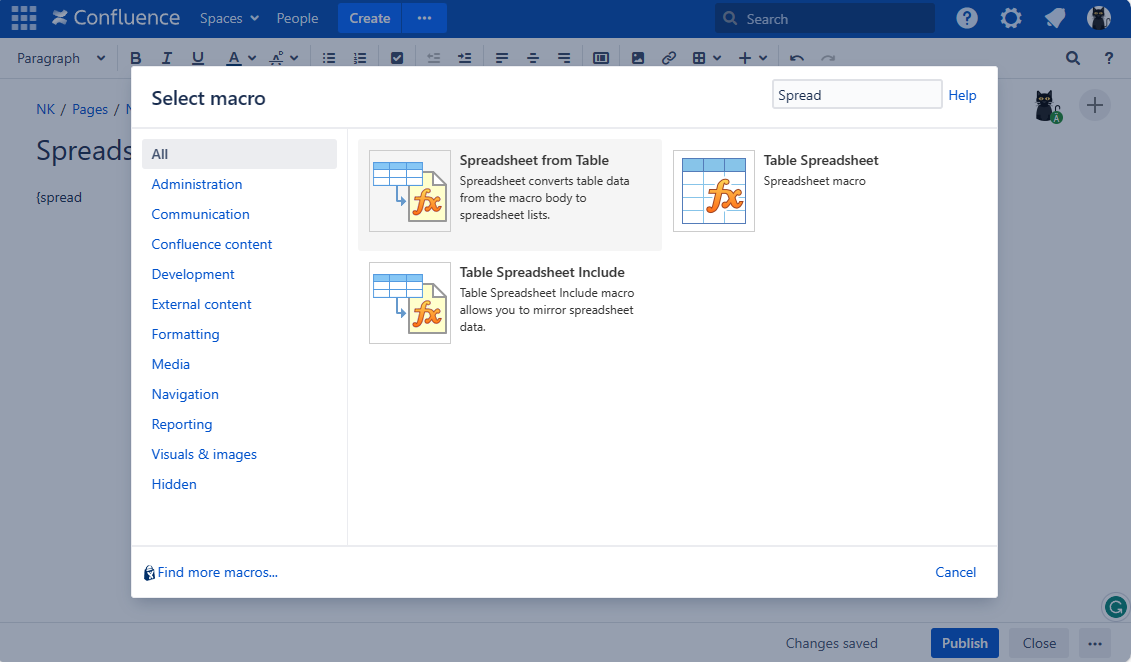
Start entering {Spreadsheet from Table and select the macro, OR
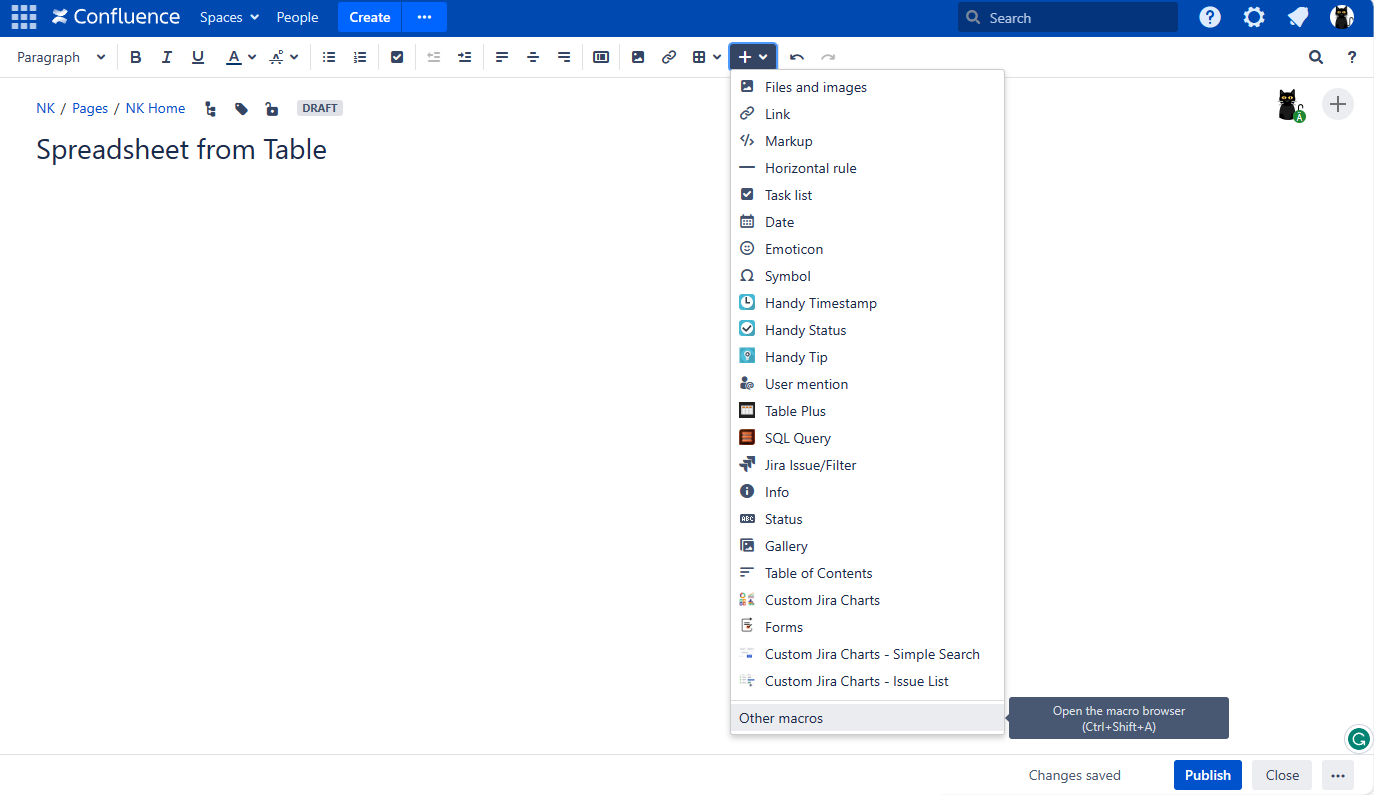
On the editor pane, click Insert more content -> Other macros , find the macro and insert it on the page
There are two options available:
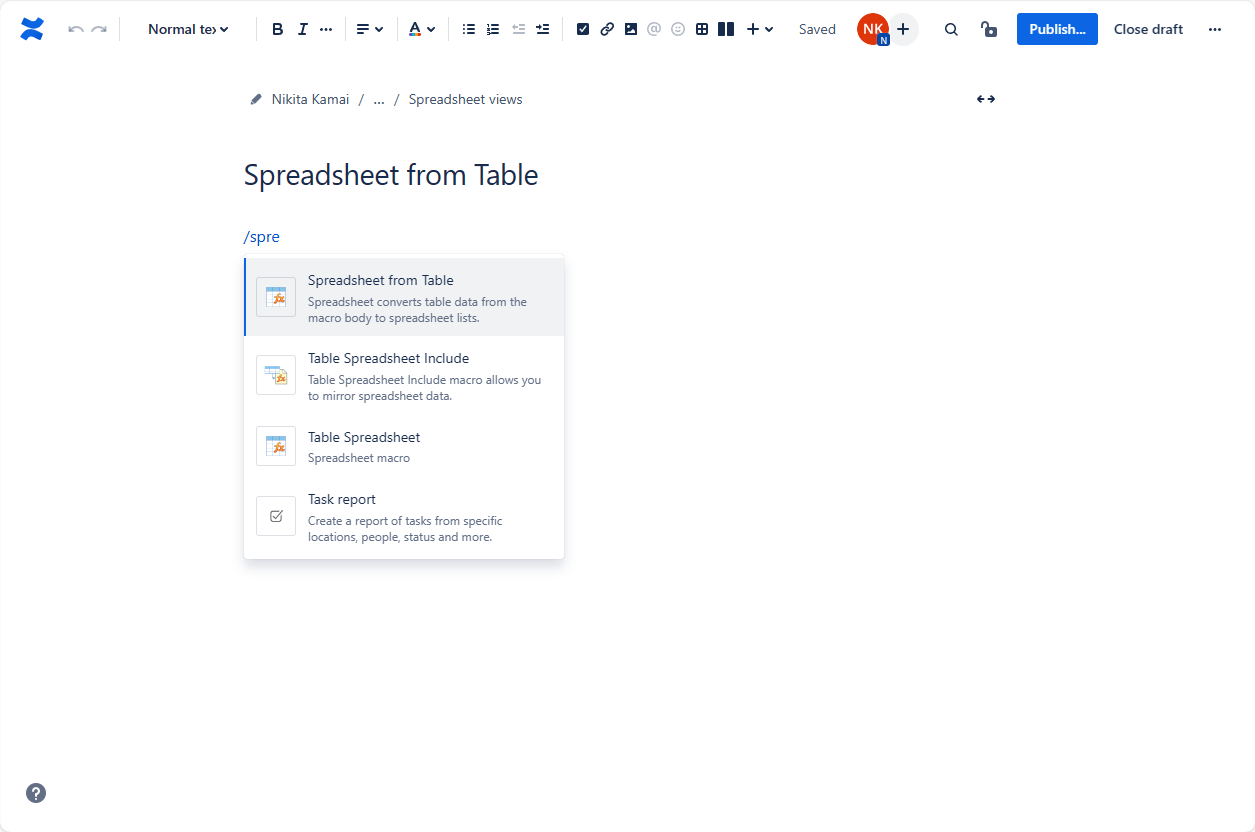
- Start entering /Spreadsheet from Table(or {Spreadsheet from Table in the legacy editor) and select the macro, OR
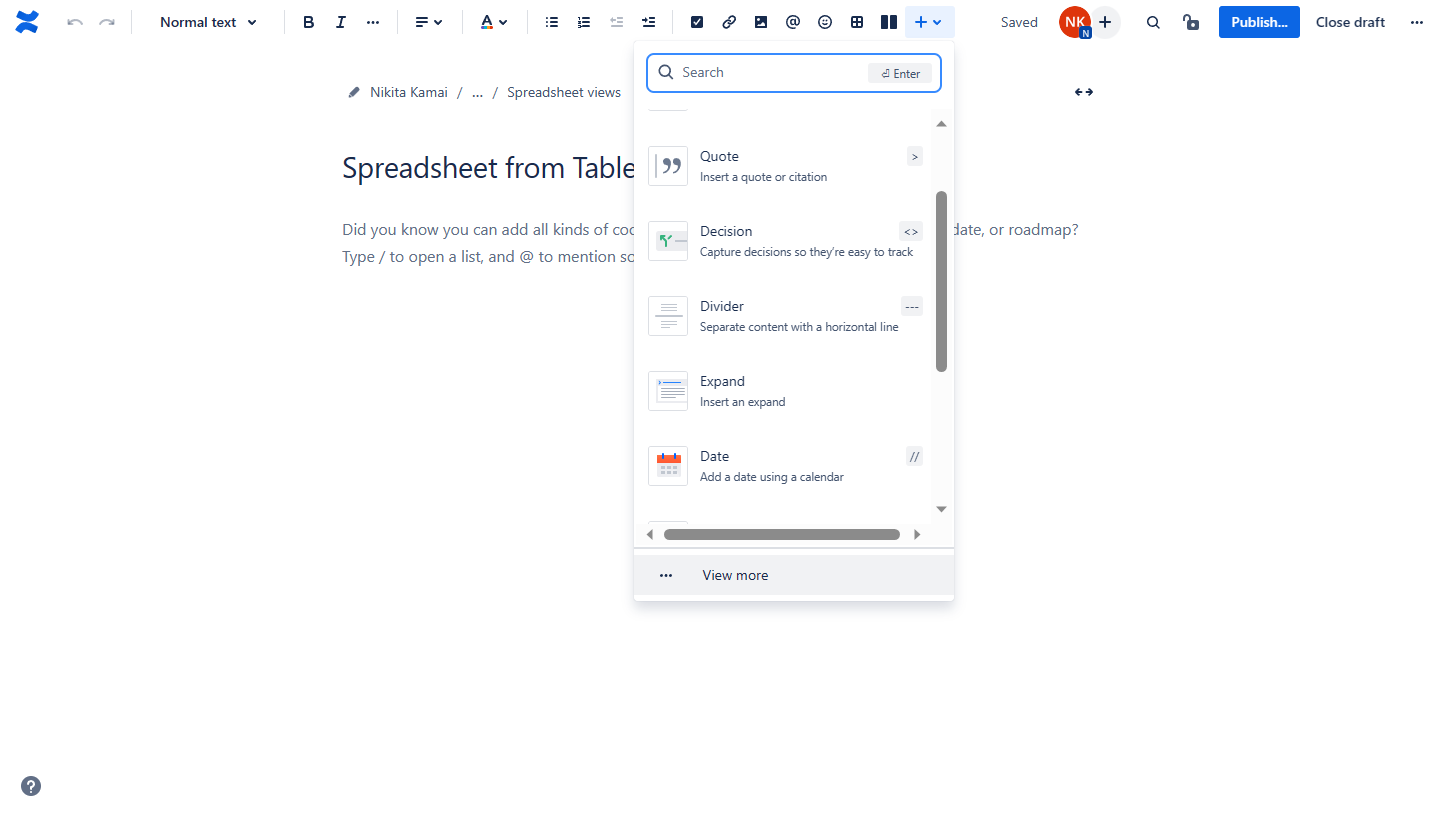
On the editor pane: click Insert and start entering Spreadsheet from Table OR click View more , find the macro and insert it on the page
| Note | ||||||||||
|---|---|---|---|---|---|---|---|---|---|---|
Once the Spreadsheet from Table macro is added to a page for the first time a user receives a special notification
to comply with the macro functionality feature implying the source data stored as a snapshot
within. |
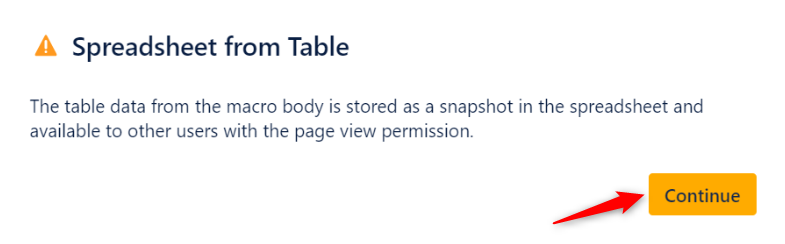
 As the Spreadsheet from Table macro stores table data in a spreadsheet as a snapshot upon saving,such data will become available for all users with page view permissions, even if the source data are derived from the limited access sources or macros as Jira issues, Page Properties Report, external databases, etc.
 | Handy Carousel | ||||
|---|---|---|---|---|
| ||||
|
| Handy Carousel | ||||
|---|---|---|---|---|
| ||||
|

| Note |
|---|
Don't copy the Spreadsheet from Table macro! Every time you need to work with a new data source, please add a new macro as described above. |
| Info |
|---|
Utilize the benefits of Excel-like spreadsheets right on your Confluence pages. Try spreadsheets for Confluence now! |
Using the Spreadsheet from Table
Macromacro
| Info |
|---|
Spreadsheet from Table macro retains the entire toolset of the Table Spreadsheet macro adding up a few additional features. |
| Info |
|---|
Spreadsheet from Table macro retains the entire toolset of the Table Spreadsheet macro adding up a few additional features. |
Show/Hide the source table
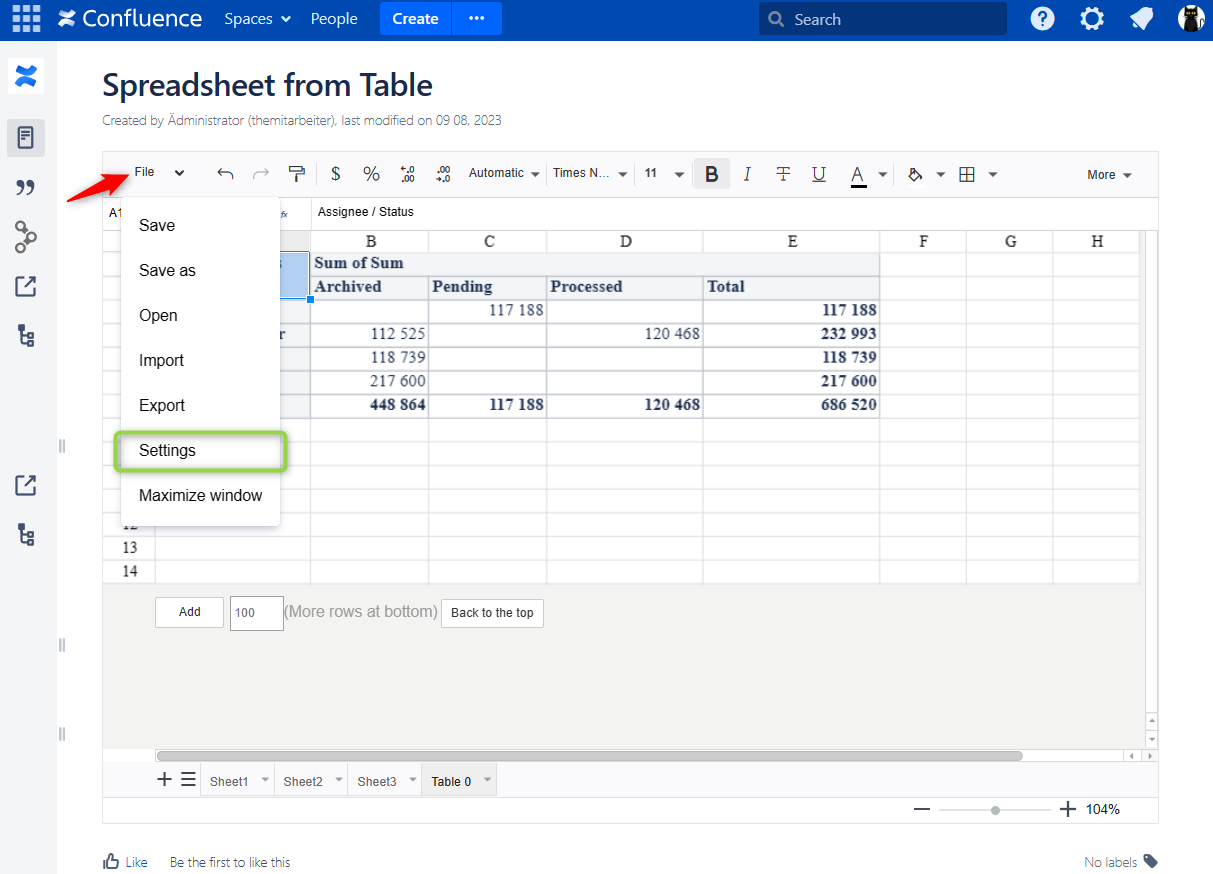
- Navigate to File->Settings.
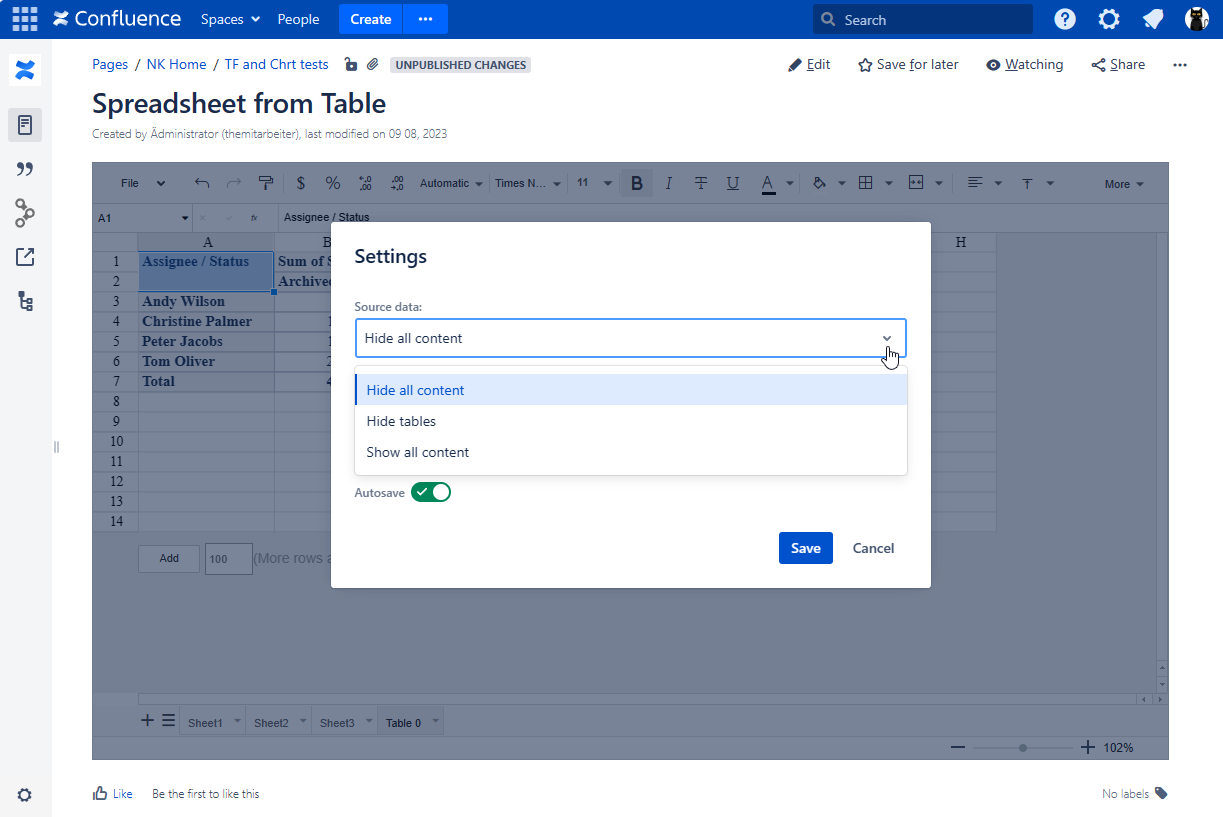
- Locate the Source data option and select the appropriate option, as follows:
- Show all content
- Hide tables
- Hide all content
- Save the macro and the page.
| Handy Carousel | ||||
|---|---|---|---|---|
| ||||
|
| Handy Carousel | ||||
|---|---|---|---|---|
| ||||
|

