The checklist history records every change made to checklists and checklist items in a project — what changed, who changed it, and when. You can view the recent changes of an individual item directly in the Jira work item, or export the full history to a CSV file for auditing, reporting, or compliance purposes.
View the recent changes to a checklist item
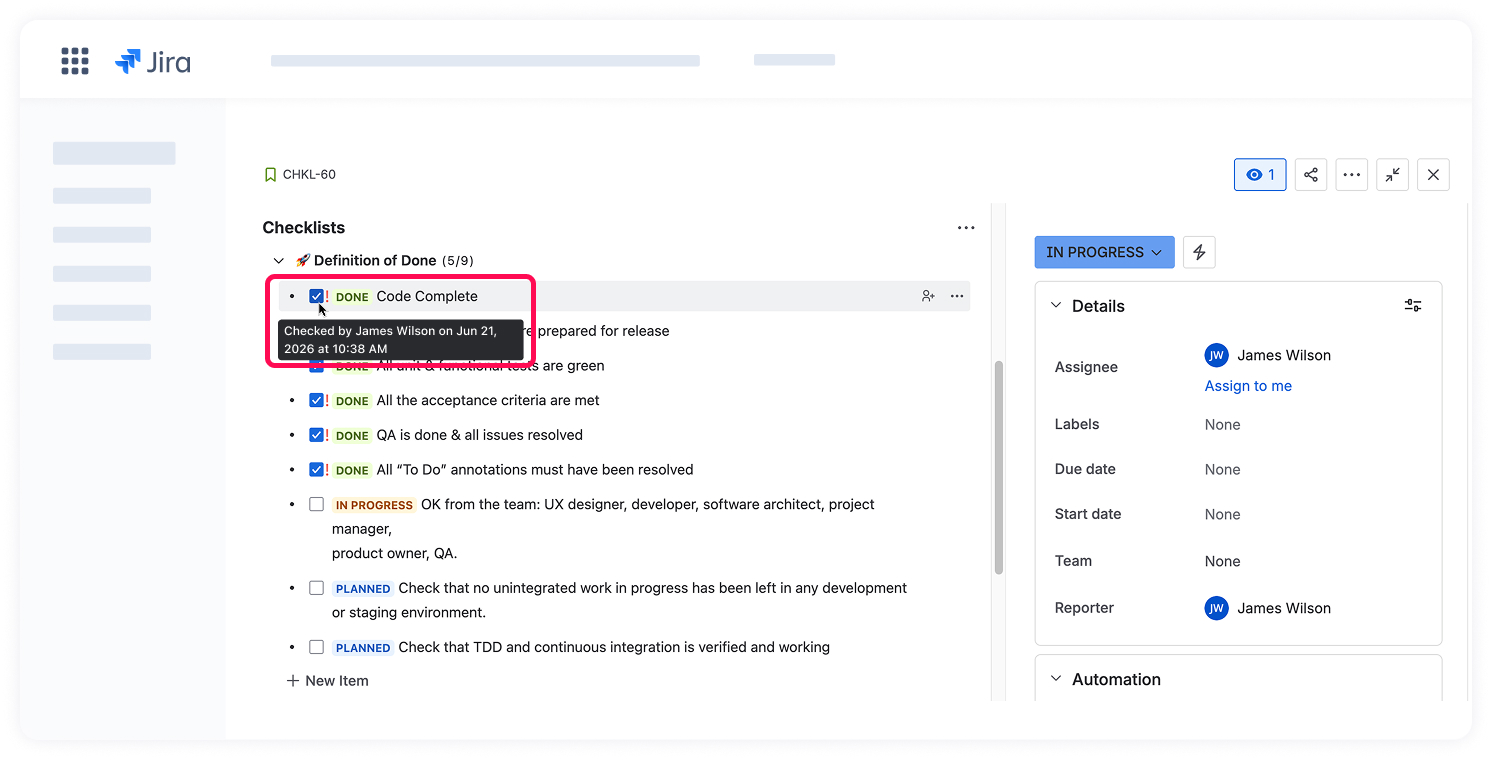
To see the most recent change to a single checklist item, hover over its checkbox. A tooltip will show who last changed this particular item and when. This is a quick way to review recent changes to a single item without exporting the full history.
Export the checklist history to CSV
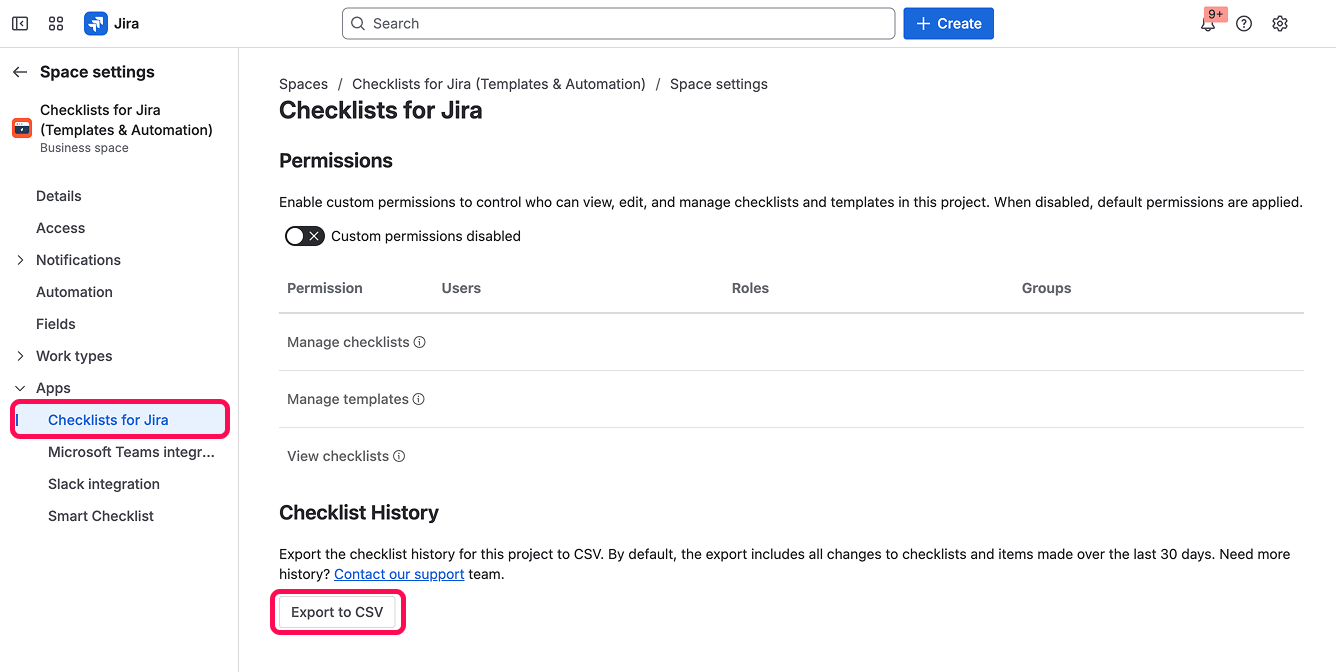
Checklist history is available at the project level and is exported from your project's app settings.
To export the checklist history for a project:
- Go to Space Settings → Apps → Checklists for Jira.
- Open the Checklists History section.
- Click the Export to CSV button, then keep the page open until the download completes.
By default, the export includes all changes to checklists and items made over the last 30 days.
Need a longer history range? Contact our support team.
Permissions required to export
Only users with the following Jira permissions can export checklist history to CSV:
ADMINISTER
ADMINISTER_PROJECTS
SYSTEM_ADMIN
The export runs on behalf of the user who starts it. As a result, the CSV includes checklist changes only for the Jira work items that the user has permission to view.
Understanding the CSV export
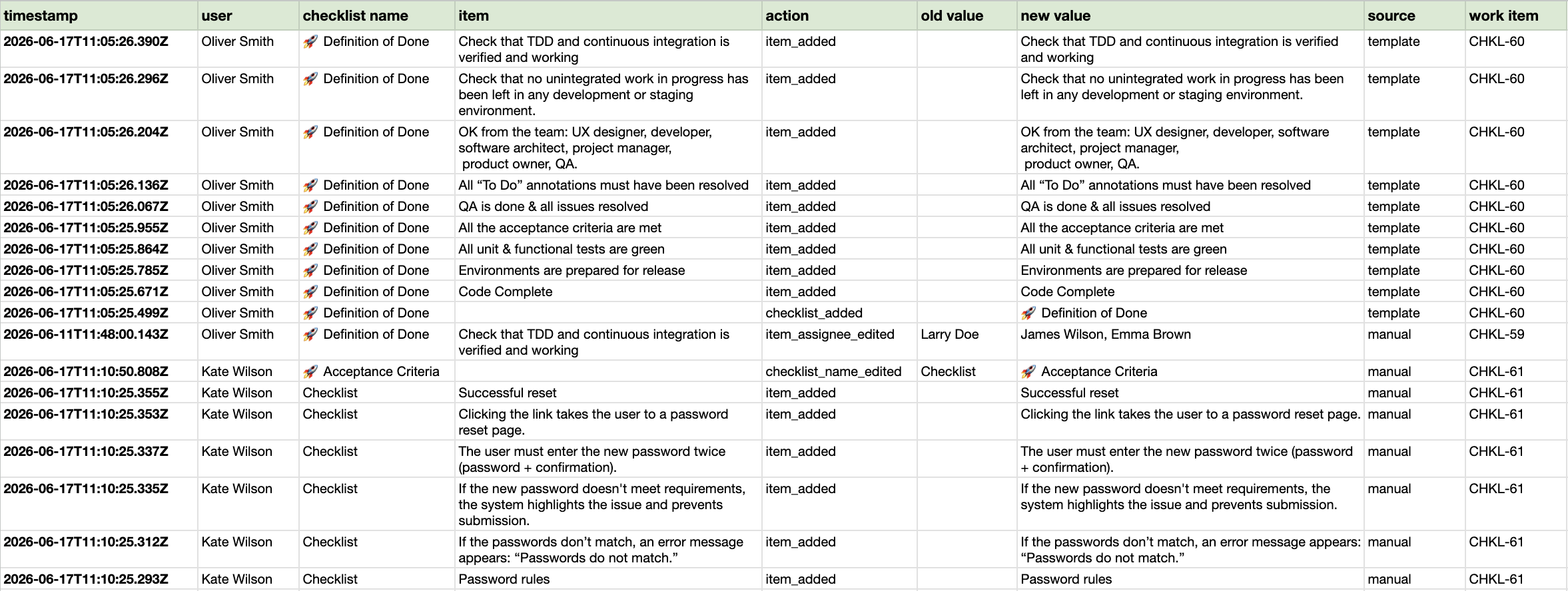
Each row in the CSV file represents a single change to a checklist or checklist item and includes the following columns:
| Column | Description |
|---|
| Timestamp | When the change was made, in ISO 8601 UTC format (for example, 2026-06-15T08:42:33.964Z) |
| User | The name of the user who performed the action. Note: - For changes made by an automation rule, the value shows the user who connected the app to the automation rule.
- If a work item was moved to another project, the value is shown as Unknown.
|
| Checklist name | The current name of the checklist (new value). |
| Item text | The current text of the checklist item (new value). |
| Action | The type of change: - checklist_added: a checklist was added
- item_added: an item was added
- checklist_name_edited: a checklist was renamed
- item_text_edited: an item's text was changed
- item_status_edited: an item was checked or unchecked
- item_assignee_edited: an item's assignee was added, changed, or removed
- item_mandatory_flag_edited: an item was marked as mandatory or optional
- checklist_deleted: a checklist was deleted
- item_deleted: an item was deleted
- issue_moved: a Jira work item with the checklist was moved to another project
|
| Old value | The value before the change. |
| New value | The value after the change. |
| Source | How the change was made: directly by a user (manual), by an automation rule (automation), or by applying a template (template). Note: If a work item was moved to another project, the value is shown as Webhook. |
| Work item | The Jira work item the checklist belongs to. |
Note: Checklist history for deleted work items and projects is currently excluded from the CSV export, because access permissions can't be reliably determined for deleted work items.
