LaTeX Math for Confluence allows you to export pages with rendered LaTeX formulas using both built-in Confluence functionality and third-party apps.
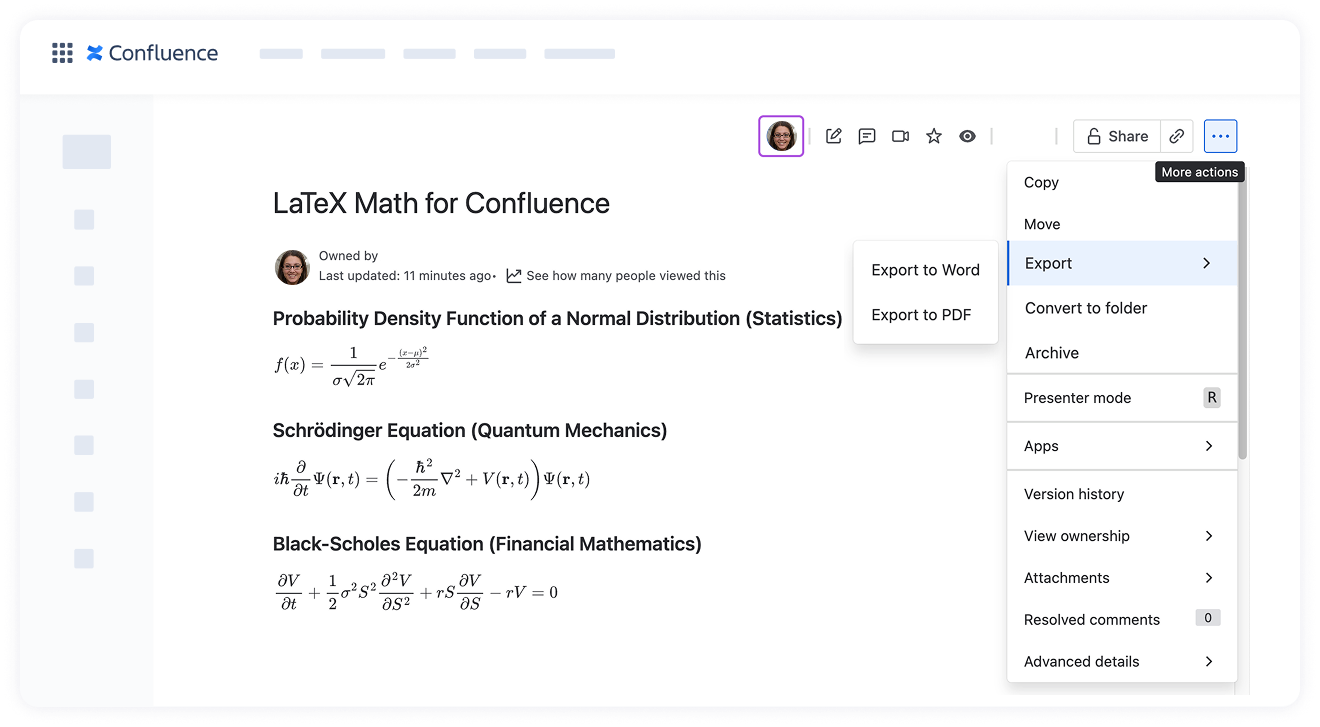
With the built-in Confluence exporter, you can export pages with LaTeX formulas to PDF.
With Scroll Exporter apps, you can export pages to PDF, Word, and HTML formats.
In all cases, LaTeX formulas retain their appearance in the resulting document.
Export LaTeX equations using Confluence's built-in PDF exporter
You can export LaTeX formulas to PDF using Confluence’s native Export to PDF feature.
Open the Confluence page that contains the LaTeX formulas you want to export.
Click the More actions menu (the three dots in the top-right corner of the page).
Select Export → Export to PDF from the dropdown menu.
Once the export is complete, download the PDF file.
The exported PDF will include the LaTeX Math formulas as they appear on the Confluence page, fully rendered and formatted.
Export using the Scroll Exporter apps (PDF, Word, or HTML)
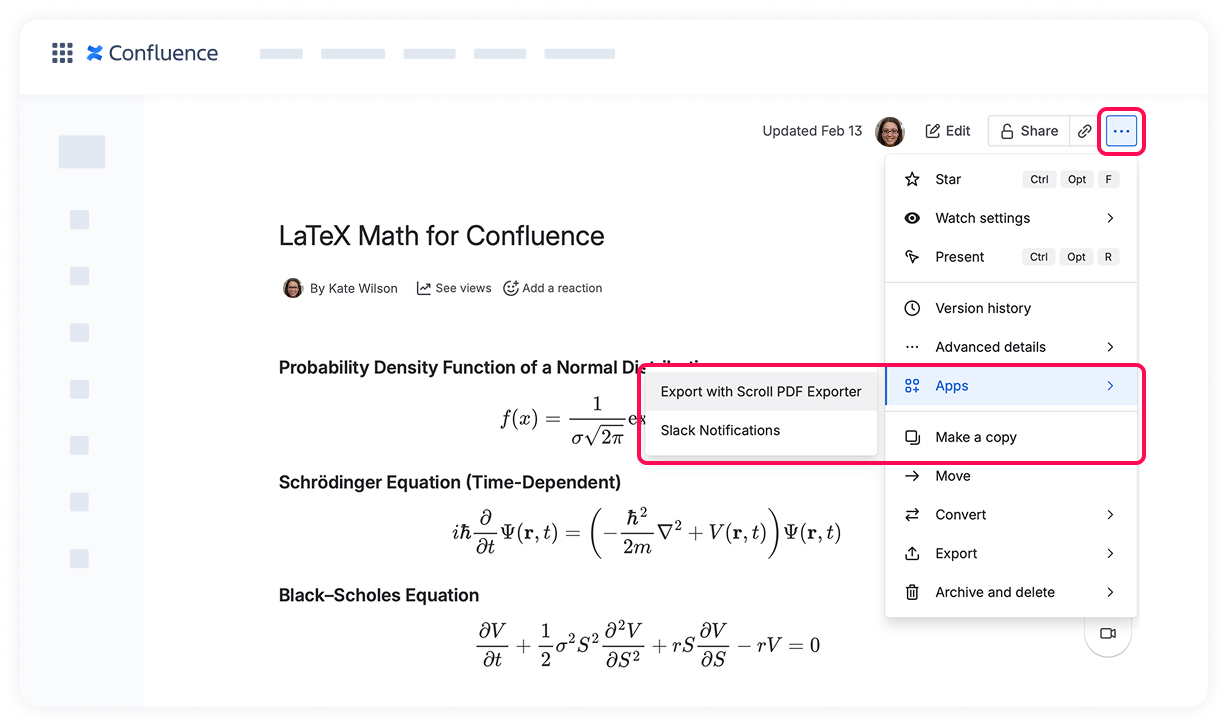
LaTeX Math for Confluence is compatible with Scroll Exporter apps, allowing you to export pages with LaTeX formulas to different formats such as PDF, Word, and HTML.
When using Scroll Exporters, LaTeX formulas retain their appearance and are displayed consistently across supported export formats.
How to export LaTeX formulas to PDF, Word, or HTML
Open the Confluence page containing LaTeX formulas.
Click the More actions menu (the three dots in the top-right corner of the page).
Click Apps and select the required Scroll Exporter:
Export with Scroll PDF Exporter
Export with Scroll Word Exporter
Export with Scroll HTML Exporter
Configure export settings if needed.
Run the export.
The exported document will include all LaTeX formulas as they appear on the page.
Please note that Scroll Exporter apps are not available in Atlassian Government Cloud (AGC). As a result, exporting via Scroll Exporters is not supported in this environment.
Cookie Notice
This website uses cookies for analytics, personalization and advertising. By continuing to browse, you agree to our use of cookies. Learn more