Download page Smart Spreadsheet - Google Sheet View.
Smart Spreadsheet - Google Sheet View
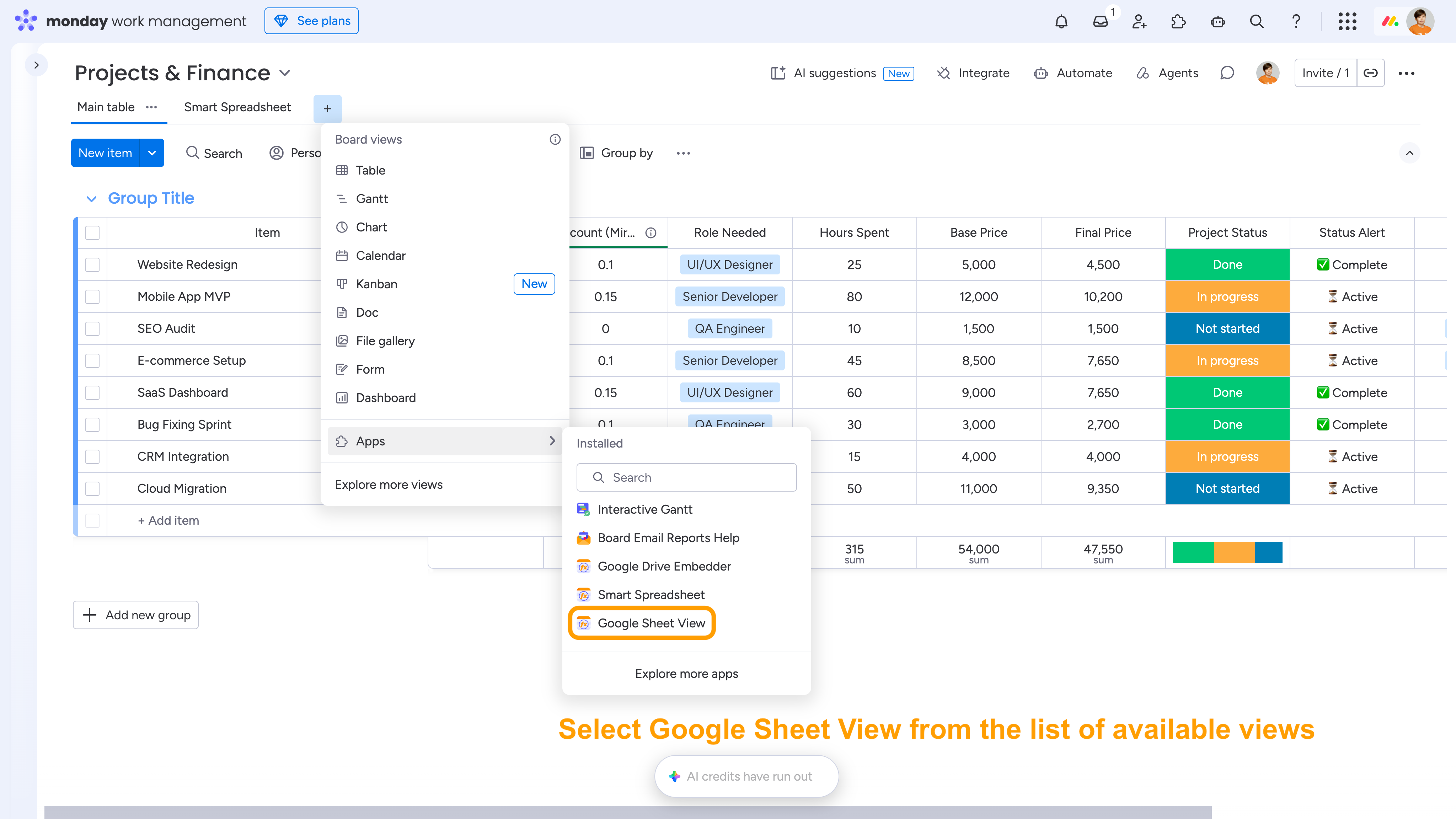
Add the Google Sheet View as a separate view/widget in monday.com: open the list of available views or widgets and select Google Sheet View.
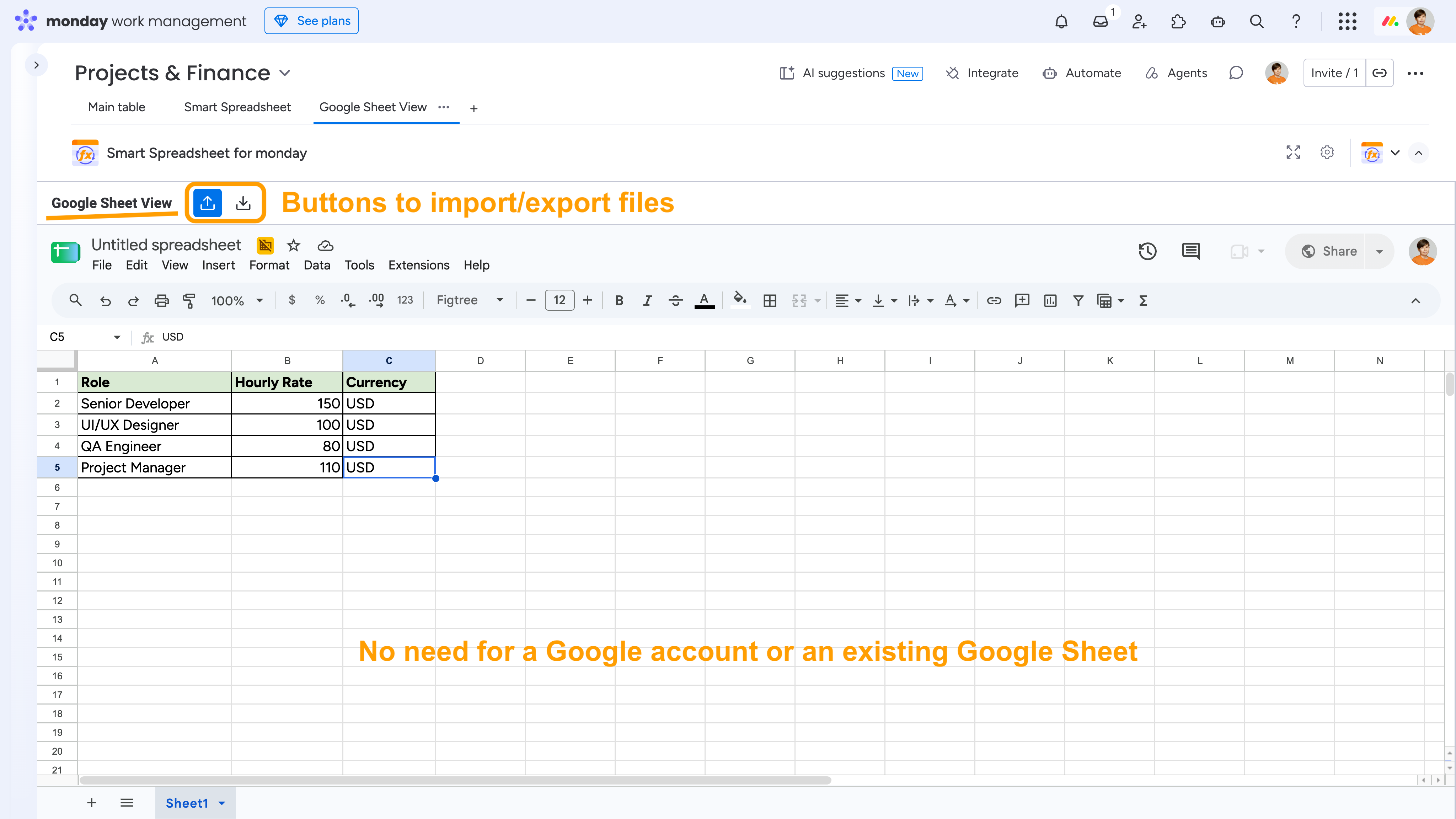
Once added, you'll get the familiar Google Sheets interface with its standard toolbars and features. You can start with a blank spreadsheet or import an existing Excel file. Exporting your spreadsheet to Excel is also supported.
Unlike the Google Drive Embedder view, Google Sheet View doesn't require a Google account or an existing Google Sheet.
All your data is stored within your monday.com account. To provide the Google Sheets interface, the app creates temporary spreadsheets on a Google Drive accessible only to our app. These temporary files are automatically deleted after 30-60 minutes of inactivity and recreated when you open the view again. Your data in monday.com remains unaffected.
Cookie Notice
This website uses cookies for analytics, personalization and advertising. By continuing to browse, you agree to our use of cookies. Learn more