Overview


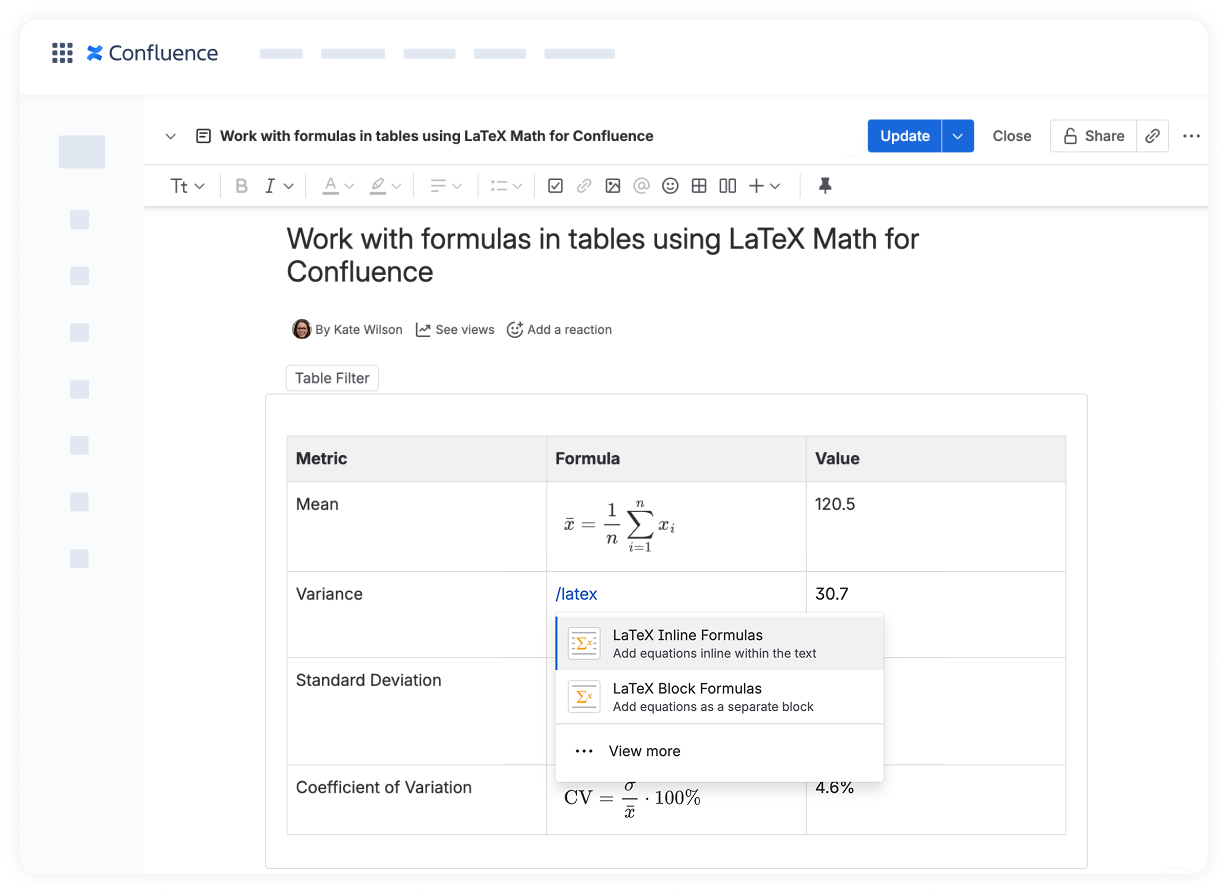
The LaTeX Math for Confluence app allows you to render mathematical formulas and expressions written in LaTeX syntax directly in Confluence pages, including inside table cells.

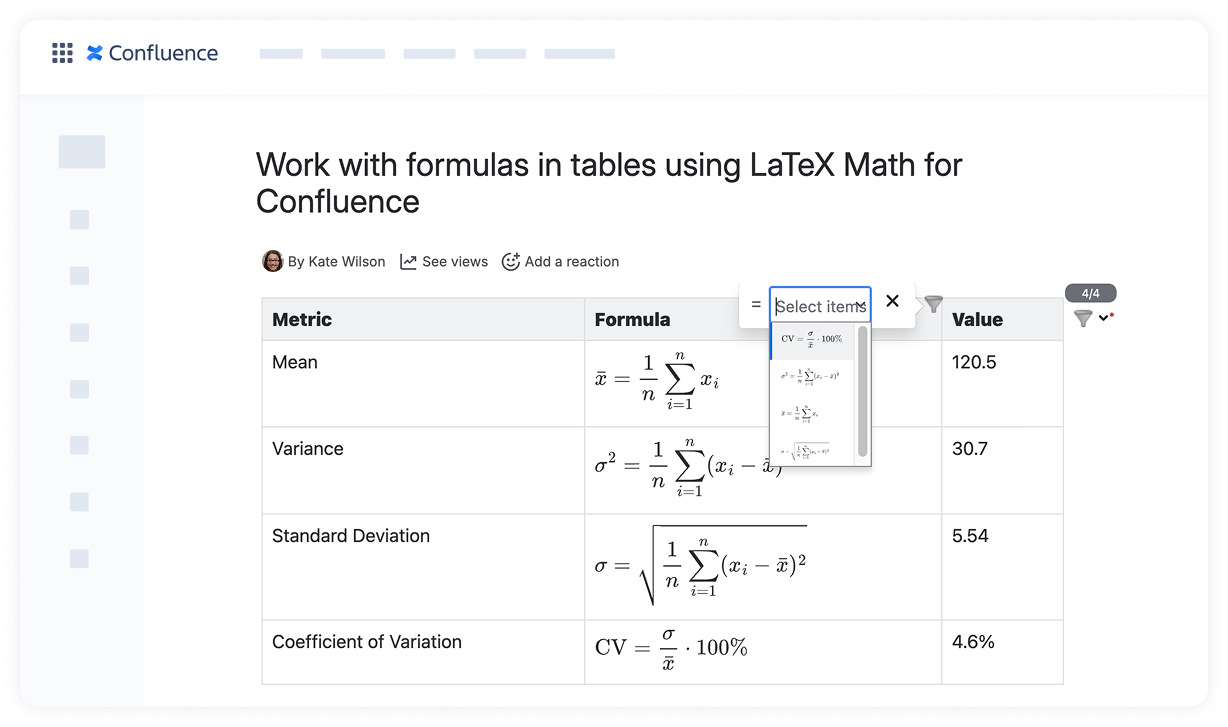
When used together with Table Filter, Charts & Spreadsheets for Confluence, LaTeX formulas are neatly rendered and displayed inside tables processed by the Table Filter macro, and integrate smoothly with filtering and sorting.

What you can do

With LaTeX Math for Confluence used inside tables processed by the Table Filter macro, you can:

  • Use formulas to explain calculations, metrics, or logic next to numeric or textual data.

  • Keep formulas attached to their rows when filtering or sorting.

  • Apply the Visual Filter to include or exclude rows based on the chosen formulas.


How it works

1. Place a LaTeX Math macro inside a table cell

While editing the page, insert a LaTeX Math macro directly into a table cell. Depending on the complexity of the formula, you can use:


2. Add the Table Filter macro to the table

Apply the Table Filter macro as usual. The table containing LaTeX formulas behaves like any standard table: rows can be filtered, columns can be sorted.
For columns containing LaTeX formulas, you can apply the Visual Filter to include or exclude rows based on the formulas rendered in the table cells.

3. Publish and interact with the table

After publishing the page, LaTeX formulas are rendered as images inside the Table Filter macro. When filters or sorting are applied, formulas remain visible and stay with their corresponding rows.

LaTeX formulas are treated as visual elements (images) by Table Filter. They are not evaluated or processed as text or numbers and can be filtered using the Visual Filter.


Common use cases

This approach is especially useful when tables contain a mix of data and formulas, for example:

  • comparing different calculation methods

  • documenting mathematical models

  • reviewing formulas used across datasets.