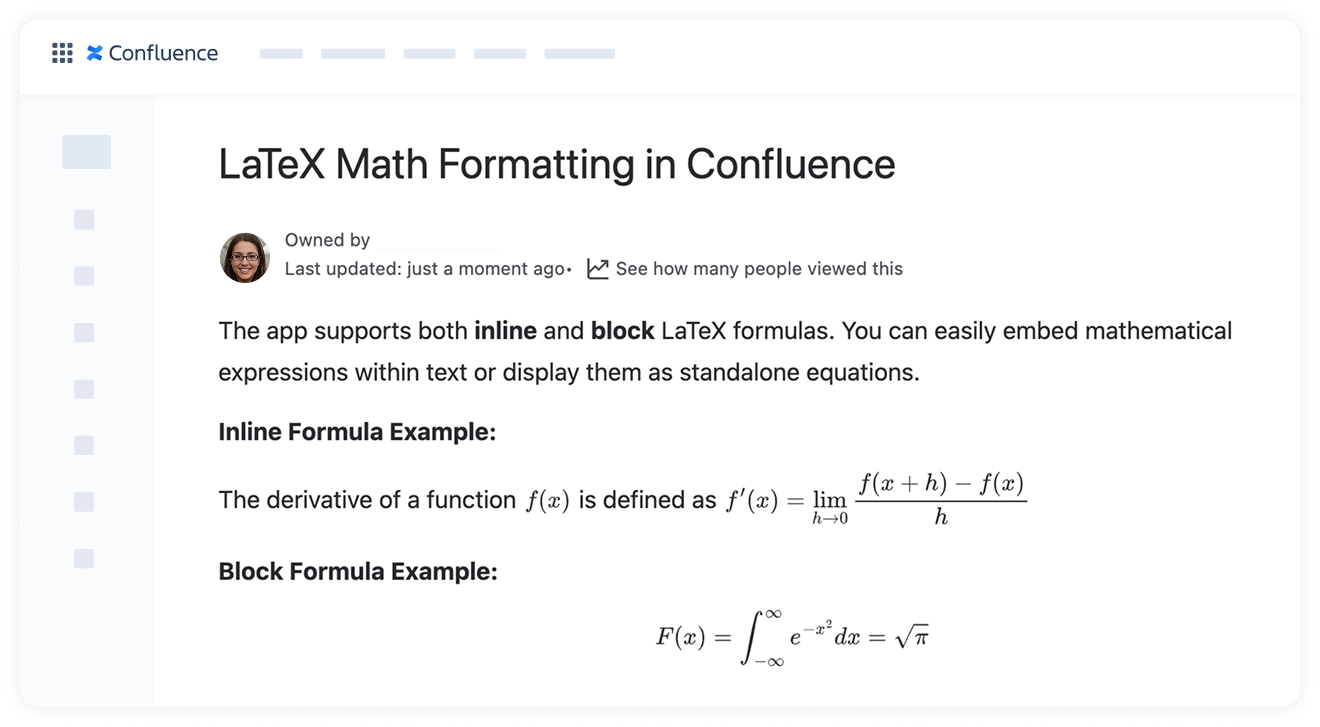
The LaTeX Inline Formulas macro in LaTeX Math for Confluence by Stiltsoft lets you insert mathematical expressions seamlessly within a line of text.
How to add an inline LaTeX math formula
Open a Confluence page and switch to edit mode.
Place the cursor where you want to insert the formula.
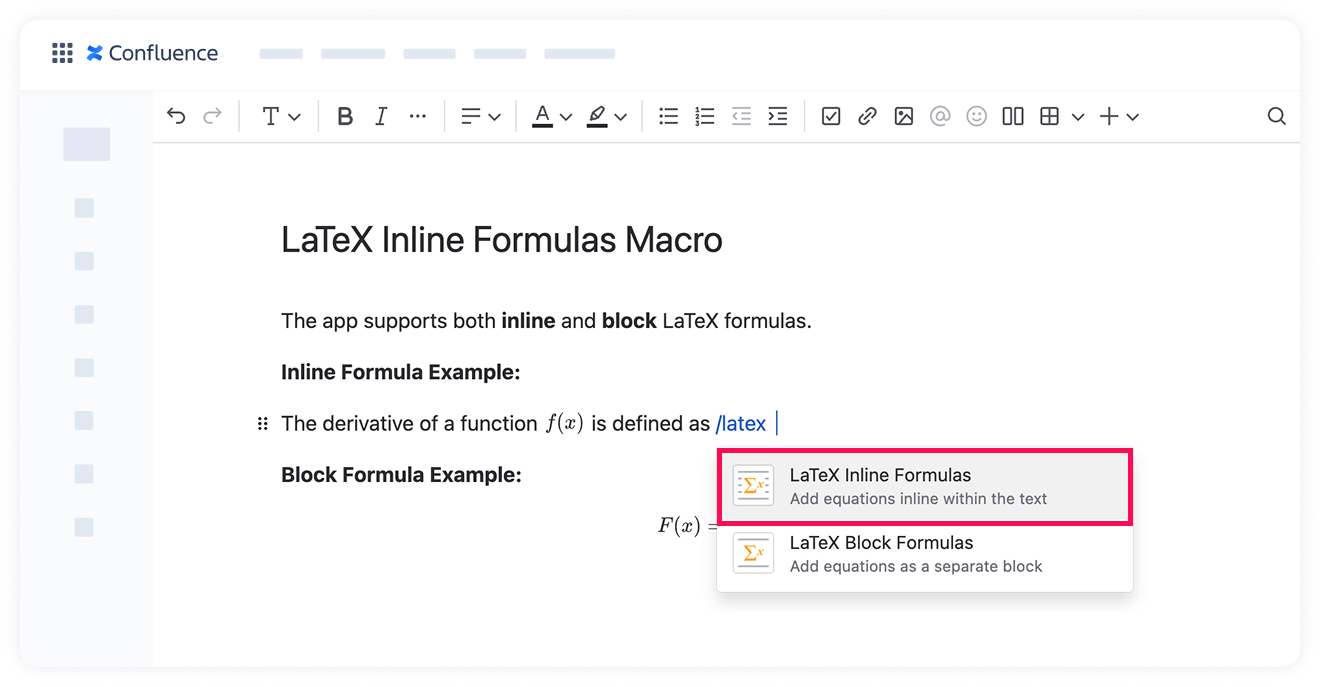
Type /latex and select LaTeX Inline Formulas.
Or click the + icon in the page toolbar, search for "LaTeX," and choose LaTeX Inline Formulas.
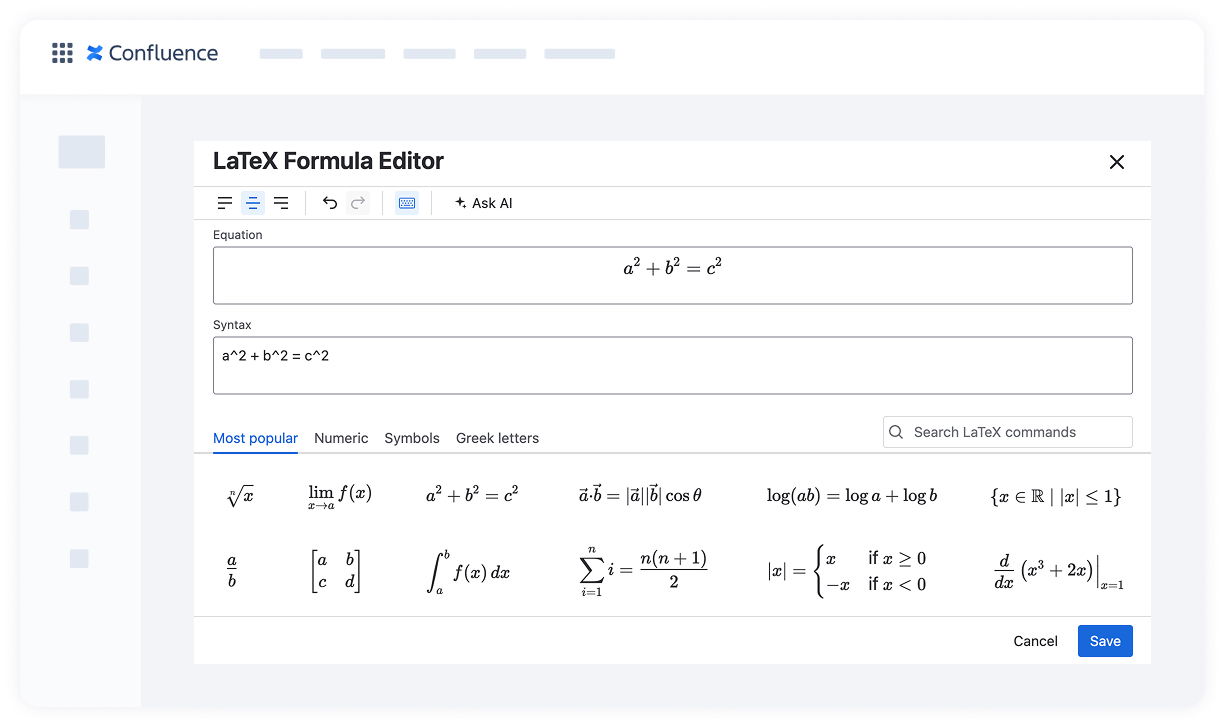
Enter your LaTeX expression in the input box and click Save.
Your formula will now appear precisely where you placed it within the text 🎯
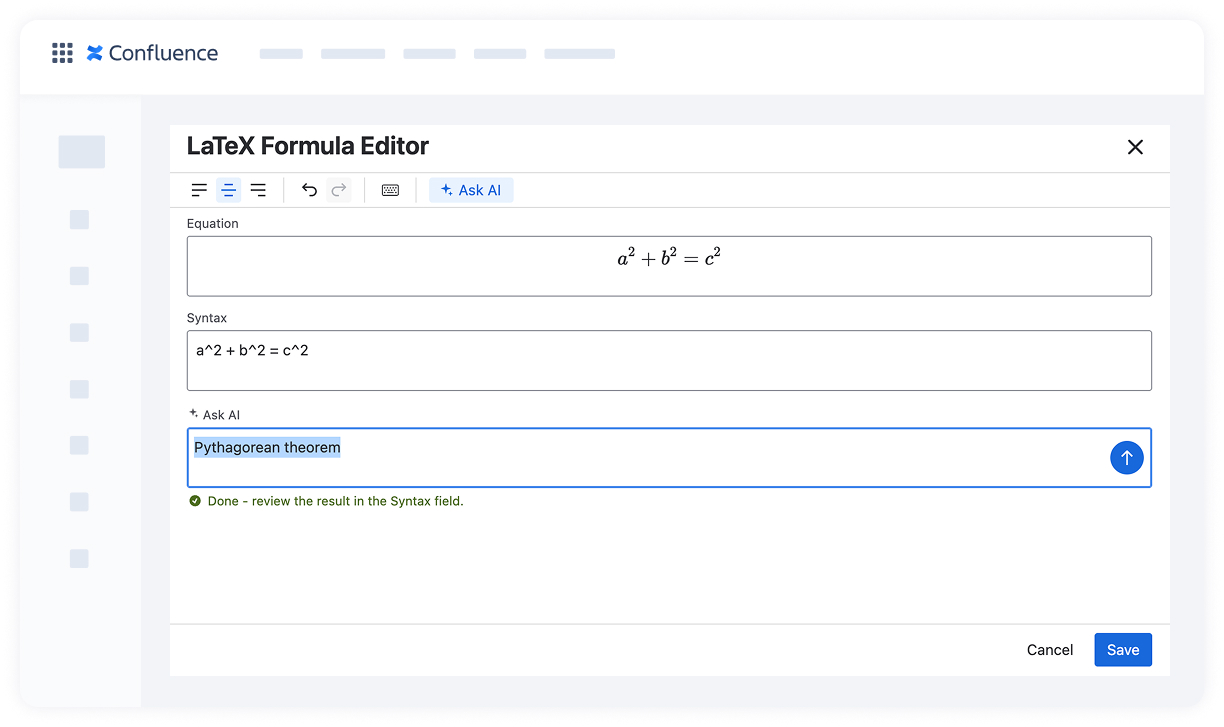
💡Tip: If you're not sure of the LaTeX syntax, you can describe the formula in plain words and let AI generate it — see LaTeX Formula AI Assistant for details.
Cookie Notice
This website uses cookies for analytics, personalization and advertising. By continuing to browse, you agree to our use of cookies. Learn more