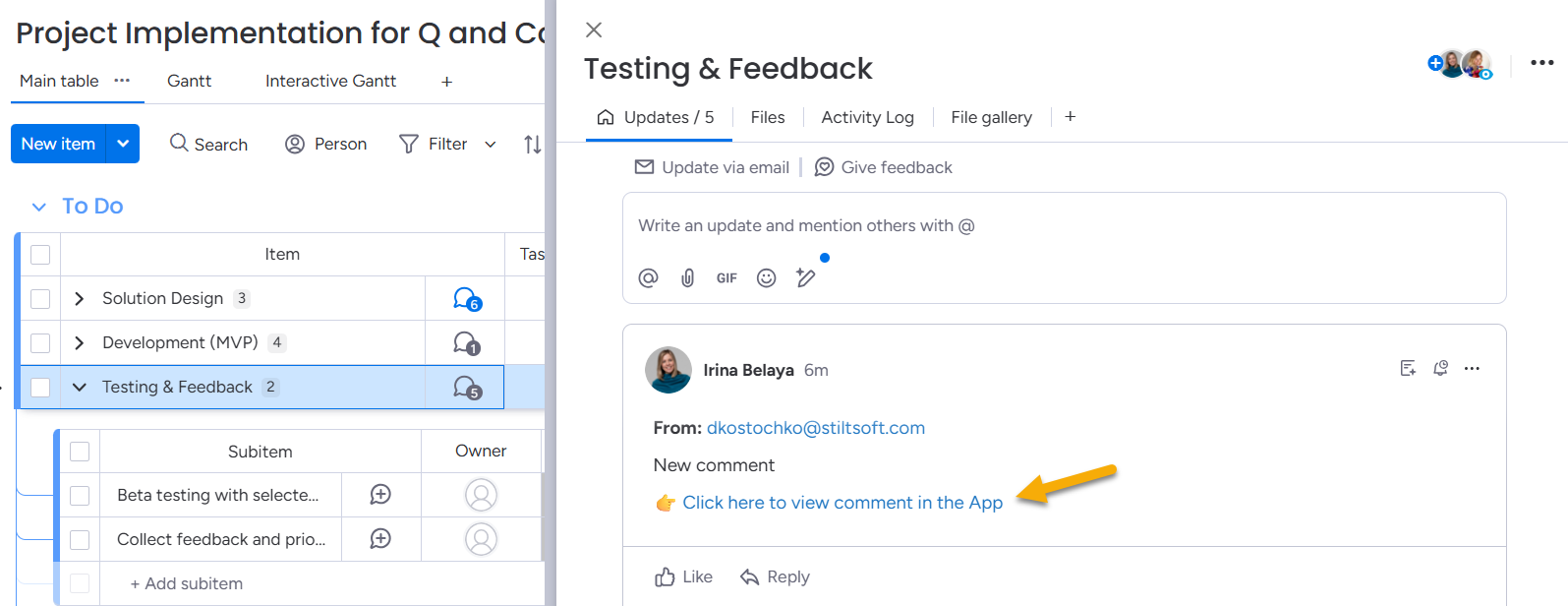
When a client leaves a comment on your Gantt timeline, the message appears as an update inside the relevant item on your board.
To reply to a client comment:
Open the item where the comment was received.
Click the link inside the comment.
You will be redirected to the Client’s Gantt view, where you can reply directly.
Click the link in the comment to answer.
You can also reply directly in the Updates section of the item, and the response will be attached to the Gantt. However, in this case, the client will not receive a notification.
For this reason, we recommend replying via the Client’s Gantt link to ensure the client is notified.
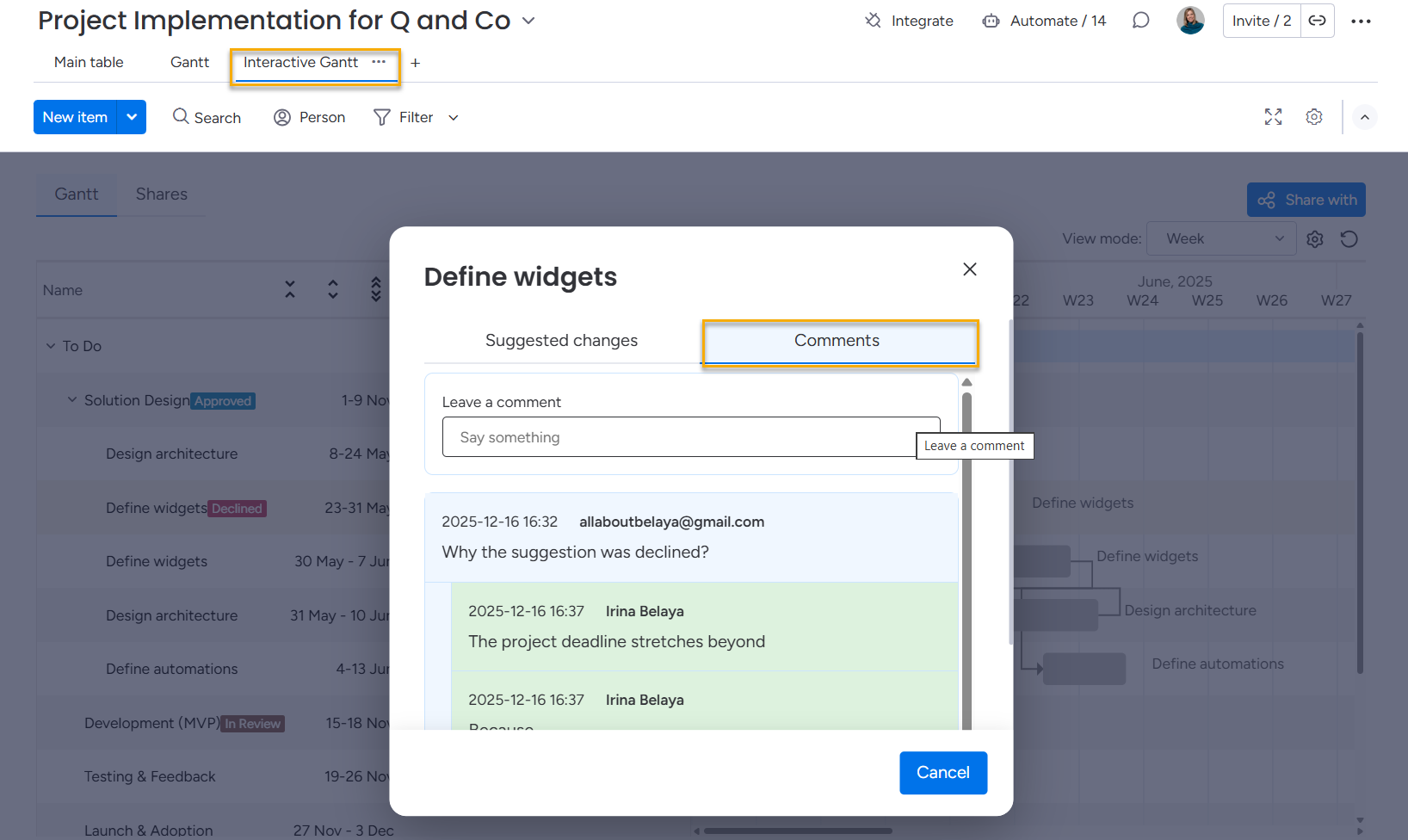
Alternatively, a project manager can initiate a discussion directly in the Interactive Gantt Timeline view.
To leave a comment:
Click the timeline where you want to add a comment.
Switch to the Comments tab.
Leave your message and submit it.
All clients the Interactive Gantt Timeline is shared with will receive a notification.
Cookie Notice
This website uses cookies for analytics, personalization and advertising. By continuing to browse, you agree to our use of cookies. Learn more