This page answers the most common questions about migration of IZI for Confluence (LMS, Training Courses, Quizzes) from Confluence Data Center to Cloud.

Does the app support migration from Confluence Data Center to Cloud?

Direct migration of the Data Center app version to the Cloud one isn’t available just yet. 
When the Confluence pages with courses and quizzes are migrated to the Cloud, you have to restore your IZI courses and quizzes structure manually.

Does the Cloud app version provide the same functionality as the Data Center one?

The Data Center and Cloud versions differ in functionality. We highly recommend reviewing our Cloud documentation to become familiar with the new setup.

Can I preserve the learner's progress and quiz results after the migration? 

You can export them as a CSV file beforehand, but importing it directly into Cloud is not supported at this time.

How to migrate quiz questions into a Cloud-compatible format?

Ask your Confluence administrator for help.

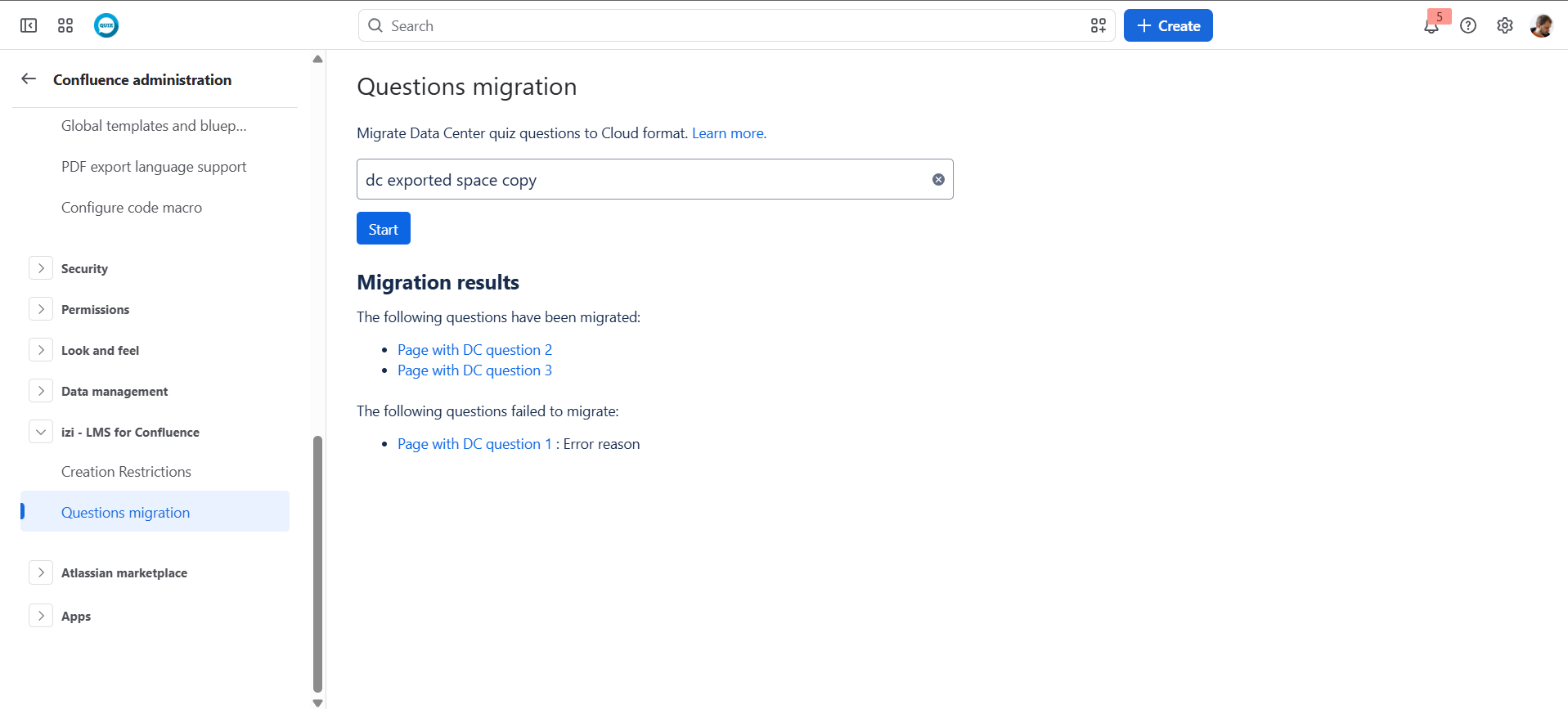
  1. Navigate to izi - LMS for Confluence in Confluence Cloud Administration
  2. Choose the Questions Migration section
  3. Select the space that contains the questions you want to migrate
  4. Press the Start button
  5. Track progress via the indicator
  6. Check Migration results

During this process, the app scans the selected space for pages with supported quiz question macros and converts them to the Cloud format.
After that, you can see which questions were successfully converted and which were not, so you can review them.

Questions may not be available for selection in quizzes immediately after the migration until Confluence finishes indexing.