How clients suggest changes to the timeline
When you share your Interactive Gantt, the client receives a notification email with a personal access link.
To propose a new schedule, the client simply clicks any timeline bar in the chart.
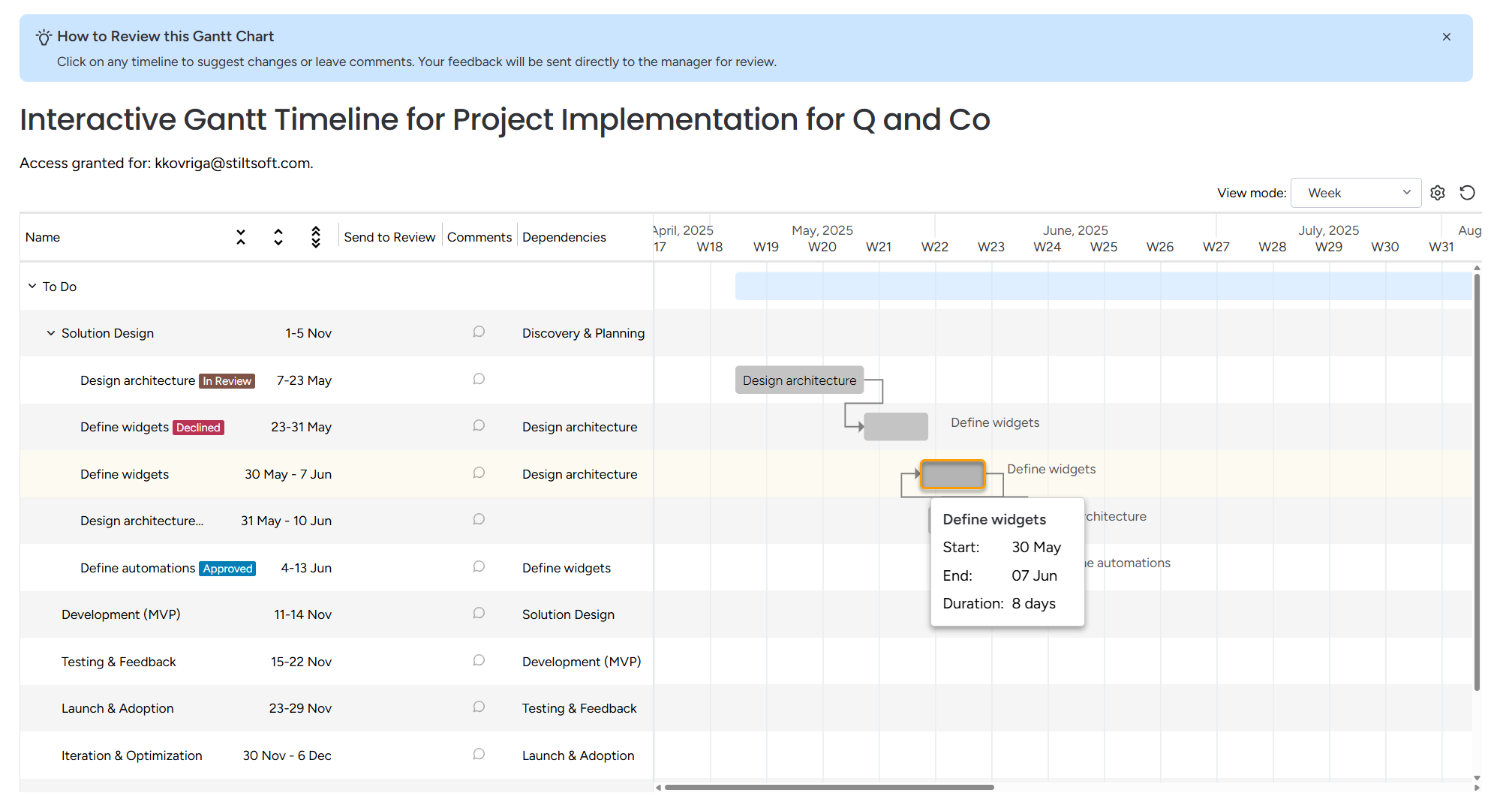
This opens a window with the current dates and the option to select new ones. After it, you have 2 options: Save or Send to Review.
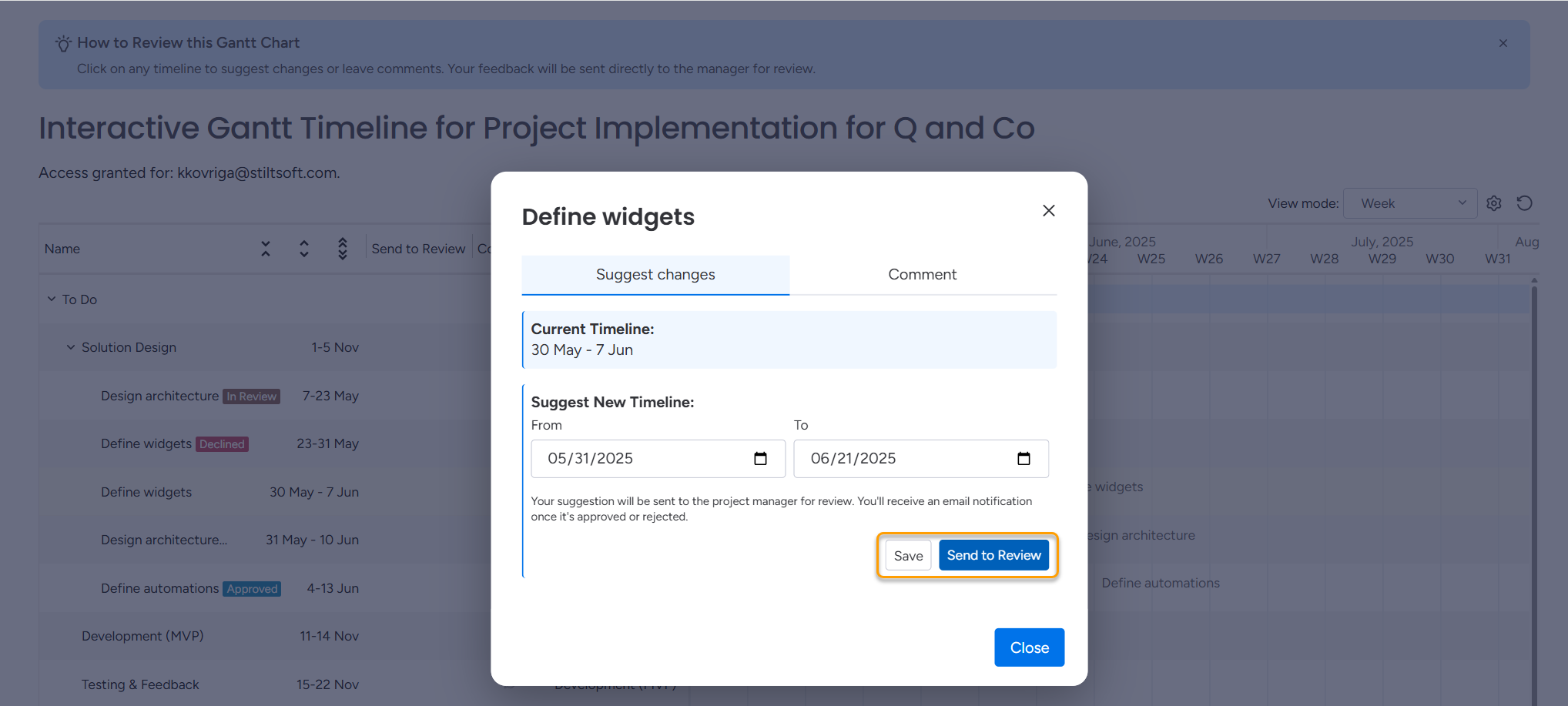
Save vs. Send to Review
In the suggestion window, clients can choose between two actions:
Save
Saves the draft suggestion.
The client can return and adjust the dates later.
The suggestion is not sent for review yet.
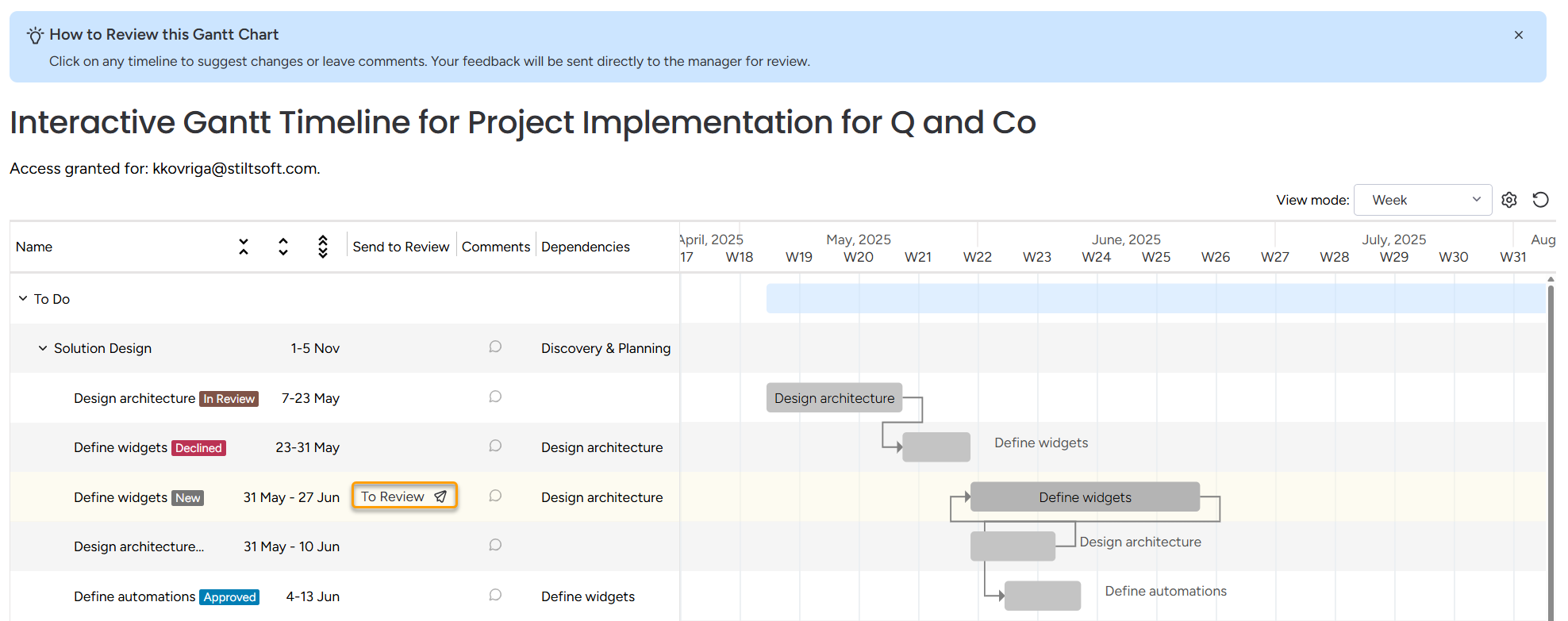
Send to Review
Immediately submits the timeline for manager review.
The client can't edit the suggestion after submission.
The item is marked as In review on the Gantt.
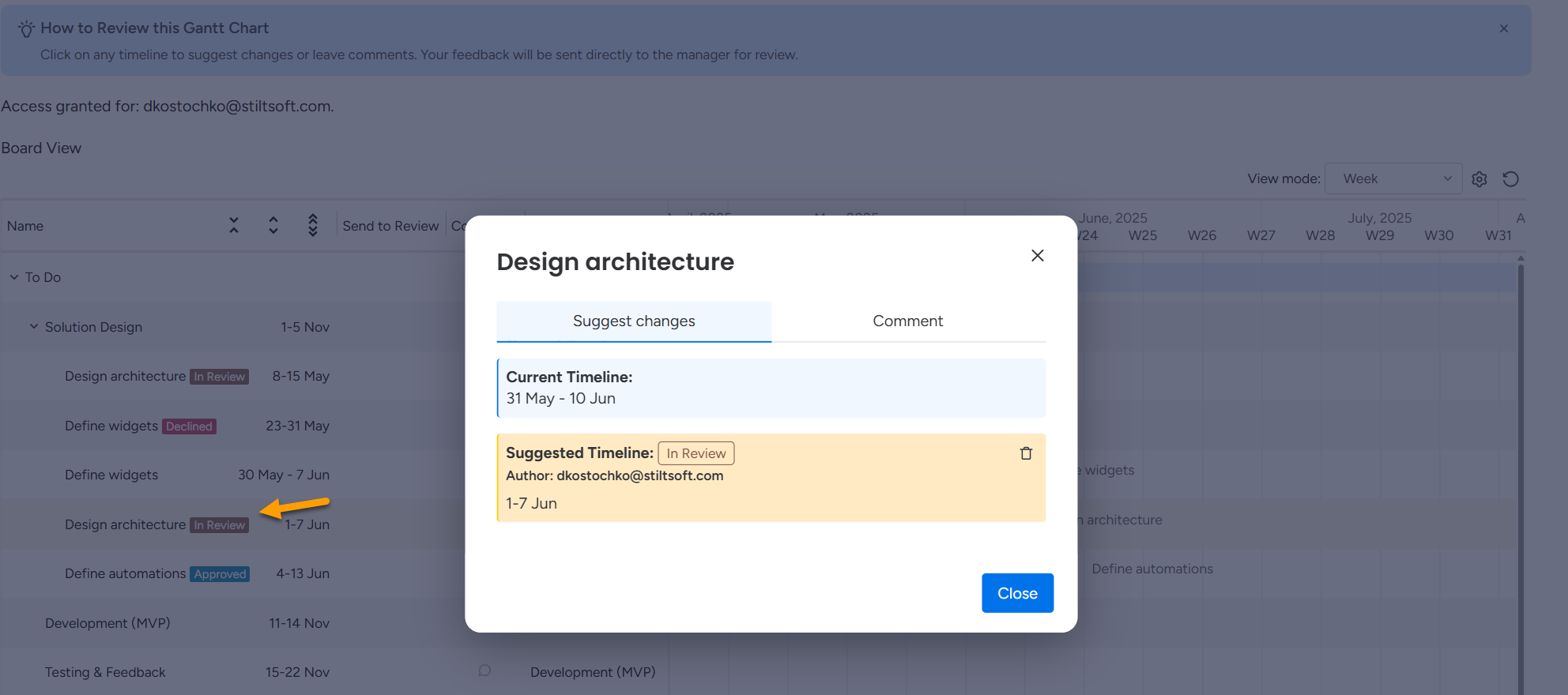
 A single client can leave only one active suggestion per item until it is reviewed. Other clients can still submit their own suggestions for the same item.
What happens after submission
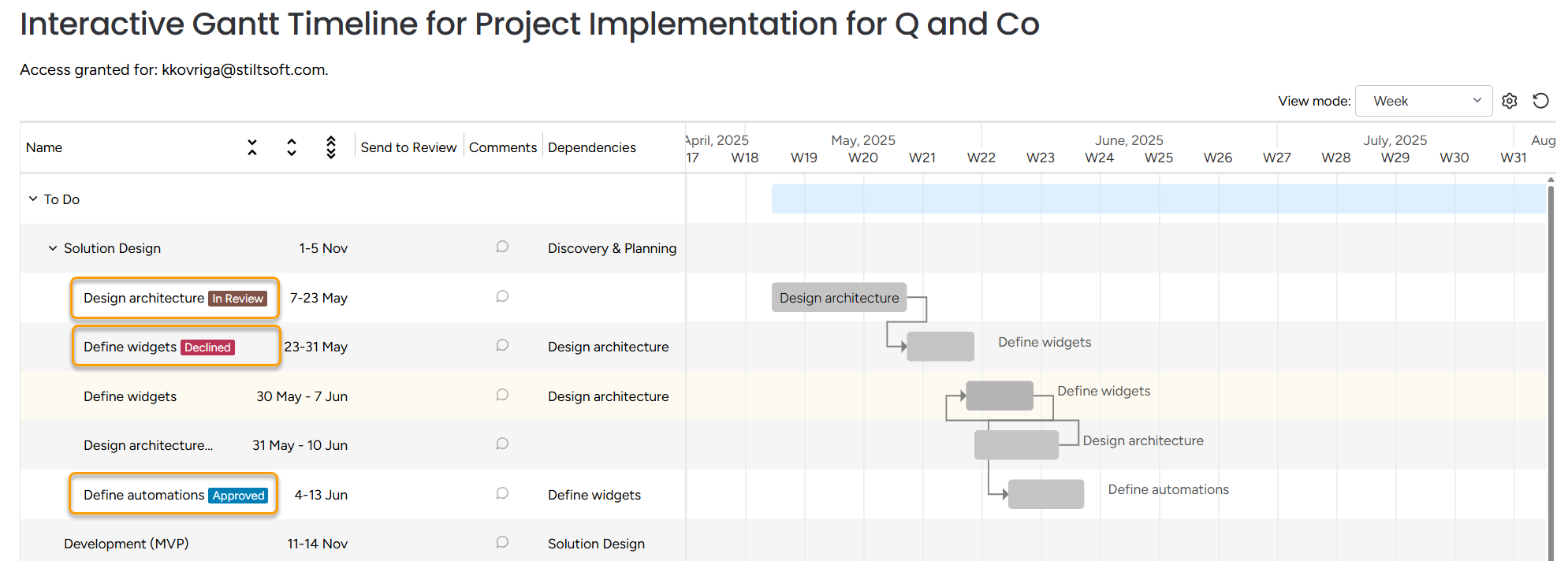
When the project manager receives suggestions, they can approve or decline them.
After the decision:
Viewing reviewed suggestions
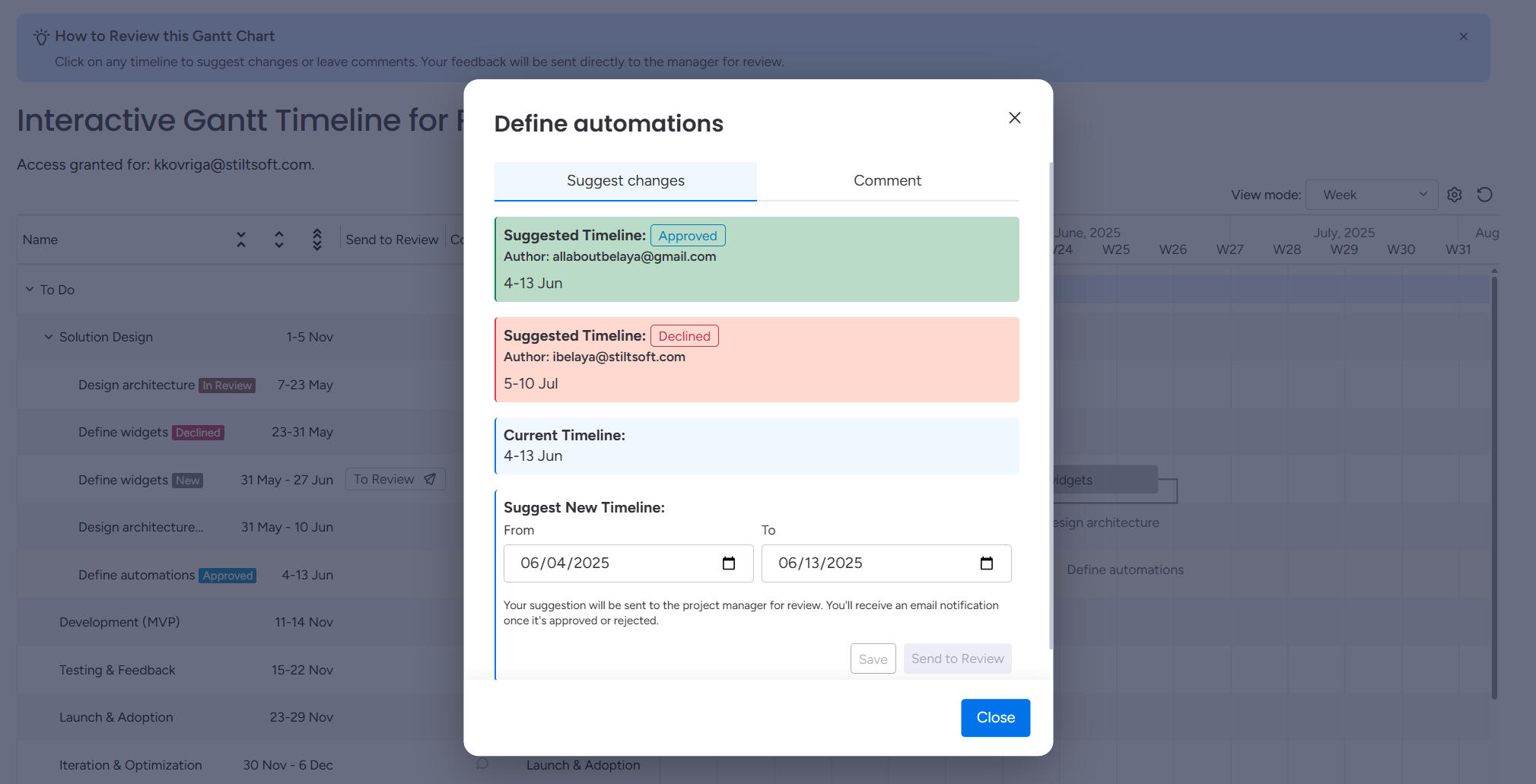
When a client opens an item that has already been reviewed, they can see:
which timeline was approved,
which suggestions were declined,
the reviewer’s message explaining the decision.
Additional comments can also be added in this window. For full details on communication, see the Discuss Project documentation page.