Download page Outputting tables from Google Sheets and Google Drive in Confluence.
Outputting tables from Google Sheets and Google Drive in Confluence
On this page you'll learn how to output tables in CSV format from Google Sheets and Google Drive on Confluence pages with the help of the Table from CSV macro.
There are two ways to generate an URL link to connect Google Sheets to Table from CSV:
#1 Google Sheets URL link
Open a spreadsheet in Google Sheets
Switch to the File tab
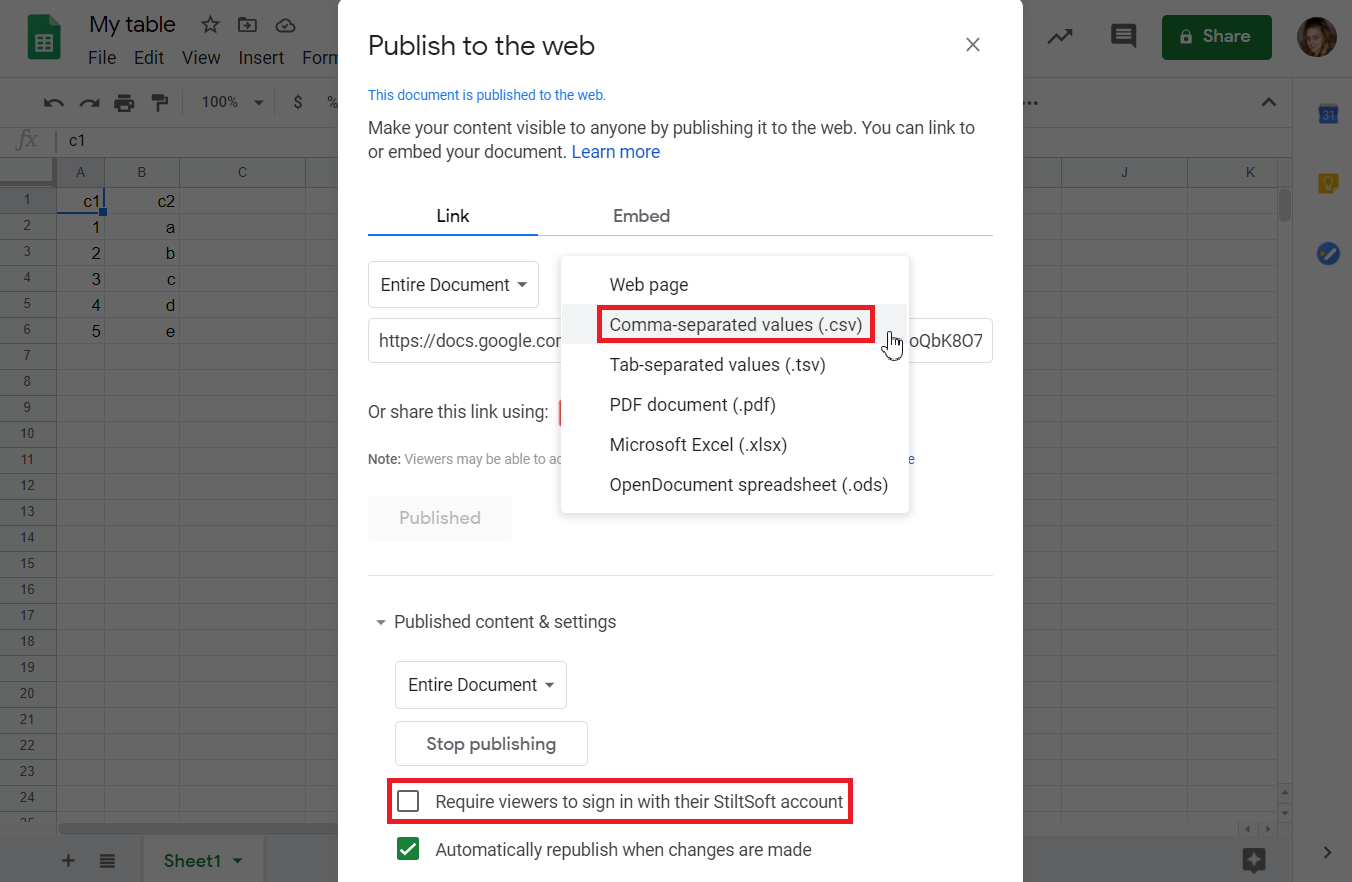
Choose the Publish to the web option
Select the Сomma-sepаrated values (.csv) format
Untick Require viewers to sign in box
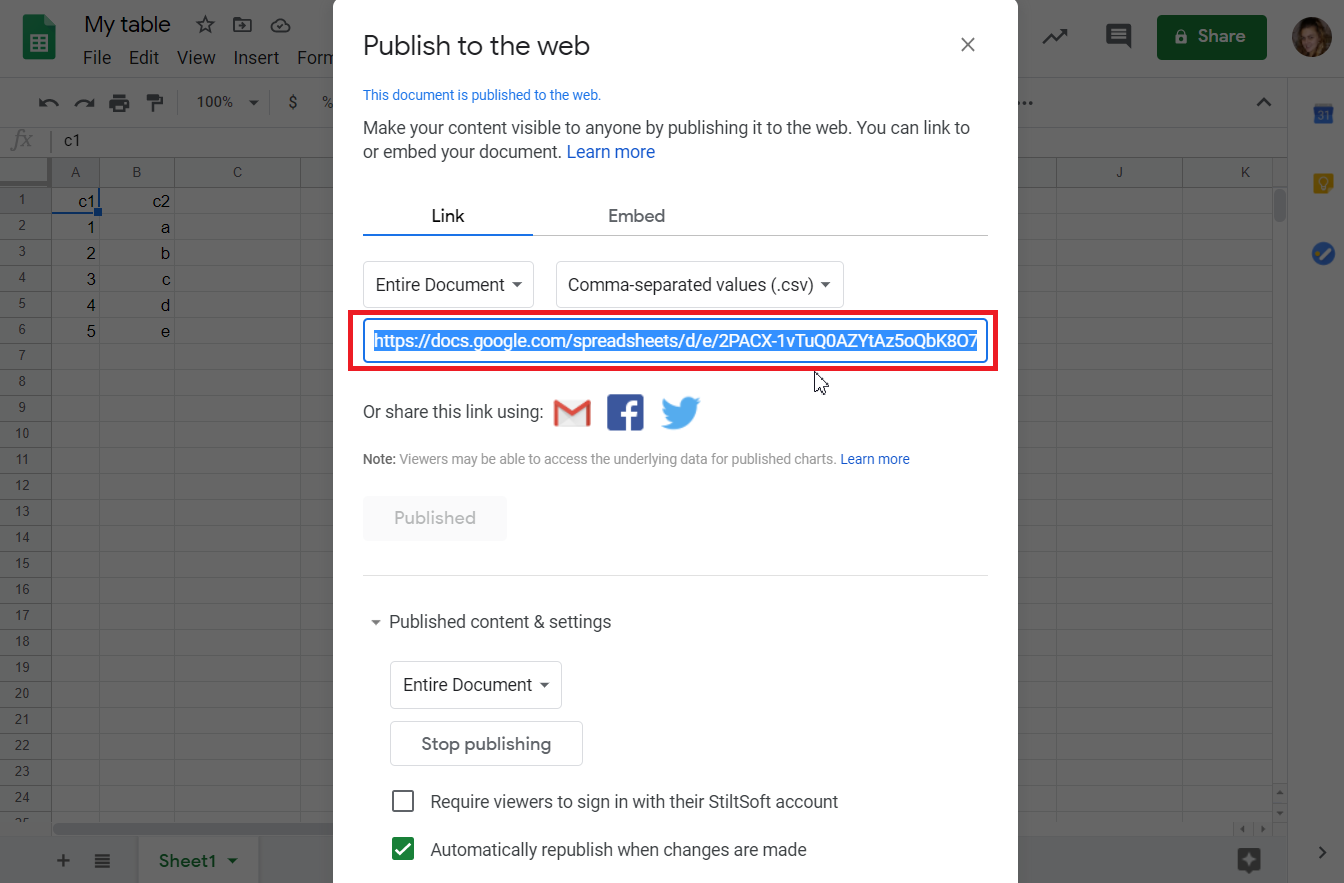
Copy the generated link
Use it as CSV URL in the Table from CSV macro
Login and password are not required, please leave the fields blank
#2 Google Sheets URL link
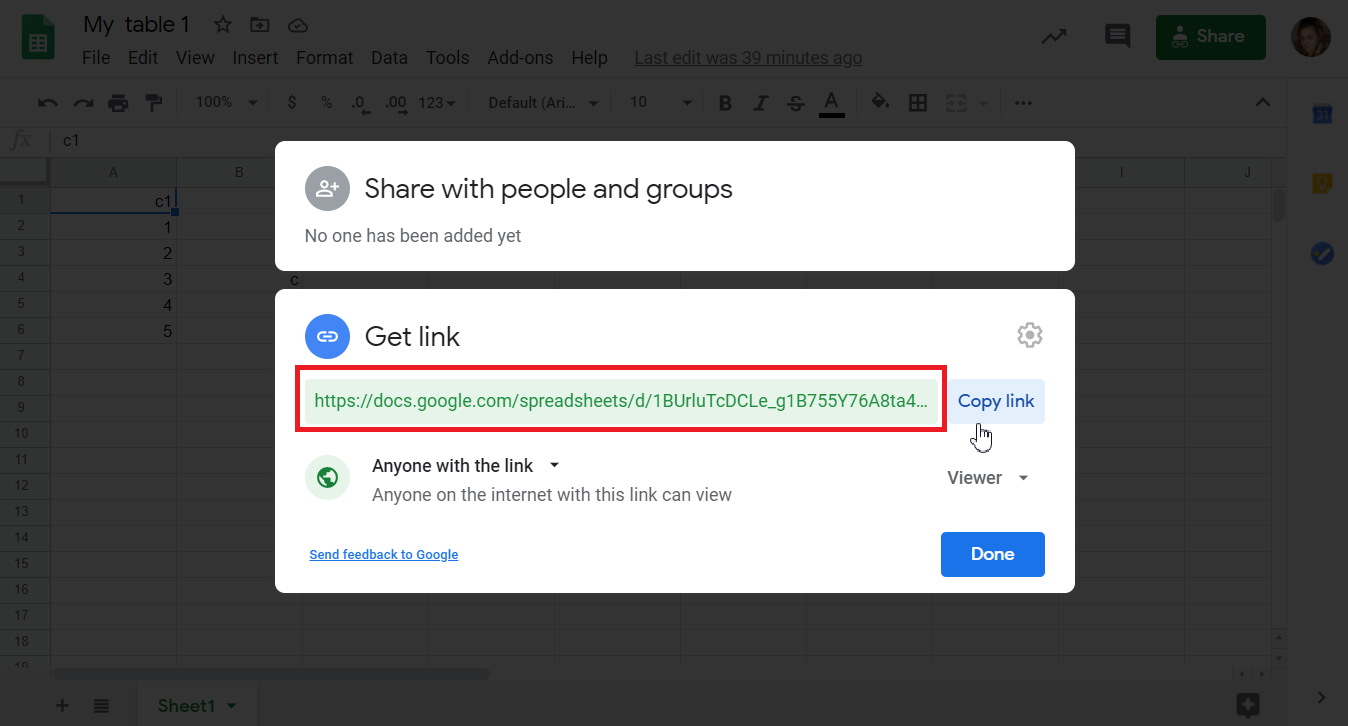
Copy the share link of your Google Docs Spreadsheet
Change its ending: "edit?usp=sharing" to "export?&format=csv" (or "export?&format=tsv")
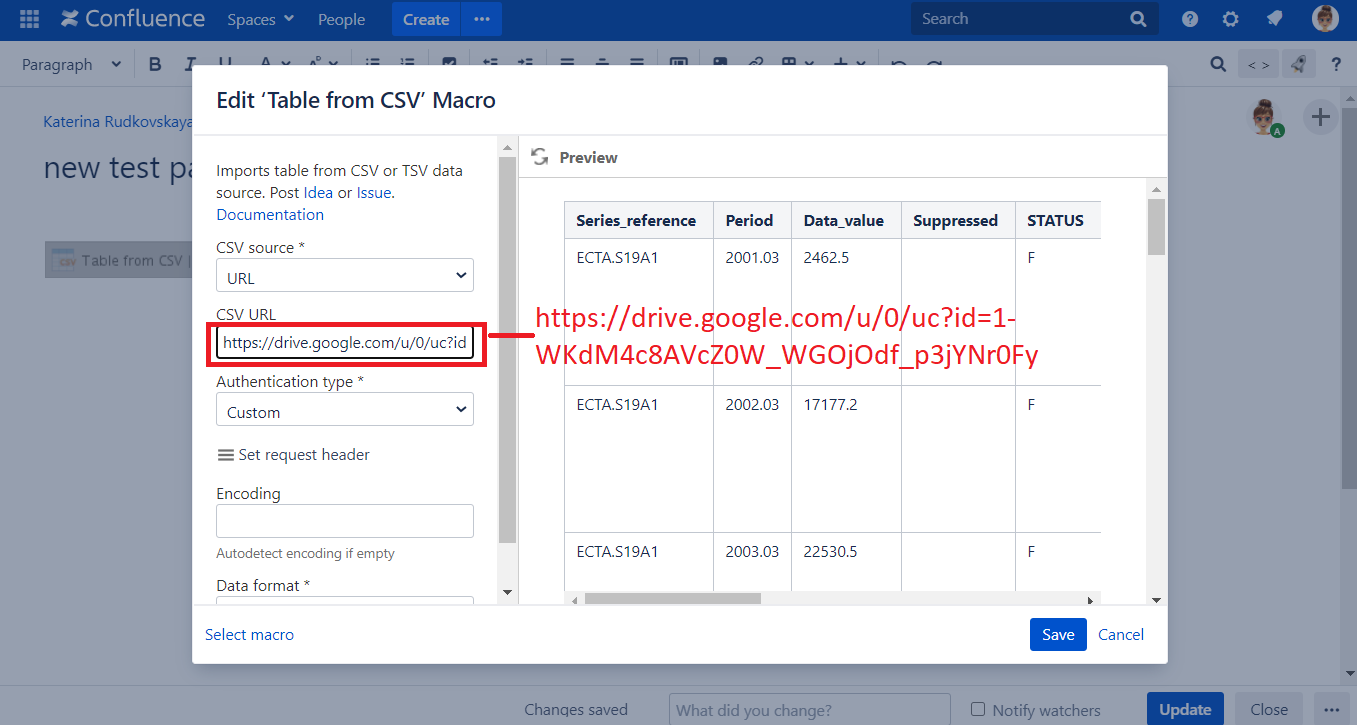
Insert the link into the CSV URL input of the Table from CSV macro
Login and password are not required, please leave the fields blank
▪ Google Drive URL link
Choose the CSV file
Click the Get link button
Set permission: Anyone with the link
Copy link
Combine this link-template https://drive.google.com/u/0/uc?id= with an ID of the previous one