Download page Standardize Repeatable Processes (SOPs) in Jira.
Standardize Repeatable Processes (SOPs) in Jira
To standardize repeatable processes in Jira, you can turn each standard operating procedure (SOP) into a checklist template and add it to every request of that kind. With Checklists for Jira (Templates & Automation), the steps appear on the work item, so people follow the procedure as they do the work instead of looking for it in a separate document.
Why teams need SOP checklists
Most teams have requests that come back again and again: renewing a certificate, restoring a customer's access, setting up a new client. Each time, the result depends on who picks up the request and how much time they have. The usual problems:
The instructions live in a document that nobody opens.
Rare tasks are the worst: by the next time, nobody remembers the steps or their order.
A new person on the team has to ask colleagues how it's done.
What you get
With Checklists for Jira (Templates & Automation):
The same steps in the same order, whoever does the work.
Short hints right in the steps, so nobody has to look for the instructions.
A library of templates that grows as new repeatable requests show up.
Rare procedures don't depend on someone's memory.
SOP checklist template examples
Copy one of these templates and adjust it to your process. Write one action per item, and add a short hint where people usually get stuck.
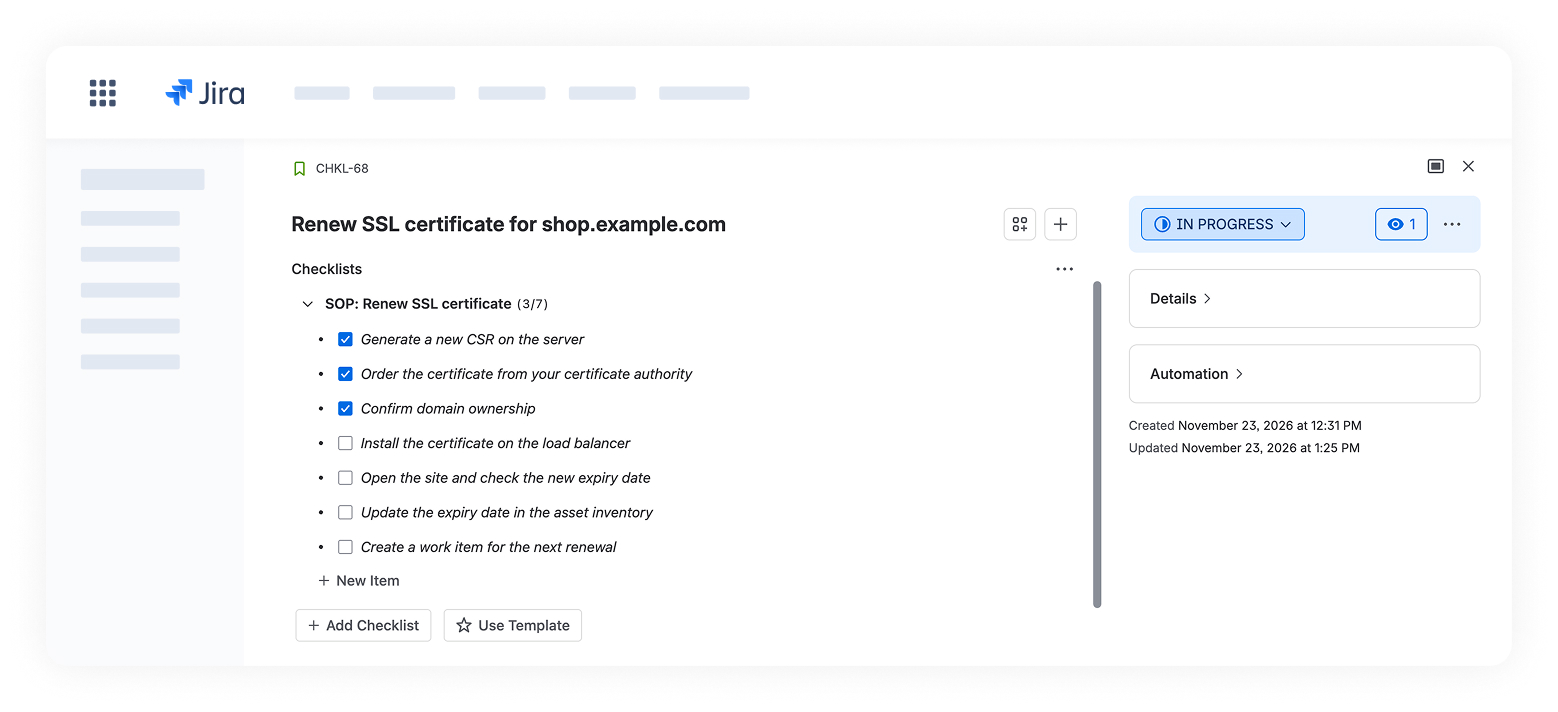
SOP: Renew SSL certificate
Generate a new CSR on the server
Order the certificate from your certificate authority
Confirm domain ownership
Install the certificate on the load balancer
Open the site and check the new expiry date
Update the expiry date in the asset inventory
Create a work item for the next renewal
Other procedures that work well as templates:
SOP: Restore customer account access — verify the requester's identity, unlock the account, confirm access with the customer, add a note to the customer record.
SOP: Set up a new client environment — configuration steps that must go in a strict order, where skipping one breaks the next.
SOP: Run a user research round — conduct the research, document the findings, publish them on a Confluence page.
How to set it up
Write the procedure as a checklist. Next time the request comes in, add a checklist to the work item and write the steps as you do them. → Add checklists to a Jira work item
Save it as a template. Select ⋯ → Save as Template and name it after the request, for example "SOP: Renew SSL certificate". → Create checklist templates
Add the SOP to new requests. Add it by hand with Use template, or create a Jira Automation rule: Work item created → condition on the work item type, for example Work item type equals Task, or on a label → Add Checklist to work item. Manually, you can pick templates only from the current project. In an Automation rule, you can pick a template from any project you have access to. → Automation quick start
Assign the steps that someone else does. If a step belongs to another person or team, type @ followed by their name in the step, or hover over the step and click the person icon to select one or more people. Set a due date with //. → Assign users to checklist items
(Optional) Make the critical steps mandatory. Mark the steps that can never be skipped, such as "Verify the requester's identity", and add the validator Checklists: Validate that all mandatory items are complete to the transition into Done. → Mark items as mandatory
Tips
Save a template after the second or third request. You don't need to write every procedure upfront. When a request comes back, that's the moment to turn it into a template.
Link to the full guide instead of copying it. Keep the hint in the step short, and link to a Confluence page if the step needs more detail.
Let the team suggest changes. Whoever runs the procedure sees first when a step is missing or out of date. Changes to a template apply only to new work items.
Cookie Notice
This website uses cookies for analytics, personalization and advertising. By continuing to browse, you agree to our use of cookies. Learn more